
This is a fork of a motd script
→ All credit to Gagle
- Removed frame around the motd (I didn't like it)
- Fixed Italian Language Error that was showing Days and Months lowercase
- Fixed Installation Tutorial (the previously one broke the system)
- 🔥 Added One Line Command for Installation and Update
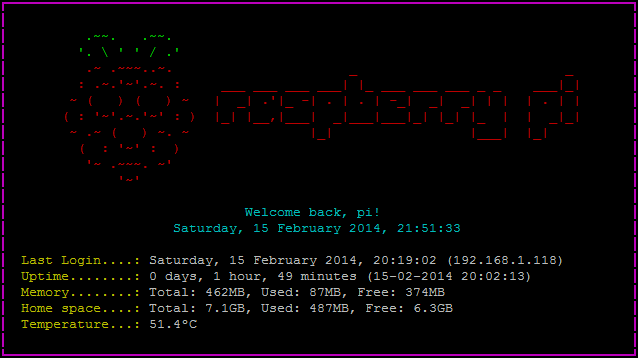
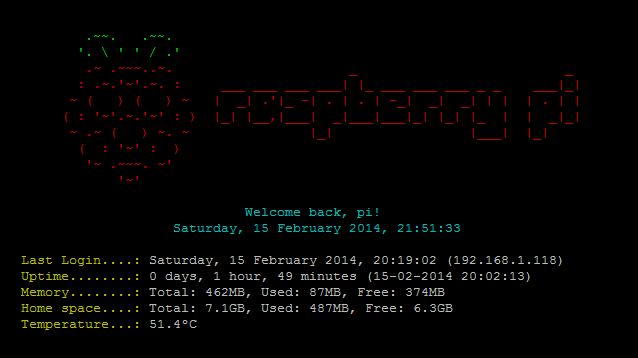
- Written in pure Bash.
- No need to install any package.
- Tested with the Arch Linux ARM and Raspbian distributions.
One line installation! Do this at your own risk. Read all before doing this
bash <(curl -Ss https://raw.githubusercontent.com/marshallmyth/raspberrypi-motd/master/motdinstall.sh)One line update!
bash <(curl -Ss https://raw.githubusercontent.com/marshallmyth/raspberrypi-motd/master/motdupdate.sh)The following steps may vary depending on the OS. Arch Linux ARM is assumed.
Download and save the motd.sh bash script in the Raspberry Pi.
git clone https://github.com/marshallmyth/raspberrypi-motd
cd raspberrypi-motd
Add execution permissions and change the owner
sudo chown root:root motd.sh
sudo chmod +x motd.sh
Remove the default MOTD
It is located in /etc/motd.
sudo rm /etc/motdAutoexecute the script when the user logs in
There are multiple locations from where you can start the motd.sh script. In this tutorial we are linking it in /home/pi/.profile
Save the motd.sh script in the directory /etc/motd
sudo cp raspberrypi-motd/motd.sh /etc/motd/motd.shand link /etc/motd/motd.sh at the end of /home/pi/.profile, so it will be executed after login.
To automatically link use this command:
sudo echo "/etc/motd/motd.sh" >> /home/pi/.profileotherwise add it manually at the end of the file.
sudo nano /home/pi/.profileMore about autostarting scripts.
Remove the "last login" information and disable the PrintLastLog option from the sshd service.
To automatically remove and disable PrintLastLog use this command:
sudo sed -i "s/#PrintLastLog .*/PrintLastLog no/1" /etc/ssh/sshd_configOtherwise edit the /etc/ssh/sshd_config file and uncomment the line #PrintLastLog yes:
sudo nano /etc/ssh/sshd_configBefore:
#PrintLastLog yes
After:
PrintLastLog no
Restart the sshd service:
sudo systemctl restart sshdNote: If you don't see the degree Celsius character correctly (º) make sure you have enabled a UTF8 locale (Arch Linux locales).