web-pvtools includes a series of PV client tools that can access IOCs via web browsers. This work is inspired by epics2web and pvws, and it supports both Channel Access and PV Access.
https://github.com/JeffersonLab/epics2web
https://github.com/ornl-epics/pvws
The frontend is a single page application based on Vue.js framework and provides the following PV tools,
- PV status monitor
- pvget, pvput, pvmonitor, pvinfo
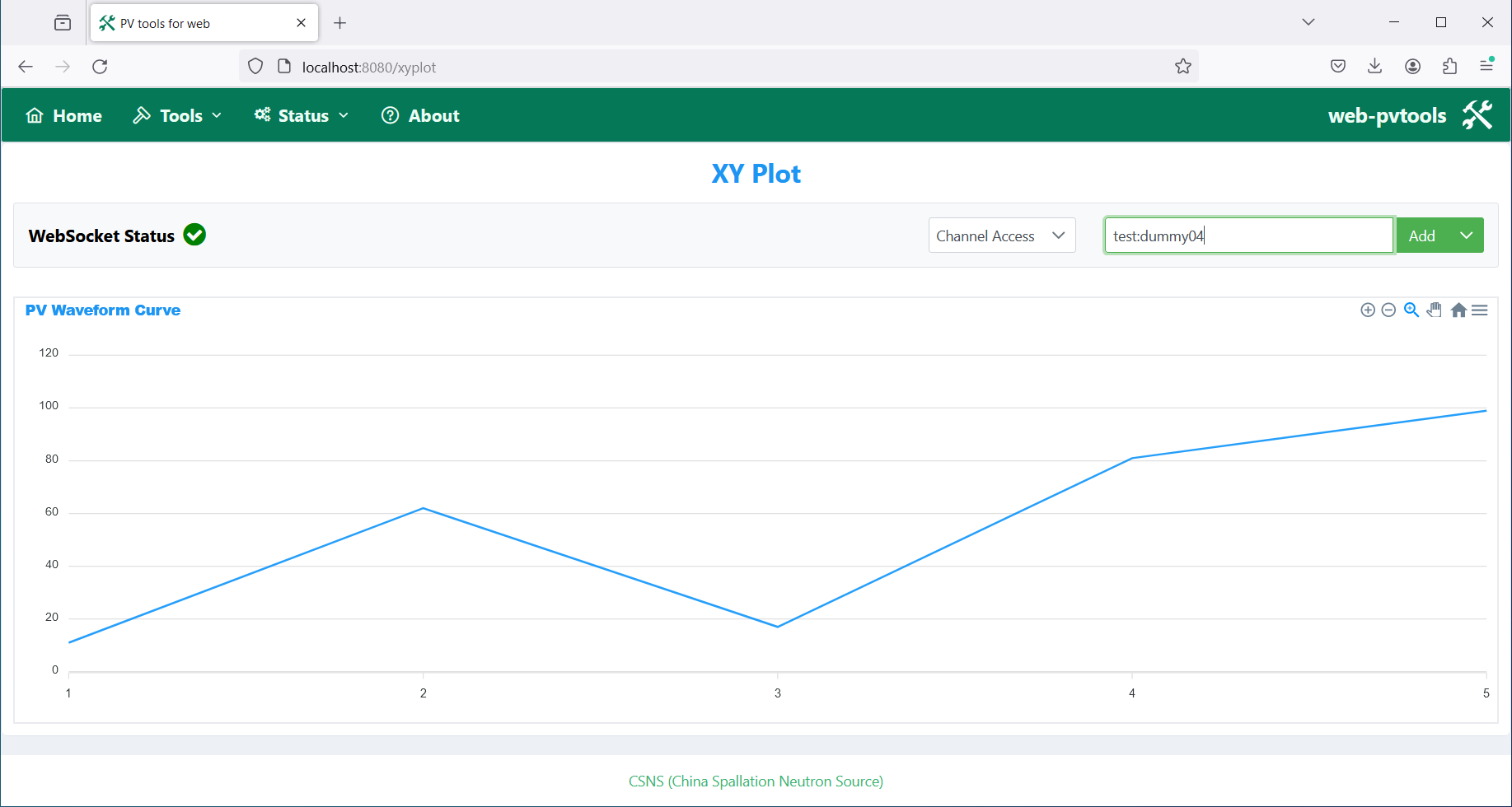
- probe, StripTool, X/Y Plot
The backend is a customized version of pvws including the following modifications,
- Replace Java Servlet with Spring Boot to simplify the REST API code
- Add "connected" field in WebSocket response to show PV connection status
- Replace the Base64 encoding array value with raw data to simplify both WebSocket client and server
- Add separate REST APIs for pvget, pvput and pvinfo

The following frameworks and libraries are used in frontend,
- PrimeVue component library
- Vue.js framework
- apexcharts.js chart library
The following Node.js version is used for the development of frontend,
- Node.js 20.12.2
The following frameworks and libraries are used in backend,
- Spring Boot
- org.phoebus.core-pv
The following Maven and JDK versions are used for the development of backend,
- Maven 3.9.5
- Oracle JDK 21
web-pvtools consists of frontend and backend,

The backend is a customized version of pvws,

Prior to deployment, some parameters need to be configured.
The webServicePath and webSocketPath attributes in the following file of frontend need be set to the backend URLs,
./webclient/src/config/configuration
The following environment variables need to be set for backend,
EPICS_CA_ADDR_LIST
EPICS_PVA_ADDR_LIST
Go to webclient directory
$ cd webclient
$ npm ci
$ npm run build
$ cp -r dist/* /var/www/html
Go to pvwa directory
$ cd pvwa
$ mvn clean install
$ java -jar target/pvwa-0.0.1-SNAPSHOT.jar
or
$ cd pvwa
$ mvn spring-boot:run
The URL for frontend,
http://localhost:8080/
The URLs for backend,
http://localhost:3000/pvwa
ws://localhost:3000/pvwa/pv
One compose.yaml and two Dockerfiles (one for frontend and one for backend) are provided to create the following two containers,
- webclient: Vue.js web pages
- pvwa: Spring Boot web service
Prior to building images and running containers, the values of webServicePath and webSocketPath in webclient/src/config/configuration need to be set to the IP address of the host, EPICS_CA_ADDR_LIST and EPICS_PVA_ADDR_LIST in pvwa/Dockfile also need to be set.
The following commands can be used to build images and run containers,
$ cd web-pvtools
# docker compose build --no-cache
# docker compose up
If building and running succeed, the following page can be accessed,
http://ip_address:8080/
Docker deployment has been tested in the following environment,
- Debian 10 Linux
- Docker version 26.1.0
Menu structure

PV status monitor

pvget

pvput

pvmonitor

pvinfo

probe

StripTool

X/Y Plot
MIT license