Yet another powerline theme for tmux.



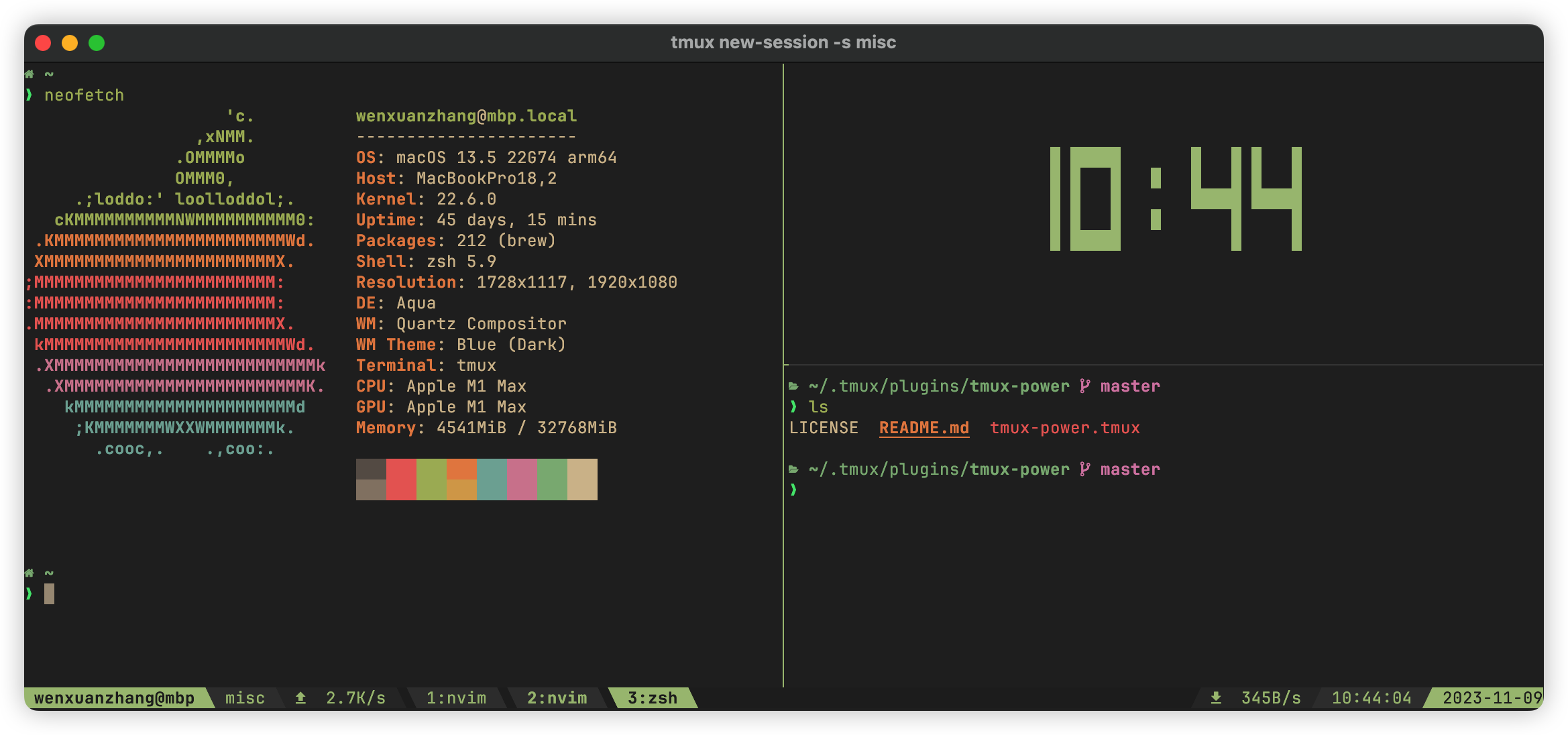
- Powerline aesthetic — arrow separators with smooth gradient color transitions
- 9 built-in themes — or define your own colors
- Fully configurable sections — 8 status segments that accept any tmux format string
- lualine-inspired flexible configuration model
- Per-section style control (bold, italics, etc.)
- Empty sections are automatically skipped with correct arrow transitions
- Fast — theme loads in a single batch, minimal impact on tmux startup time
- Plugin ecosystem — works with tmux-net-speed, tmux-prefix-highlight, tmux-web-reachable, and more
Install manually
Clone the repo somewhere and source it in .tmux.conf:
run-shell "/path/to/tmux-power.tmux"NOTE: Options should be set before sourcing.
Install using TPM
set -g @plugin 'wfxr/tmux-power'set -g @tmux_power_theme 'gold'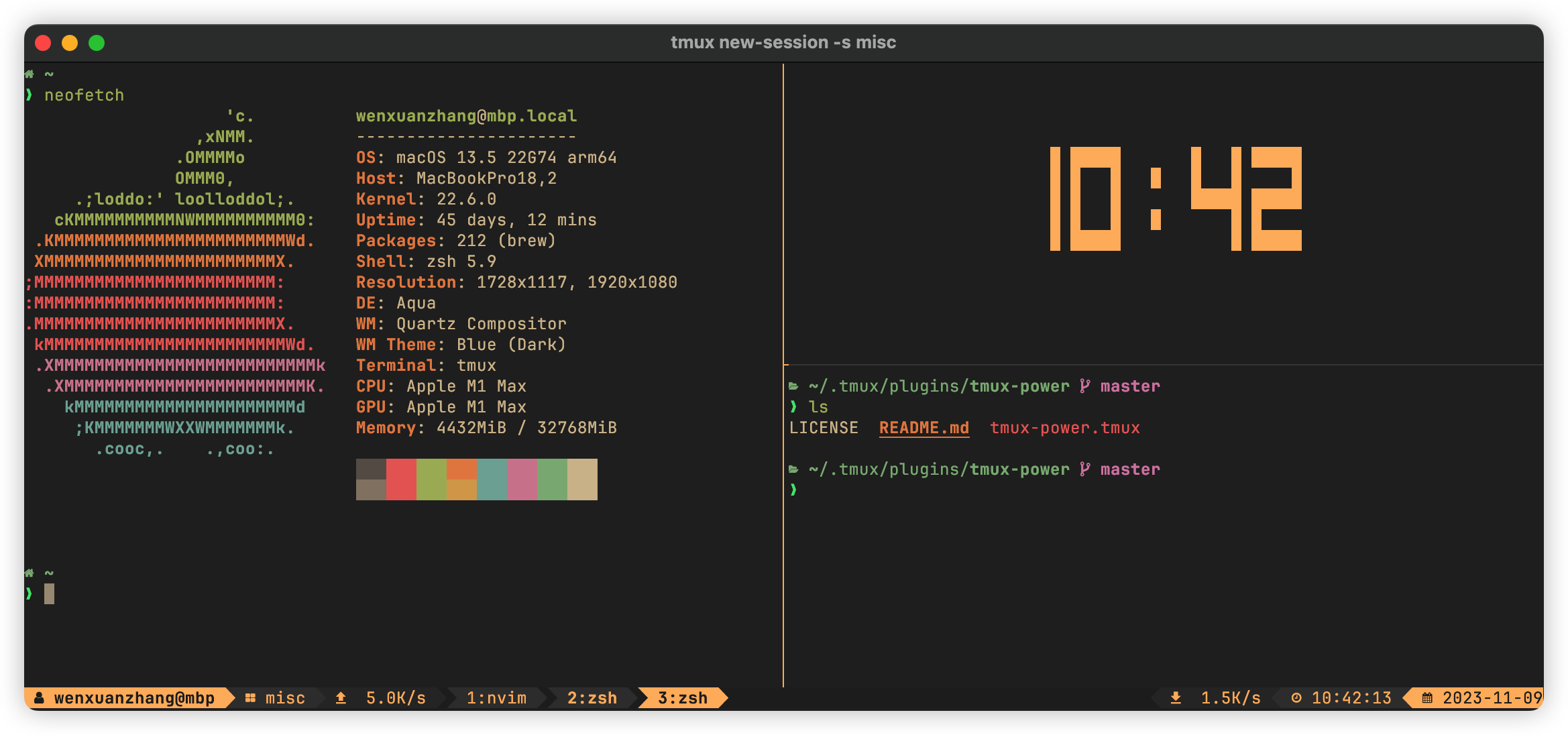
set -g @tmux_power_theme 'everforest'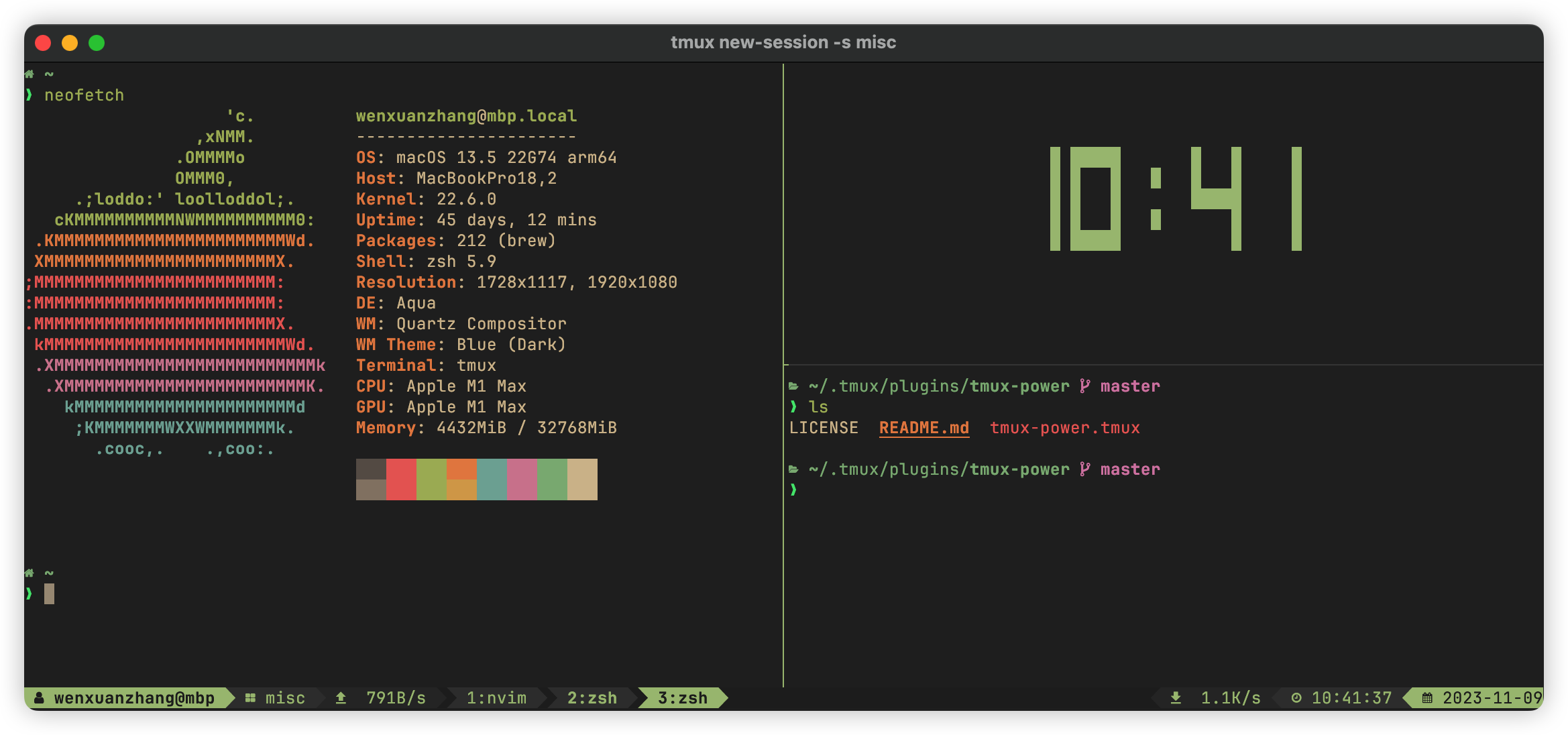
set -g @tmux_power_theme 'moon'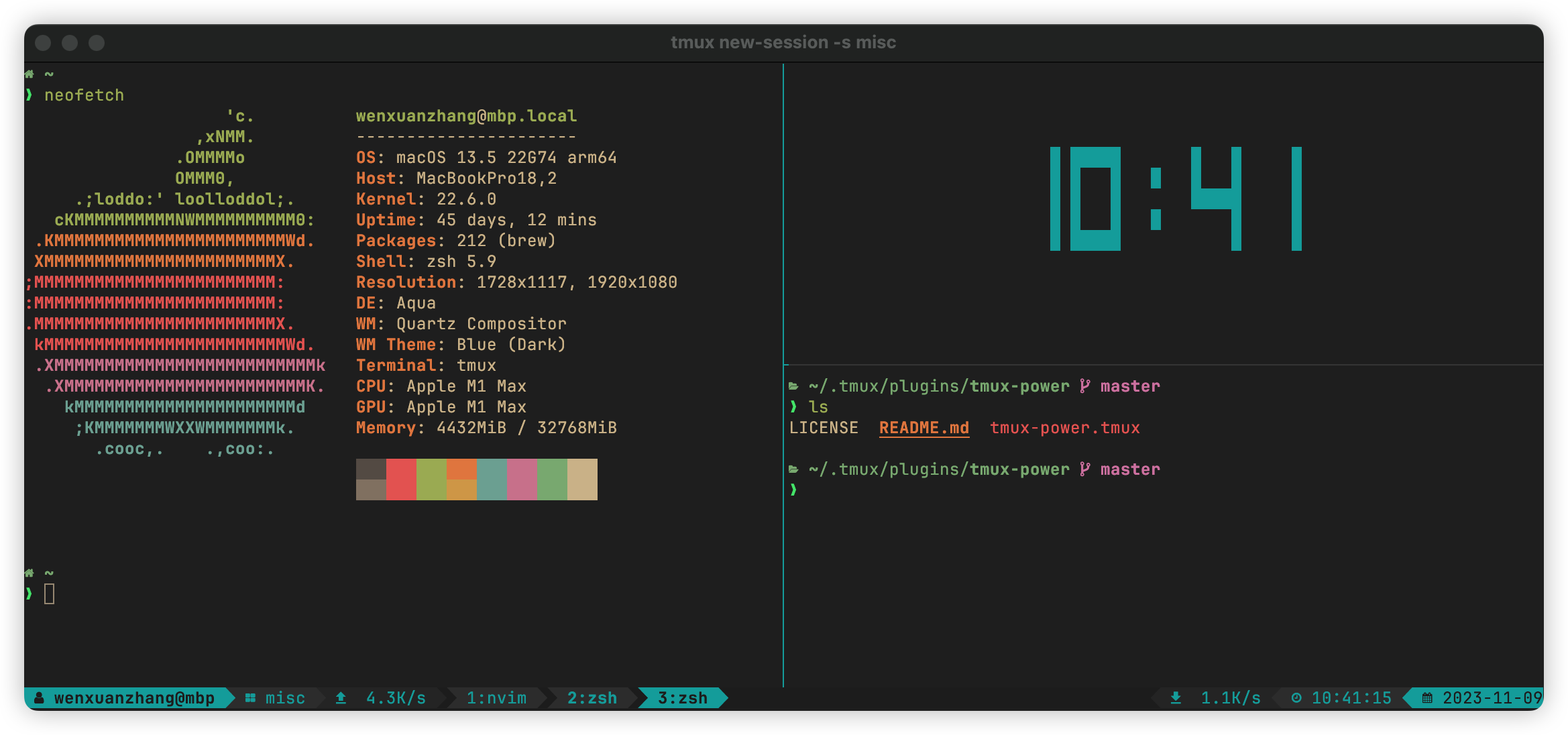
set -g @tmux_power_theme 'coral'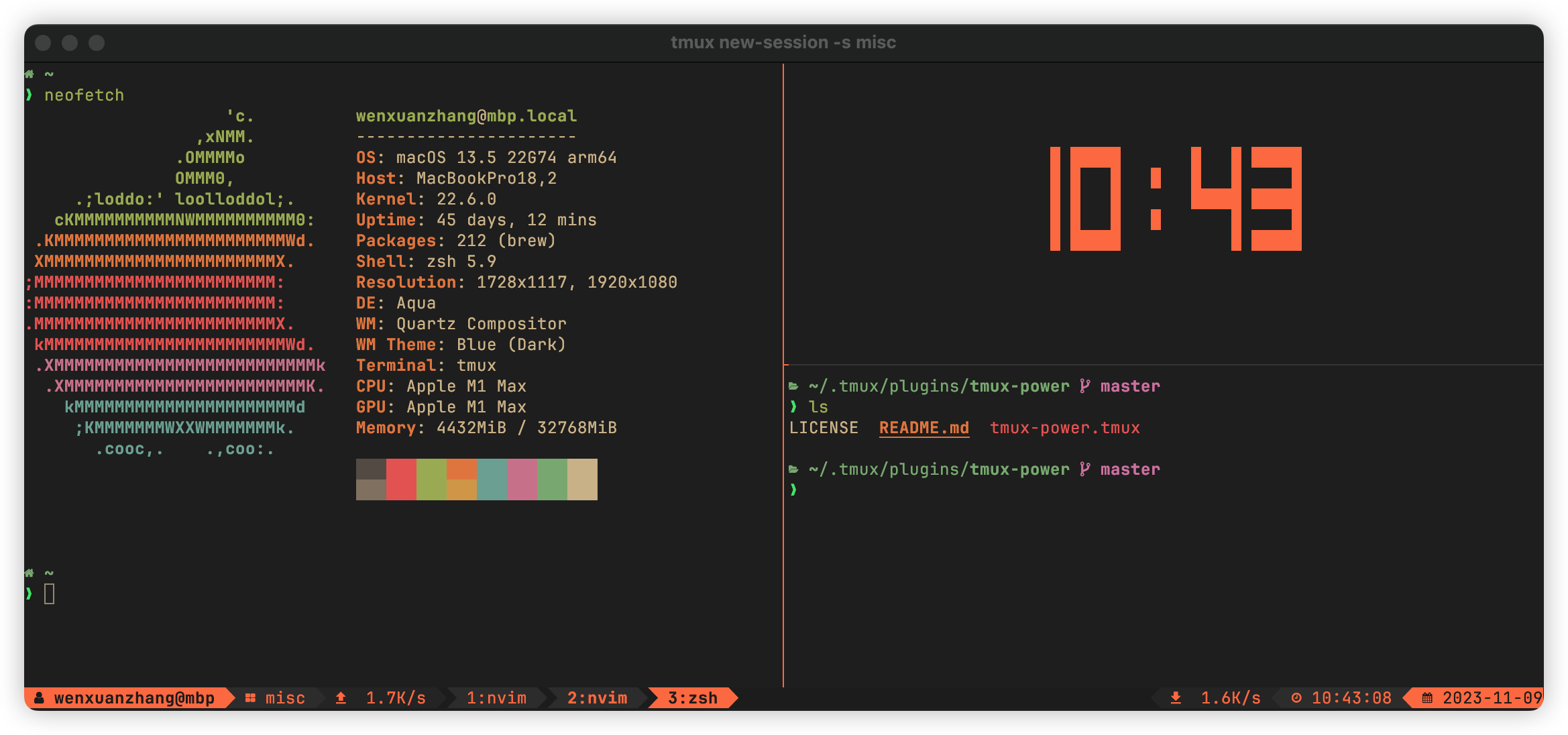
set -g @tmux_power_theme 'snow'set -g @tmux_power_theme 'forest'set -g @tmux_power_theme 'violet'set -g @tmux_power_theme 'redwine'set -g @tmux_power_theme 'sky'Upgrading from v1? The section-based model replaces the old
show_*/*_icon/use_boldoptions. See the migration guide for a complete mapping from old options to new ones.
The status bar is composed of configurable sections. Left sections go from outer to inner (a → d),
right sections go from inner to outer (w → z). Empty sections are automatically skipped with
correct arrow transitions. Section contents use tmux status formats, so values like #{USER}, #h,
#S, and %T are expanded by tmux at render time.
+---+---+---+---+--------------------------------------+---+---+---+---+
| A | B | C | D |           ...windows...              | W | X | Y | Z |
+---+---+---+---+--------------------------------------+---+---+---+---+
The defaults are:
set -g @tmux_power_right_arrow_icon ''
set -g @tmux_power_left_arrow_icon ''
set -g @tmux_power_left_a ' #{USER}@#h' # user@host
set -g @tmux_power_left_b ' #S' # session name
set -g @tmux_power_left_c ''
set -g @tmux_power_left_d ''
set -g @tmux_power_right_w ''
set -g @tmux_power_right_x ''
set -g @tmux_power_right_y ' %T' # time
set -g @tmux_power_right_z ' %F' # dateEach section can also have a style (e.g. bold, italics), applied via a _style suffix:
set -g @tmux_power_left_a_style  'bold'  # default
set -g @tmux_power_right_z_style 'bold'
As an example, the following configurations can generate the theme shown in the first screenshot:
set -g @plugin 'wfxr/tmux-power'
set -g @plugin 'wfxr/tmux-net-speed'
set -g @tmux_power_theme 'everforest'
set -g @tmux_power_right_arrow_icon ''
set -g @tmux_power_left_arrow_icon ''
set -g @tmux_power_left_a '#{USER}@#h'
set -g @tmux_power_left_b '#S'
set -g @tmux_power_left_c ' #{upload_speed}'
set -g @tmux_power_right_x ' #{download_speed}'
set -g @tmux_power_right_y '%T'
set -g @tmux_power_right_z '%F'You can define your favourite colors if you don't like any of above.
# You can set it to a true color in '#RRGGBB' format
set -g @tmux_power_theme '#483D8B' # dark slate blue

# Or you can set it to 'colorX' which honors your terminal colorscheme
set -g @tmux_power_theme 'colour3'

# The following colors are used as gradient colors
set -g @tmux_power_g0 "#262626"
set -g @tmux_power_g1 "#303030"
set -g @tmux_power_g2 "#3a3a3a"
set -g @tmux_power_g3 "#444444"
set -g @tmux_power_g4 "#626262"Section contents support tmux's #(cmd) syntax, so you can embed the output of any shell command.
For example, to show weather in the status bar:
set -g @tmux_power_right_w '#(curl -s "wttr.in?format=1" | sed -e "s/+//" -e "s/ \+/ /")'set -g @tmux_power_status_interval 1 # status bar refresh interval in secondsThe default arrows/icons and examples that include icon glyphs use characters from nerd-fonts.
Any tmux plugin that exposes #{...} format tokens can be placed in a section.
set -g @tmux_power_left_c ' #{upload_speed}'
set -g @tmux_power_right_x ' #{download_speed}'# 'L' for left only, 'R' for right only and 'LR' for both
set -g @tmux_power_prefix_highlight_pos 'LR'set -g @tmux_power_right_w '#(tmux-mem-cpu-load)'You might also find these useful:
MIT (c) Wenxuan Zhang
