-
Notifications
You must be signed in to change notification settings - Fork 10
Setting up for code review using a shared folder
Luiza edited this page Jan 19, 2018
·
3 revisions
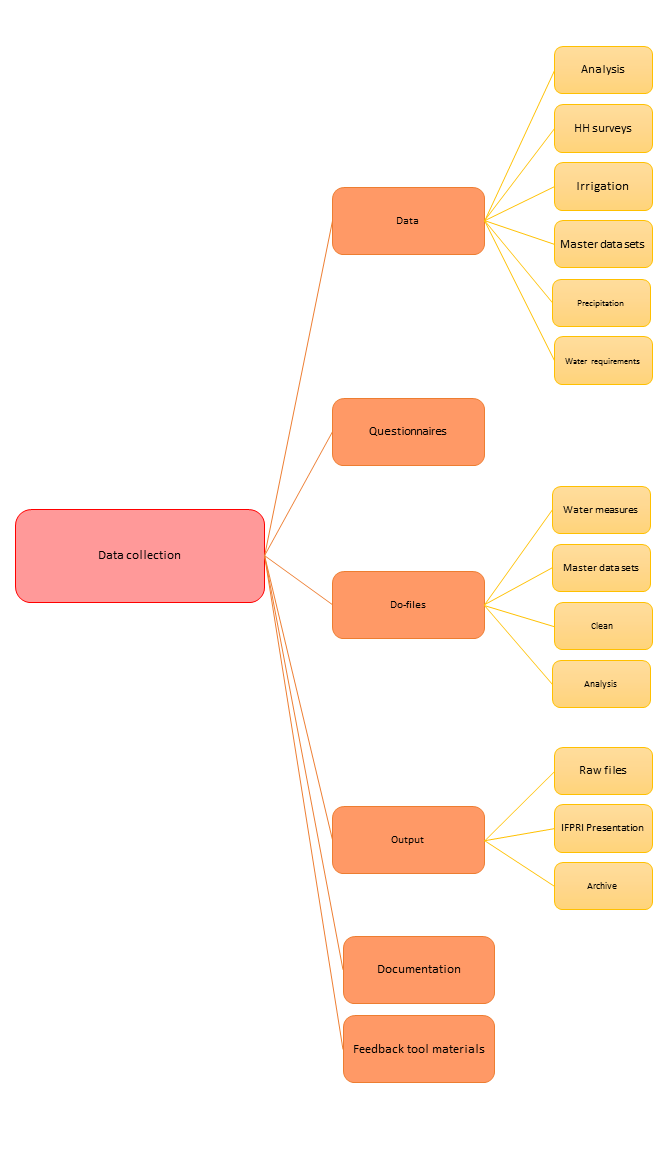
- Create a dropbox folder with an informative name such as YOUR PROJECT - CODE REVIEW. This folder should (a) have the same folder structure as your DataWork folder; (b) contain all the de-identified raw data files used as primary inputs, and no other data; (c) contain all the codes that should be reviewed (d) contain all the outputs that should be replicated.
- Delete any intermediate data sets from the code review folder. Make sure this folder only contains the codes (do-files, R files, txt, tex, etc) and de-identified raw data files. Check that all the folders in DataWork were loaded, even if they are empty.
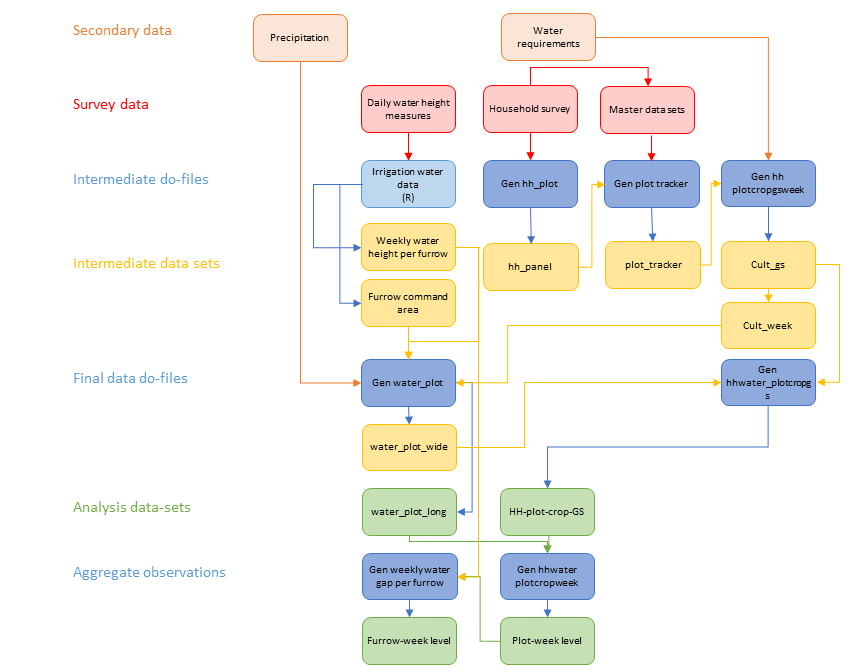
- Add a file with an overview of your project and a data-map explaining what your data sources are, what are the final data sets and what are the main outputs. This is supposed to allow your reviewer to understand the project enough to usefully review the code. Here are examples of how to this for data cleaning structure and folder structure
- Download the code review form to the shared folder and call it “Code Review - MM/YY”. Edit the "Author's requests" sheet in the form and list the things you’d like your reviewer to pay particular attention to. Use this file to tell your reviewer (1) the path and name of the cleaned data set to be published on the Microdata Catalog (2) the path and name to the data set used for analyses (3) the path and name of the file with the results that will be shared.
- Create a folder containing the outputs that should be replicated. This folder must have a different name to the original output folder, so that they’re not written over when the do-files are run
- Share this folder with your reviewer
This site is located at at bit.ly/dimeanalytics. For requests not answered on this site, email the "DIME Analytics" Group via WB Outlook: dimeanalytics_internal_use_only@worldbank.org
DIME Analytics Services
- New Hire Quick Start
- WBG SurveyCTO
- RA/FC/intern Slack
- Pre-Publication Code Review
- Peer Code Review
- Trainings
- Survey Support
DIME Public Resources
GitHub Repositories
External Resources