Chrome Download: https://chromewebstore.google.com/detail/fcalilbnpkfikdppppppchmkdipibalb
Cloaq is a browser extension that spoofs your time zone, geolocation, and locale to any location you choose. It’s useful for testing websites in different regions, bypassing geo-restrictions, or matching your location data to your VPN IP address.
Cloaq uses the chrome.debugger API to change data directly at the browser level, making it effective across all frames and web workers, unlike other extensions that rely on less reliable script injections. This approach ensures data modifications are undetectable and work consistently, even during the initial page load.
Cloaq does not change your IP address. To change your IP address you will need a VPN or proxy.
While the extension is on, a notification bar becomes visible. Hiding the bar can be done by using the --silent-debugger-extension-api flag.
Instructions on how to run chrome with flags:
https://www.chromium.org/developers/how-tos/run-chromium-with-flags/
Chrome permissions define the specific browser capabilities and user data that an extension can access.
debugger: Enables the extension to attach to tabs and emulate user settings such as location, time zone, and locale.
webNavigation: Enables the extension to attach the debugger to pages and monitor page transitions.
storage: Enables the extension to store and retrieve settings and preferences.
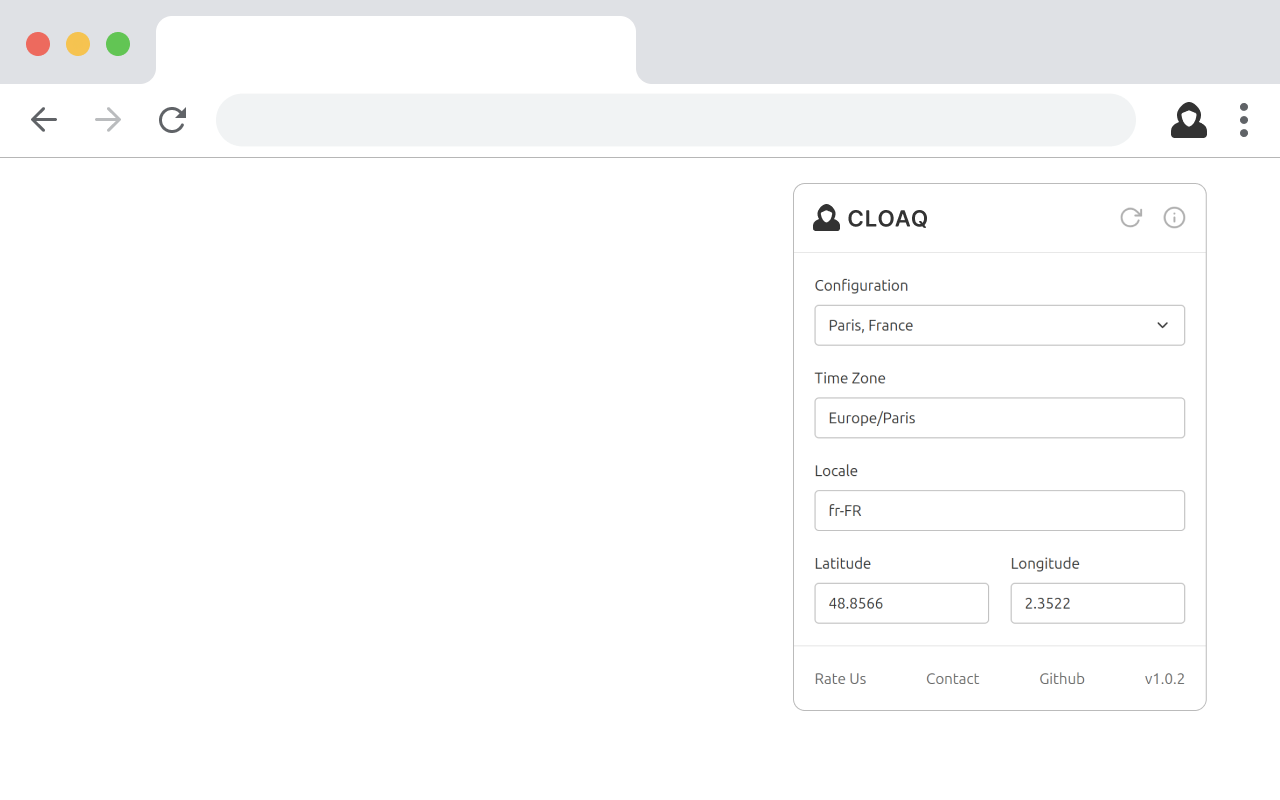
Cloaq is built using JavaScript and Tailwind CSS.
-
Clone this repository to your local machine.
-
Run the following command to install necessary packages:
yarn
- Build the Extension.
yarn build
This command will build in the extension and place it in the /build folder.
- Open Chrome and navigate to
chrome://extensions/ - Enable 'Developer mode' (toggle in the upper-right corner).
- Click 'Load unpacked'.
- Select the
buildfolder (or the root folder if usingyarn watch:css).
