Home
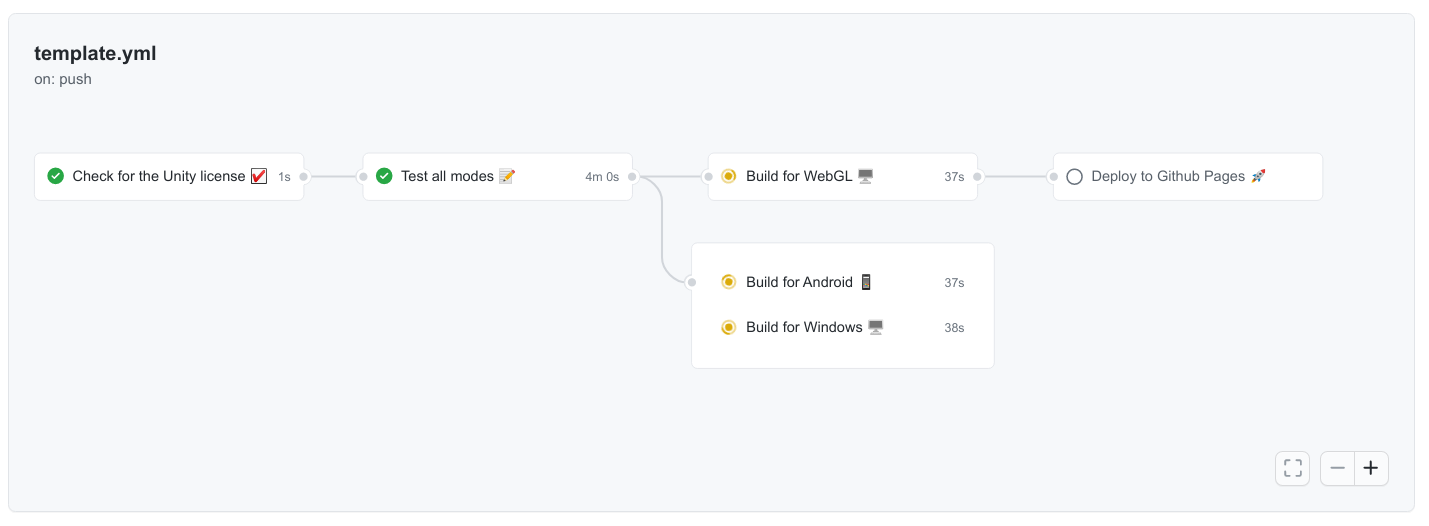
If you are reading this, you probably watched my video on youtube. Please be aware that that was purely to inspire you, but please don't just copy and paste what I did. Read the full documentation (which is regularly updated) as my video will be outdated soon and there will be better and quicker ways of running your CI.
- Please read the full documentation https://game.ci/docs/github/getting-started
- In the project root folder:
git init - Add your project remote
git remote add origin ... - Get a gitignore file from gitignore.io
- git add and commit and push
- Create your actions workflow:
.github/workflows/main.yml - git add and commit and push
- DOCUMENTATION
- Create your actions workflow:
.github/workflows/activation.ymlusing the above docs. - git add and commit and push
- Check that your workflow passed.
- Download
Manual Activation Fileartifact. - Extract zip.
- Upload the file to license generate
- Download
Unity_*.ulffile
- Add a secret variable to your repo.
-
UNITY_LICENSE- The content of the file you just downloaded
-
- DOCUMENTATION
- Edit main.yml.
- Add edit/play/all test jobs to you workflow.
- git add and commit and push
- DOCUMENTATION
- Edit main.yml.
- Add jobs for your build targets to the workflow.
- (optional) Make build jobs dependent on tests passing.
- git add and commit and push
- Download Standalone build or Android build to test.
- Edit main.yml.
- Add a job for deploying to github pages.
- Make deploy job dependent on the webgl build passing.
- git add and commit and push
- Go to github pages settings and select which branch has your pages webgl deployment (eg.
gh-pages) - Go to
https://[your-github-name].github.io/[your-repo-name]to test your web build.