It has never been easier to use toasts with bootstrap.
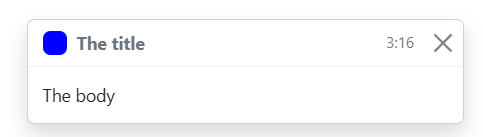

Put the following into the html body tag, or download the bootstrap-toast.js file from this repo.
<script src="https://zhiftydk.github.io/bootstrap-toast/bootstrap-toast.js"></script>Create a new toast like this:
const toast = new Toast("Title", "Body", "blue"); // Takes 3 arguments, title, body and colorShow the toast like this:
toast.show(autohide=true); // Autohide (boolean), if true (default) the toast will hide automatically and if false the toast will stay on screen untill closed.The toast can be hidden manually like this:
toast.hide(); // Hides the toast manually<!DOCTYPE html>
<html lang="en">
<head>
<meta charset="UTF-8">
<meta name="viewport" content="width=device-width, initial-scale=1.0">
<title>Toast Test</title>
<link href="https://cdn.jsdelivr.net/npm/bootstrap@5.2.3/dist/css/bootstrap.min.css" rel="stylesheet" integrity="sha384-rbsA2VBKQhggwzxH7pPCaAqO46MgnOM80zW1RWuH61DGLwZJEdK2Kadq2F9CUG65" crossorigin="anonymous">
</head>
<body>
<script src="https://cdn.jsdelivr.net/npm/bootstrap@5.2.3/dist/js/bootstrap.bundle.min.js" integrity="sha384-kenU1KFdBIe4zVF0s0G1M5b4hcpxyD9F7jL+jjXkk+Q2h455rYXK/7HAuoJl+0I4" crossorigin="anonymous"></script>
<script src="https://zhiftydk.github.io/bootstrap-toast/bootstrap-toast.js"></script>
<script>
const toast = new Toast("The title", "The body", "blue"); // Takes 3 arguments, title, body and color
toast.show(autohide=true); // Autohide (boolean), if true (default) the toast will hide automatically and if false the toast will stay on screen untill closed
</script>
</body>
</html>