AUTinyDane is an open-source, affordable quadruped robot platform developed at Aarhus University.
The project focuses on a complete real robot stack: mechanical design, servo actuation, inverse kinematics, gait generation, and PS4 teleoperation on a Raspberry Pi.
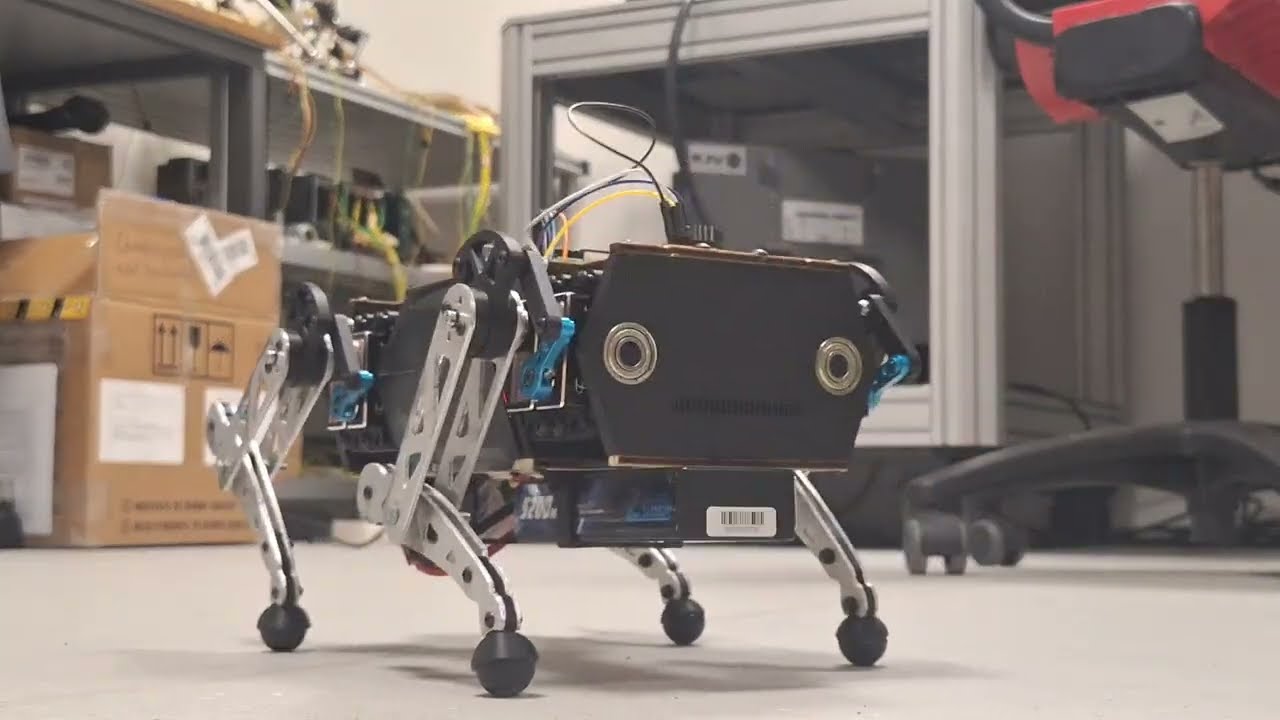
- Full Python control stack for a 12-DOF quadruped
- Real-time gait/state logic for trot and standing control modes
- Servo + IMU hardware interface for Raspberry Pi
- PS4 controller integration for teleoperation
- Calibration and utility scripts for bring-up and maintenance

- Controller: Raspberry Pi (single-board control)
- Actuation: 12 hobby servos driven by PCA9685 boards
- IMU: MPU6050
- Chassis: Laser-cut + 3D-printed hybrid structure
Core runtime flow:
- Read controller command inputs
- Update movement/stance command state
- Generate leg trajectories (swing/stance planners)
- Solve inverse kinematics
- Send commands to servo drivers
Main components:
src/GaitPlannerV2.py– trot cycle logicsrc/StancePlannerV2.py,src/SwingPlannerV2.py– stance/swing trajectoriessrc/Kinematics.py– inverse kinematicssrc/HardwareInterface.py– servo/IMU communicationsrc/PS4Controller/– DualShock 4 mapping
AUTinyDane/
├── run_robot.py                 # Main runtime entry point
├── requirements.txt             # Python dependencies
├── src/                         # Core runtime modules
│   ├── Configuration.py         # Robot geometry and limits
│   ├── Command.py               # Command state and mode abstraction
│   ├── State.py                 # Runtime gait/state values
│   ├── Kinematics.py            # IK solver
│   ├── HardwareInterface.py     # PCA9685 + IMU interface
│   ├── ServoCalibration.py      # Servo neutral offsets and gains
│   ├── GaitPlannerV2.py         # Main gait planner
│   ├── StancePlannerV2.py       # Stance phase planning
│   ├── SwingPlannerV2.py        # Swing phase planning
│   └── PS4Controller/           # Controller input mapping/listener
├── tools/                       # Calibration and utility scripts
│   ├── calibrate_servos.py      # Interactive servo offset calibration
│   ├── ServoNeutral.py          # Move servos/legs to neutral
│   ├── TestServo.py             # Interactive servo testing helpers
│   └── IMU_calibration.py       # IMU calibration utility
├── tests/                       # Manual/experimental test scripts
└── legacy/                      # Older planners/simulators
- Raspberry Pi with Python 3
- I2C enabled on the Pi
- PCA9685 board(s) connected on expected addresses (
0x40–0x43in current code) - MPU6050 IMU connected (
0x68) - PS4 controller (for teleoperation)
- Python 3.10+ recommended
pip
Note: Several dependencies are Raspberry Pi / hardware specific and may not install or run on non-Pi machines.
git clone https://github.com/JensLajordMunk/AUTinyDane.git
cd AUTinyDane
python -m venv .venv
source .venv/bin/activate
pip install -r requirements.txt
If running on Raspberry Pi, also ensure system packages and I2C support are configured.
- Verify wiring and power-off safety state
- Confirm/update servo calibration in
src/ServoCalibration.py - Pair and connect the PS4 controller (
/dev/input/js0expected) - Run:
python run_robot.pyFrom src/PS4Controller/DogController.py:
- X →
TROT - Circle →
ROTATE - Square →
TRANSLATE - Triangle →
NEUTRAL - Left stick (L3) → translational commands (forward/lateral + stand height)
- Right stick (R3) → yaw/roll/pitch depending on mode
Current modes are defined in src/Command.py:
NEUTRALTROTROTATETRANSLATE
-
Servo neutral/pose checks:
python tools/ServoNeutral.py
-
Interactive servo calibration (writes
src/ServoCalibration.py):python tools/calibrate_servos.py
-
Servo test helper:
python tools/TestServo.py
Run these carefully with the robot safely supported/off-ground.
This repository currently contains mostly hardware/manual test scripts under tests/ rather than a full automated CI-style unit test suite.
Basic discovery check:
python -m unittest discover -qUseful manual scripts include:
tests/Test_kinematics.pytests/gait_simulatorV2.pytests/IMU_test.py
- Controller not detected: ensure DS4 is connected and appears as
/dev/input/js0. - No servo movement: verify I2C wiring and PCA9685 addresses.
- Unstable pose/motion: re-run servo calibration and verify geometry values in
src/Configuration.py. - Import/runtime issues on desktop OS: many dependencies target Raspberry Pi hardware.
This project is licensed under the MIT License. See LICENSE.