

A lightweight, event-driven background memory cleaner designed to help clear out background memory junk during natural breaks.
Optional Dependencies: This addon requires the following optional libraries:
- LibAddonMenu-2.0 (Required for Settings Menu)
- LibCombatAlerts (Required for Gamepad UI Movement)
Without the Dependencies: You can still run the addon entirely independent, and control its settings via built-in slash commands as a standalone utility.

Other memory cleaners use constant "OnUpdate" timers that ping the game every few seconds to check your memory. The timer loops endlessly from the moment you log in. They do often pause the cleanup, but the polling loop keeps firing in the background even during fights. They also often calculate memory strings even when the UI is hidden or closed, are built before console APIs existed, and only track "collectgarbage" (ignoring console UI limits), all of which unnecessarily wastes CPU cycles.
Auto Lua Memory Cleaner uses a dormant, event-driven trigger. It stays completely asleep (using 0% CPU) and only wakes up to check your memory during natural breaks while playing, such as right after you exit combat or while inside a menu.

: Event trigger ensures the addon only runs checks during loading screens, exiting combat state, or while inside a menu. All graph modules, diagnostics, and trackers are strictly dormant and default to OFF.
: Will never force a garbage collection cycle while you are in combat or dead, preventing dangerous mid-fight frame drops (Imagine crashing in the middle of your Trifecta, or God Slayer run!).
: Automatically adapts to your hardware specific memory rules. On PC, it helps you stay safely below the 512MB performance "soft limit" to prevent UI lag and stuttering. On Console, it safely monitors the strict 100MB hardware memory pool.
: A dual-pass garbage collection cycle to safely force execution of all pending __gc hooks and ensure orphaned weak tables are properly eradicated from the shared memory pool.
: Automatically detects Permanent Memento and disables its internal ALC cleaner.
: Built-in performance scanner that profiles all active addons over a 60-second (PC) or 30-second (Console) window to identify which ones are causing the highest performance spikes.


: A detachable, btop inspired module provides a real-time, 15 second window into your system performance. Updating every 250ms, the glowing LED style line dynamically color shifts as you approach your memory threshold for intuitive, at-a-glance monitoring.
: This toggle hides the visual graph, leaving you with a clean, text only diagnostic overlay that provides all your vital data.
: Analyzes your connection and framerate over 60-second intervals to calculate "FPS Loss" and "Ping Spikes".
: A detachable UI that saves performance data every time you log out or reload your UI. Can track session Peak (Red), Average (Orange), Final/Last-Seen Values (White), and total MemCleaned per session (Cyan).


Legend (Symbol Key): < Less than (under) | <= Less than or equal to (maximum) | > Greater than (over) | >= Greater than or equal to (at least) | + And above (e.g., 500+ means 500 or more)
: Track real-time Ping, FPS, Frametime (ms), and KB/MB memory creep. Text dynamically color-shifts by load:
- FPS (Current & Avg): >=50 Green | 30-49 Orange | <30 Red
- FPS Loss (Spikes): 0-5 Green | 6-15 Orange | 16+ Red
- Latency (ms): 0-250 Yellow | 251-375 Deep Pink | 376+ Violet
- Frametime: <=20ms Dodger Blue | >20ms Cyan
- Total Memory (PC/Mac): <320MB Green | 320-511MB Orange | 512MB+ Red
- Total Memory (Console): <60MB Green | 60-99MB Orange | 100MB+ Red
- Avg KB / MB Gains: KB is static Magenta. MB matches your Total Memory color.
: Built-in script profiler dynamically colors scanned addons based on their actual millisecond execution time to help identify lag:
- [Top] Severe Load (500+ ms): Red
- [High] Noticeable Load (100 ms to 499 ms): Orange
- [Moderate] Moderate Load (20 ms to 99 ms): Yellow
- [Low] Normal Load (5 ms to 19 ms): Green
- [Very Low] Fast Execution Load (1 ms to 4 ms): White
- [Bottom] Negligible Load (< 1 ms): Gray


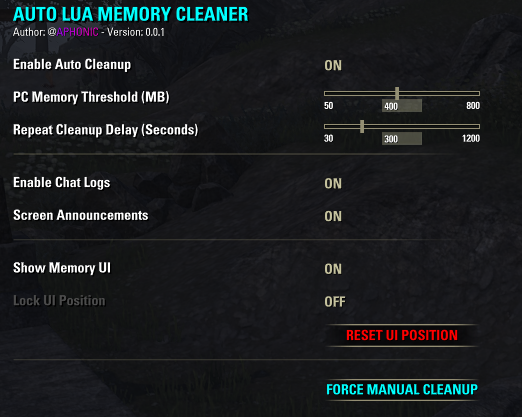
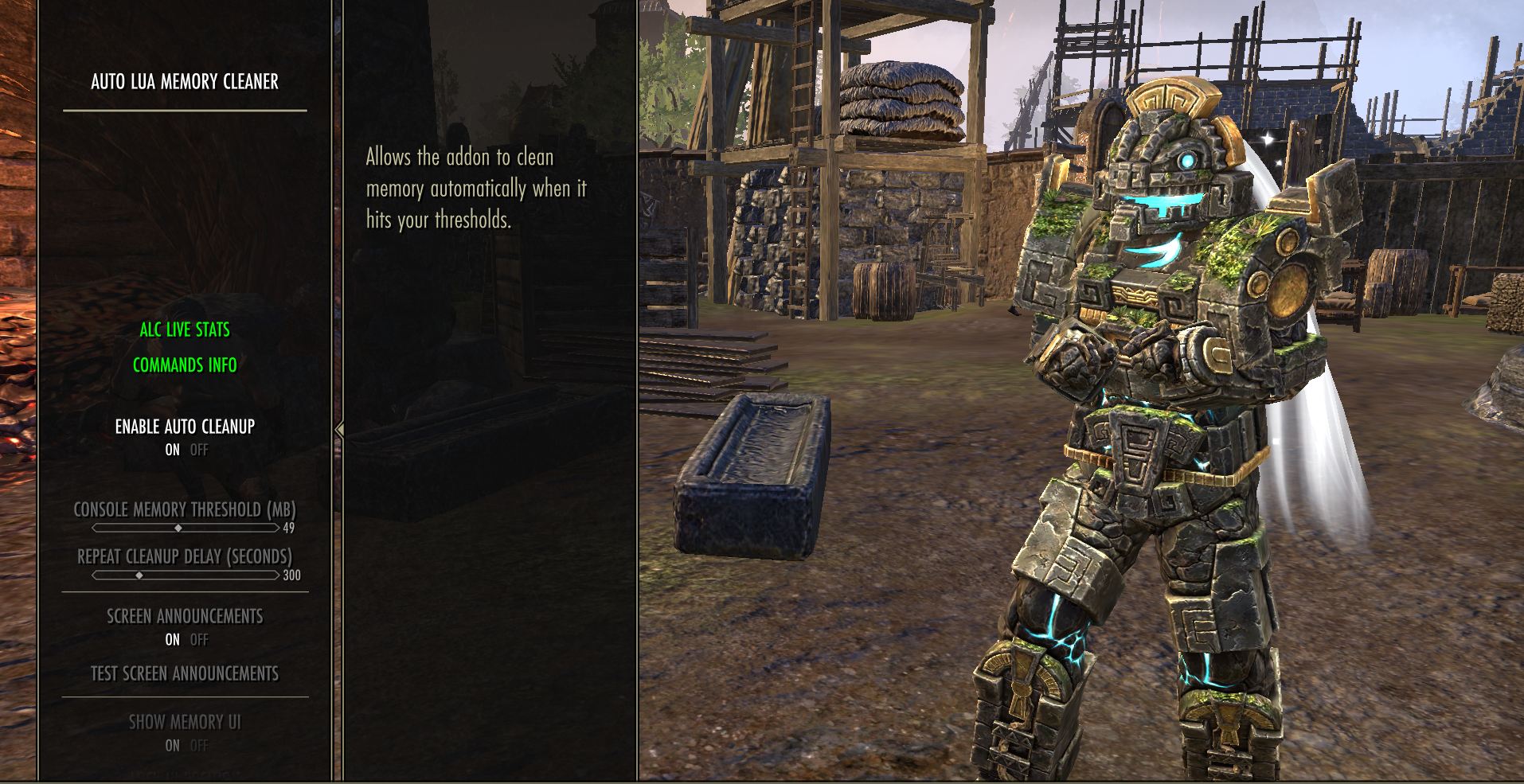
- AUTO-CLEANUP : Runs silently based on your thresholds.
- REPEAT DELAY : Configure how long the addon waits to attempt again.
- TRACK STATISTICS : Toggle to enable lifetime tracking (Cleanups triggered, total MB freed).
- SCREEN ANNOUNCEMENTS : Defaulted ON to show memory freed.
- FORCE MANUAL CLEANUP : Instantly wipes unused Lua memory.

- /alc : Displays commands in chat
- /alcon : Toggle Auto Cleanup
- /alcui : Toggle Memory UI visibility
- /alclock : Lock/Unlock UI dragging
- /alcreset : Reset UI position
- /alcbar : Toggle Memory UI Bar
- /alcgraph • /alcgraphlock • /alcgraphreset : Graph controls
- /alclite • /alcdiags : Diagnostics toggles
- /alcfps • /alcping • /alcframetime • /alcgains : Performance tracking
- /alcsession • /alcsessionlock • /alcsessionreset : Session UI
- /alcstatpeak • /alcstatavg • /alcstatfinal • /alcstatclean : Log toggles
- /alccsa : Toggle Announcements
- /alclogs (PC Only) : Toggle Chat Logs
- /alcstats : Toggle Saving Statistics
- /alcprofile • /alcself • /alclibs : Profiler toggles & filters
- /alcstart • /alcprostop • /alcprolist : Profiler scan controls (60s PC / 30s Console)
- /alcdelvars : Reset ALL settings to defaults
- /alcclean : Force manual Lua memory cleanup

Engine Limits & Shared Memory: Because the ESO logic manages memory dynamically in a single global pool, we must rely on smart, threshold-based sweeping rather than passive monitoring.
Warning
Important Note On Memory Usage (PC & Console): Unlike PC, where memory scales dynamically with a ~512 MB "soft limit" for UI lag, consoles have a strict 100 MB hardware memory pool for addons. Reaching the console cap will often cause the game to forcefully reload your UI or result in "Out of Memory" crashes.
Note
Do You Actually Need This (PC & Console)? NO. If your total Lua memory usage consistently stays below 300 MB on PC (with an SSD), or below 70 MB on Console, the native ESO logic is usually efficient enough on its own.
TESTED: I have personally stress tested this addon while having 335+ active addons enabled (some of them are libraries) during Dungeon Trifecta runs on Linux (while on Discord, with multiple browser tabs open) and had zero issues and crashes.

Copyright (c) 2021-2026 @APHONlC. All rights reserved.
No Redistribution: Please do not re-upload, mirror, or distribute this script to other platforms (ESOUI, NexusMods, etc.) without my explicit written permission.
No Public Modifications: You may not modify, transform, or build upon this code for the purpose of public release.
Personal Use: You are 100% free to tweak and modify the code for your own private, personal use.
Licensed under the Apache License, Version 2.0.
(For permissions or inquiries, contact @APHONlC on ESOUI or GitHub.)
How to Attribute This Work:
If you use, redistribute, or modify this script in your own project, please attribute it:
Project Name: Auto Lua Memory Cleaner
Author: @APHONlC
License: Apache License 2.0
Check out my other addons/projects:
• Auto Lua Memory Cleaner • Permanent Memento • Tamriel Trade Center, HarvestMap & ESO-Hub Auto-Updater (Linux, macOS, SteamDeck, & Windows)
If this project has been useful to you, consider supporting its development:


If you encounter any issues, please submit a report here:
ESOUI Bug Portal |
GitHub Issue Tracker
