
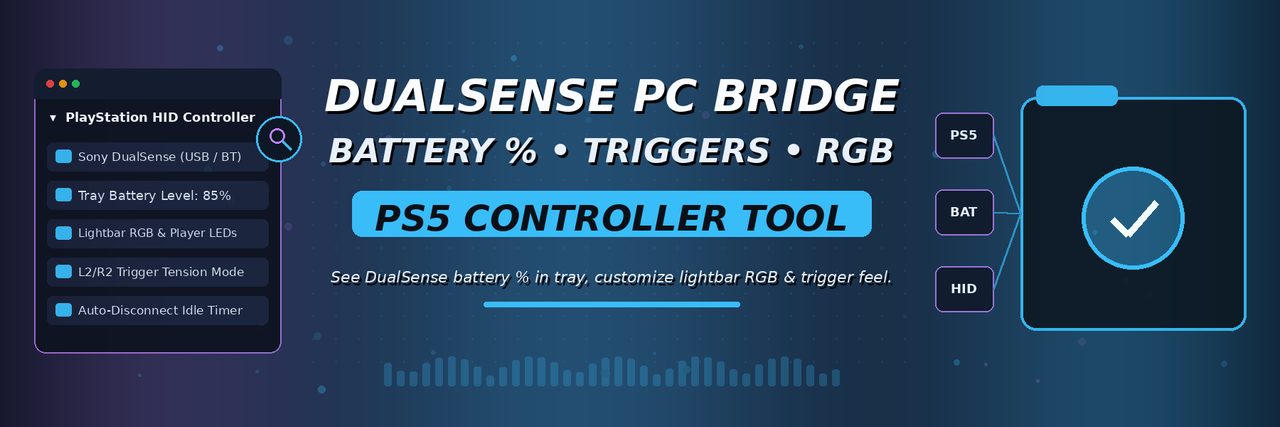



Using a PlayStation DualSense or DualShock 4 on Windows PC and frustrated that Windows hides your controller's remaining battery level until it dies mid-boss fight? Monitor exact battery percentage in your system tray, customize lightbar colors, and tune L2/R2 trigger tension.
DualSense PC Bridge communicates directly with Sony DualSense (VID_054C&PID_0CE6), DualSense Edge (PID_0DF2), and DualShock 4 (PID_09CC) over USB and Bluetooth HID: showing live battery percentage + low-battery toast alerts in your tray, controlling RGB lightbar colors, and setting L2/R2 trigger resistance profiles.
This project is aimed at Windows 10 and Windows 11 (64-bit) PC gamers using Sony DualSense, DualSense Edge, or DualShock 4 controllers over USB-C or Bluetooth.
| Scenario / Issue | Cause | Solution |
|---|---|---|
| DualSense dies mid-match because Windows hides controller battery % | Windows Bluetooth settings only show a generic 'Connected' label | Show exact 0%–100% Battery Icon in the system tray + 15% low-battery alert |
| Bright blue default lightbar drains wireless battery fast | PlayStation controllers default to bright LED bars on PC | Dim or set custom RGB lightbar color (or turn LED off to extend battery life) |
| Want tactile hair-trigger or resistance feel on L2/R2 in non-PS5 games | Adaptive triggers stay completely limp outside native Sony ports | Select Hair Trigger, Soft Resistance, or Bow Tension profiles |
| Wireless DualSense stays powered on after closing a game | Controller remains connected over Bluetooth until battery drains | Enable Auto Power-Off Controller After 10 Minutes Idle |
Download DualSensePCBridge.zip — Latest GitHub Release (Windows x64)
View All Releases & Changelog · Report an Issue
- Displays live 0%–100% Battery Percentage and charging status right in the Windows system tray.
- Sends a clean Windows toast notification when controller battery drops below
15%. - Customizes Lightbar RGB Color, brightness (or LED Off), and Player Indicator LEDs.
- Configures DualSense Adaptive Trigger presets (
Off,Hair Trigger,Soft Click,Bow Resistance) + Bluetooth Idle Auto-Off.
[DualSensePCBridge] Connected: Sony DualSense Wireless Controller (Bluetooth HID)
[OK]   Battery Level    : 82% (Discharging | Low-Battery Alert at 15%)
[OK]   Lightbar & LEDs  : Custom Tint #38BDF8 (Brightness: 35%) | Player LED: [1]
[OK]   Trigger Profile  : Hair_Trigger_Fast | Idle Power-Off: 10 mins
The release ZIP is named DualSensePCBridge.zip; the Windows executable inside is named DualSensePCBridge.exe.
- Close DualSense PC Bridge before updating or replacing executable files.
- Click Download DualSensePCBridge.zip above.
- Right-click the downloaded archive and choose Extract All.
- Open the extracted folder and run
DualSensePCBridge.exe. - Review the options and output paths before processing files.
Requirements: Windows 10 or 11 (64-bit) with a Sony DualSense, DualSense Edge, or DualShock 4 controller.
- Offline & standard user permissions:
DualSensePCBridge.exeruns locally without uploading your personal files and does not require disabling Windows Defender. - Windows SmartScreen: Because this is an independent open-source utility without a commercial EV code-signing certificate, Windows SmartScreen may show "Windows protected your PC" on first launch. Click More info → Run anyway after verifying the release checksum on the Releases page.
Live system-tray battery percentage and 15% low-battery warnings give plenty of time to plug in USB-C.
Lowering lightbar brightness and enabling 10-minute idle power-off adds hours of wireless playtime.
Adds crisp tactile feedback to triggers even in titles without native DualSense SDK integration.
Uses under 14 MB RAM in the system tray.
DualSense PC Bridge stores controller profiles and LED/trigger presets in %APPDATA%\DualSensePCBridge:
%APPDATA%\DualSensePCBridge\profiles.json
Typical directory layout:
System Tray -> DualSense Battery [82%]
├── Lightbar RGB & Brightness Slider
├── L2 / R2 Adaptive Trigger Tension Preset
├── Low-Battery Alert Threshold (15%)
└── Bluetooth Auto-Off Idle Timer
If a game has native DualSense adaptive trigger support (such as Death Stranding, Spider-Man, or Horizon), set DualSense PC Bridge's trigger profile to Native / Pass-Through so the game controls triggers directly.
Follow these steps to get started:
- Extract
DualSensePCBridge.zipand launchDualSensePCBridge.exe. Connect your DualSense or DualShock 4 via USB-C or Bluetooth. - Hover over the system tray icon anytime to see your exact battery percentage. Customize your lightbar RGB color and low-battery warning threshold.
- Choose an L2/R2 trigger profile (
Pass-Through,Hair Trigger, orSoft Resistance). Enable Auto Power-Off on Idle for Bluetooth sessions.
DualSense PC Bridge communicates via standard Windows HID output reports without installing custom kernel drivers.
DualSense PC Bridge displays controller model, USB/Bluetooth mode, battery percentage, lightbar RGB state, and trigger profile.
Does DualSense PC Bridge work over Bluetooth as well as USB?
Yes—battery percentage, lightbar RGB, idle auto-off, and trigger tension work over both Bluetooth and USB-C.
Does it support DualSense Edge and DualShock 4?
Yes—it supports standard DualSense, DualSense Edge, and DualShock 4 v1/v2 controllers.
How do I turn off the controller manually without holding the PS button for 10 seconds?
Right-click the DualSense PC Bridge tray icon and click 'Power Off Controller'.
- PadDrift-ControllerPollingTest — Gamepad stick drift & mouse polling rate (1000-8000 Hz) tester
- AudioSwitch-HotkeyToggle — One-key headphones, speakers & microphone switcher
- MiniHUD-LightweightFPSOverlay — Compact borderless FPS, frametime & GPU temp overlay
- WinTimer-LatencyDoctor — Windows gaming latency, Ultimate Performance & timer check
Independent open-source desktop utility for Windows. Not affiliated with Sony Interactive Entertainment Inc.