





Share Plugin allows sharing of text and images on Android and iOS platforms.
Features:
- Native share dialogs on Android and iOS
- Share content with other installed apps
- Share-target mode: receive content shared by other apps
- Supported share types (outgoing and incoming):
- Text
- Images
- Video
- Audio
- Arbitrary files (with MIME type support)
- Demo
- Installation
- Usage
- Share-Target Mode
- Signals
- Methods
- Classes
- Platform-Specific Notes
- Links
- All Plugins
- Credits
- Contributing
Try the demo app located in the demo directory.
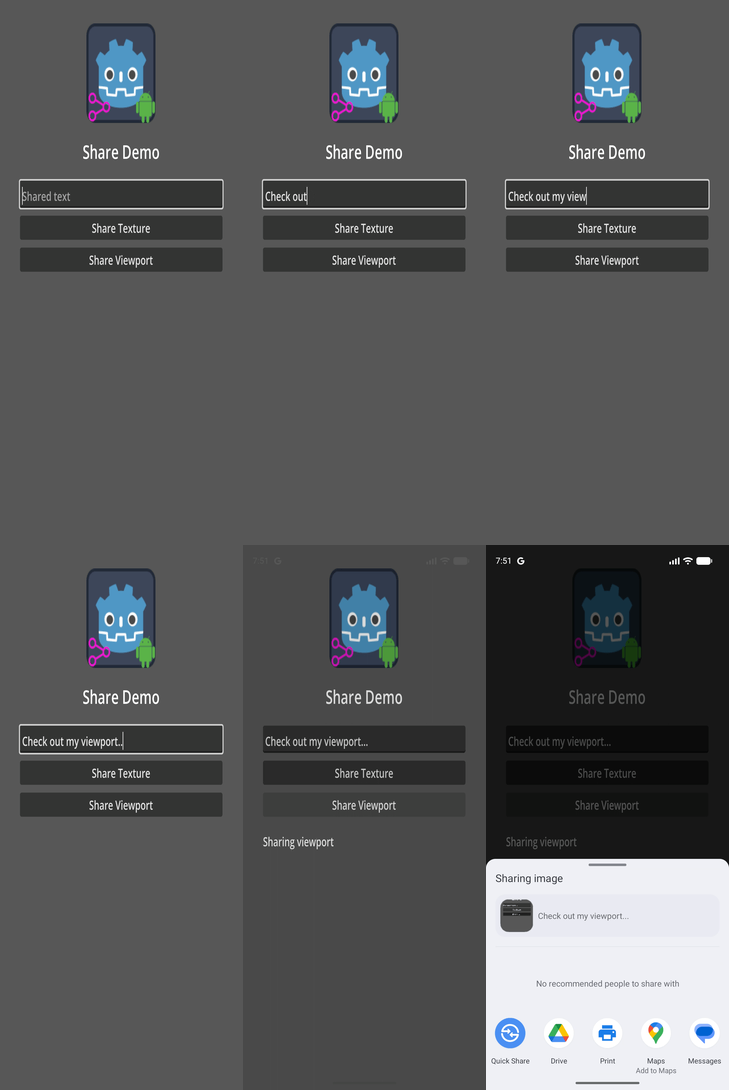
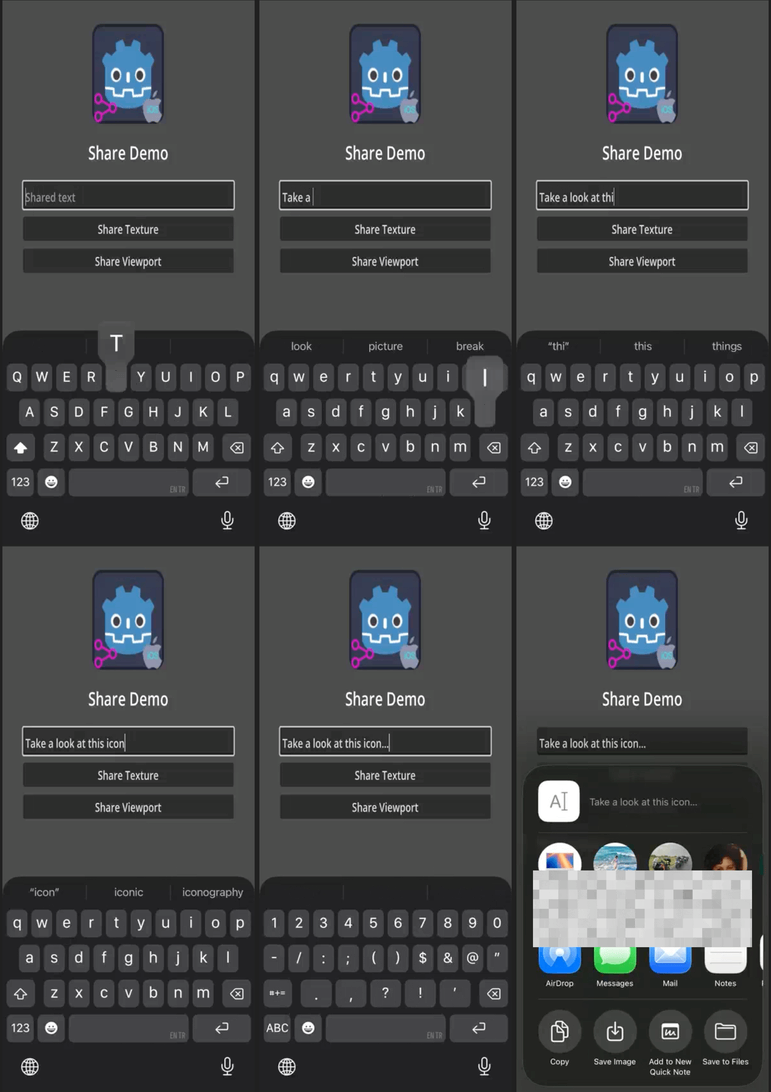
Important: Uninstall any previous versions of the plugin before installing a new one. If you are targeting both Android and iOS, make sure the addon interface version matches for both platforms.
There are 3 ways to install the Share plugin into your project:
- Through the GMP Menu (recommended)
- Through the Godot Editor's AssetLib
- Manually by downloading archives from Github
- install GMP Menu if not installed
- enable
GMP Menuvia thePluginstab ofGodot Editor'sProject->Project Settings...menu if not enabled - select
Share PluginfromGodot Editor'sGMPmenu - select desired plugin version and platform
- click
Downloadbutton - once the download has completed, click
Installbutton - enable
Sharevia thePluginstab ofProject->Project Settings...menu, in the Godot Editor
- Open the Godot AssetLib and search for
Share - Click Download → Install
- Install to the project root with Ignore asset root enabled
- Enable the plugin via Project → Project Settings → Plugins
- For iOS, also enable the plugin in the export settings
- If installing both Android and iOS versions, you may safely ignore file conflict warnings for shared GDScript interface files
- Download the latest release from GitHub
- Extract the archive into your project root
- Enable the plugin via Project → Project Settings → Plugins
- For iOS, also enable the plugin in the export settings
Add a Share node to your scene and follow the following steps:
- use one of the following methods of the
Sharenode to share text or images: -share_text(title, subject, content)-share_image(full_path_for_saved_image_file, title, subject, content)- Note that the image you want to share must be saved under theuser://virtual directory in order to be accessible. TheOS.get_user_data_dir()method can be used to get the absolute path for theuser://directory. See the implementation ofshare_viewport()method for sample code. -share_viewport(viewport, title, subject, content)
Share-target mode lets other apps share content to your Godot game, so your app appears as a destination in the system share sheet or "Open With" picker alongside WhatsApp, Mail, etc.
Call set_share_target(true) at startup (persist this preference in your save system so it survives restarts):
func _ready() -> void:
    $Share.set_share_target(load_setting("share_target_enabled", false))

func _on_share_target_toggled(enabled: bool) -> void:
    save_setting("share_target_enabled", enabled)
$Share.set_share_target(enabled)Connect to the share_received signal — the Share node handles cold-start timing automatically, so no extra _ready() boilerplate is needed:
func _ready() -> void:
    $Share.share_received.connect(_on_share_received)
    $Share.set_share_target(true)

func _on_share_received(data: ReceivedSharedData) -> void:
    if data.has_text():
        print("Received text: ", data.get_text())
    if data.has_files():
        for path in data.get_file_paths():
            print("Received file: ", path)
# path is a plain filesystem path — use FileAccess, Image.load_from_file(), etc.| Android | iOS | |
|---|---|---|
| Share sheet integration | App appears directly in Android's share sheet alongside WhatsApp, Gmail, etc. | App appears in the "Open With" row of the iOS share sheet (secondary position) |
| Toggle at runtime | set_share_target(true/false) enables/disables the app in the share sheet immediately |
Document types are always registered; the toggle controls whether received files are processed |
| Export configuration | Automatic — no extra export settings needed | Enable share_target/enable_share_target in the iOS export preset to inject the required CFBundleDocumentTypes into Info.plist |
| Full share-sheet integration | ✅ Supported out of the box | |
| Received files location | getCacheDir()/share_received/ |
<Caches>/share_received/ |
- In Godot Editor, open Project → Export and select your iOS export preset.
- In the Options tab, locate Share Target and enable Enable Share Target.
- Export your project — the plugin will automatically add the
CFBundleDocumentTypesentries toInfo.plist.
Note: With these plist entries, your app appears in the "Open With" picker for text, images, video, audio, and generic files. For full share-sheet integration (primary row alongside system apps), you would need to implement a separate iOS Share Extension.
No extra export configuration is needed. When set_share_target(true) is called, the plugin enables the ShareTargetActivity component (which is always included in the APK but disabled by default), making the app appear in Android's share sheet immediately.
Outgoing share signals:
share_completed(activity_type: String): Emitted when...- iOS: the shared item is successfully sent
- Android: the user selects a share target from the chooser
share_canceled: Emitted when...- iOS: the user dismisses the share dialog without sending
- Android: the user returns to the app without selecting a target within a time threshold (default: 5000 ms)
share_failed(error_message: String): Emitted when an error occurs that prevents sharing.
Note: On Android, the share_completed signal only indicates that a share target was selected. It does not guarantee that the user actually completed the share action.
Incoming share signal (share-target mode):
share_received(received_data: ReceivedSharedData): Emitted when another app shares content to this app.- Android: fired when the user selects this app from Android's share sheet.
- iOS: fired when the user selects "Open With → [Your App]" in the iOS share sheet.
- Cold-start timing (app launched by the share action) is handled automatically — no extra
_ready()code needed.
share_text(a_title: String, a_subject: String, a_content: String)- Shares plain text.share_image(a_path: String, a_title: String, a_subject: String, a_content: String)- Shares text along with an image located at the given file path.share_texture(a_texture: Texture2D, a_title: String, a_subject: String, a_content: String)- Shares text with an image generated from aTexture2D.share_viewport(a_viewport: Viewport, a_title: String, a_subject: String, a_content: String, a_flip_y: bool)- Shares text with an image captured from aViewport.share_file(a_path: String, a_mime_type: String, a_title: String, a_subject: String, a_content: String)- Shares text along with a file at the specified path and MIME type.
Share-target methods:
set_share_target(a_enabled: bool)- Enables or disables the app as a share-target. On Android this immediately toggles the app's visibility in the share sheet. On iOS it controls whether received files are processed (document types are always registered).is_share_target() -> bool- Returnstruewhen share-target mode is currently active.get_received_data() -> ReceivedSharedData- Consumes and returns the pending received-share payload, ornullwhen nothing is pending. Called automatically by theSharenode; you do not normally need to call this directly.
- Encapsulates data to be shared.
- Properties:
title: Title that may be shown in the share dialog.subject: Subject of the shared content (commonly used by email clients).content: Main text content to be shared.file_path: Path to the file being shared.mime_type: MIME type of the shared file.custom_threshold: Time in milliseconds after which the plugin considers the share flow completed (Android only).
- Wraps the data received when another app shares to this app (share-target mode).
- Methods:
get_mime_type() -> String: MIME type reported by the sender (e.g."image/jpeg").get_text() -> String: Plain-text payload (EXTRA_TEXTon Android).get_subject() -> String: Subject line, if any.get_file_paths() -> PackedStringArray: Absolute paths of received files copied to the app's cache directory. UseFileAccess,Image.load_from_file(), etc. to read them.is_multiple() -> bool:truewhen multiple files were shared in one action.has_text() -> bool: Convenience —truewhenget_text()is non-empty.has_files() -> bool: Convenience —truewhenget_file_paths()is non-empty.get_raw_data() -> Dictionary: Returns the underlying Dictionary for advanced use.
- Package name: In your project's Android export settings, remove/replace the
$gennametoken from thepackage/unique_name. - Build: Create custom Android gradle build.
- Registration: App must be registered with Google Play.
- Share-target mode: Call
set_share_target(true)to make the app appear in Android's share sheet. TheShareTargetActivitycomponent is always bundled but disabled by default; the call enables it at runtime without reinstalling. - Received files: Copied to
getCacheDir()/share_received/. Android clears this automatically when storage is low. - Troubleshooting:
- Logs:
adb logcat | grep 'godot'(Linux),adb.exe logcat | select-string "godot"(Windows) - Also check out: https://docs.godotengine.org/en/stable/tutorials/platform/android/android_plugin.html#troubleshooting
- Logs:
- Export settings: The plugin must be enabled in the iOS export settings. For share-target mode, also enable share_target/enable_share_target in the export preset's Options tab.
- Share-target mode: The app appears in the "Open With" row of the iOS share sheet for registered file types (text, images, video, audio, generic files). This is the maximum achievable within a single plugin bundle; full primary-row presence requires a separate Share Extension target.
- Received files: Copied to
<Caches>/share_received/. iOS clears this automatically when storage is low. - Troubleshooting:
- View Xcode logs while running the app for troubleshooting.
- See Godot iOS Export Troubleshooting.
| ✦ | Plugin | Android | iOS | Latest Release | Downloads | Stars |
|---|---|---|---|---|---|---|
 |
Admob | ✅ | ✅ |   |
  |
 |
 |
Connection State | ✅ | ✅ |   |
  |
 |
 |
Deeplink | ✅ | ✅ |   |
  |
 |
 |
Firebase | ✅ | ✅ |   |
  |
 |
 |
In-App Review | ✅ | ✅ |   |
  |
 |
 |
Native Camera | ✅ | ✅ |   |
  |
 |
 |
Notification Scheduler | ✅ | ✅ |   |
  |
 |
 |
OAuth 2.0 | ✅ | ✅ |   |
  |
 |
 |
QR | ✅ | ✅ |   |
  |
 |
 |
Share | ✅ | ✅ |   |
  |
 |
 |
Vision | ✅ | ✅ |   |
  |
 |
Developed by Cengiz
Based on Godot Mobile Plugin Template v7
Original repository: Godot Share Plugin
Contributions are welcome. Please see the contributing guide in the repository for details.
If this plugin has helped you, consider supporting its development! Every bit of support helps keep the plugin updated and bug-free.
| ✦ | Ways to Help | How to do it |
|---|---|---|
| ✨⭐ | Spread the Word | Star this repo to help others find it. |
| 💡✨ | Give Feedback | Open an issue or suggest a feature. |
| 🧩 | Contribute | Submit a PR to help improve the codebase. |
| ❤️ | Buy a Coffee | Support the maintainers on GitHub Sponsors or other platforms. |