


A custom Home Assistant integration for Nature Remo.
This repository is a fork of yutoyazaki/hass-nature-remo, updated for current Home Assistant and HACS requirements.
Warning
This integration is neither Nature Remo official nor Home Assistant official. Use at your own risk.
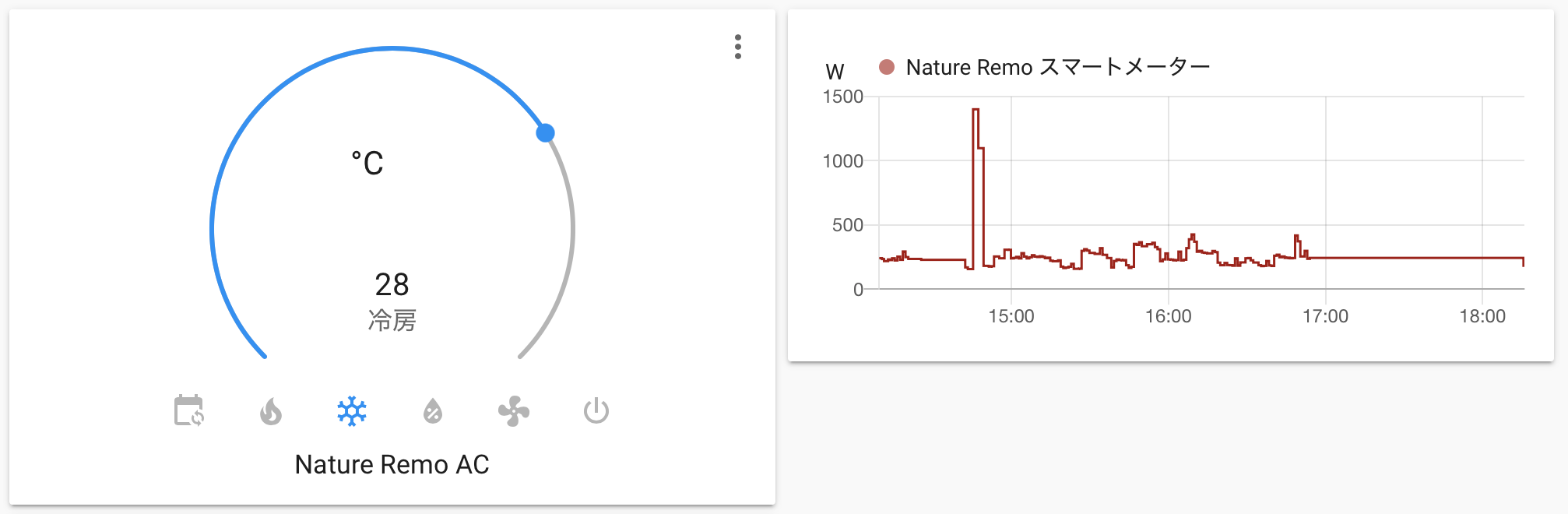
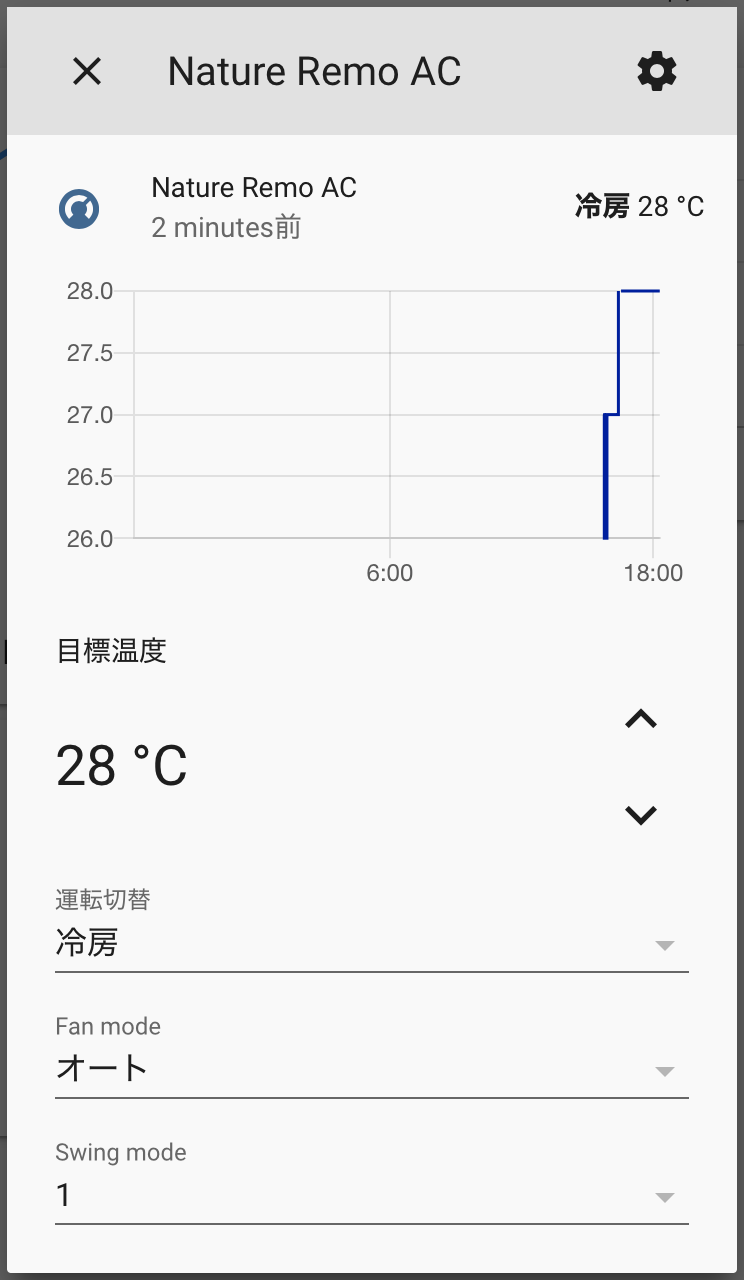
| Nature Remo appliance/device | Home Assistant platform | Status |
|---|---|---|
| Air conditioner | climate |
Supported |
| Nature Remo E / E Lite smart meter | sensor |
Supported, Energy Dashboard compatible |
| Generic IR appliance | switch |
Supported with assumed state |
| Light | light |
Supported with assumed state |
| TV | media_player |
Supported with assumed state |
| Nature Remo environmental sensors | sensor |
Temperature, humidity, illuminance |
- Set HVAC mode, such as cool, heat/warm, dry, fan/blow, and auto
- Set target temperature
- Set fan mode
- Set swing mode
- Show current temperature from the associated Nature Remo device
- Remember previous target temperatures when switching modes back and forth
For Nature Remo E and E Lite:
- Current power usage
- Cumulative consumed energy
- Cumulative returned energy, for solar panels and similar setups
- Home Assistant Energy Dashboard metadata
- Generic IR appliances are exposed as
switchentities when on/off/toggle signals are available - Lights are exposed as
lightentities using Nature Remo light buttons and state - TVs are exposed as
media_playerentities using Nature Remo TV buttons and input state
- Compatibility target: Home Assistant Core 2026.5.3
- Energy sensor features, including cumulative consumed and returned energy, have been tested against real hardware
- Air conditioner, switch, light, and TV entities are unit-tested but were not verified against physical devices in this update
- IR-based appliances use assumed state because Nature Remo sends infrared commands and may not know the real device state
- Switch support depends on registered signal icons in the Nature Remo app (
ico_on,ico_off, orico_io) - Light and TV support depends on the buttons exposed by Nature Remo's Cloud API for the appliance model
- YAML configuration is supported only for backward-compatible import; new setups should use the Home Assistant UI
This integration supports Home Assistant's Energy Dashboard. If you use Nature Remo E or E Lite, cumulative consumed and returned energy sensors are automatically configured with the required device class, state class, and unit metadata so they can be selected in the Energy Dashboard.
- Open HACS in Home Assistant
- Go to Custom repositories
- Add this repository:
- Repository:
https://github.com/hannoeru/hass-nature-remo - Category:
Integration
- Repository:
- Install Nature Remo
- Restart Home Assistant
See the HACS documentation for more details: Custom repositories.
- Download this repository
- Copy
custom_components/nature_remointo your Home Assistant configuration directory - Restart Home Assistant
Expected result:
{path_to_your_config}
├── configuration.yaml
└── custom_components
    └── nature_remo
        ├── __init__.py
        ├── climate.py
        ├── config_flow.py
        ├── echonet.py
        ├── light.py
        ├── manifest.json
        ├── media_player.py
        ├── sensor.py
        ├── switch.py
        └── translations/
If you manage your Home Assistant configuration in git, you can install this repository as a submodule and symlink the integration directory:
git submodule add https://github.com/hannoeru/hass-nature-remo.git vendor/hass-nature-remo
ln -s ../../vendor/hass-nature-remo/custom_components/nature_remo custom_components/nature_remo- Go to https://home.nature.global
- Sign in or create an account
- Generate a Nature Remo access token
- In Home Assistant, go to Settings → Devices & services → Add integration
- Search for Nature Remo
- Enter your access token
Existing YAML configuration is imported automatically on startup:
nature_remo:
  access_token: YOUR_ACCESS_TOKEN
After import, prefer managing the integration from Settings → Devices & services.
Add this to your Home Assistant configuration.yaml, then restart Home Assistant:
logger:
  default: info
  logs:
custom_components.nature_remo: debug- Confirm the Nature Remo access token is valid
- Confirm the appliance is visible in the Nature Remo app
- For IR switches, confirm the appliance has an on/off/toggle signal registered in Nature Remo
- For lights and TVs, confirm the appliance is registered as a Light or TV in Nature Remo, not only as a generic IR appliance
- Check Home Assistant logs for messages from
custom_components.nature_remo
- Python 3.14.2 or higher
- uv
git clone https://github.com/hannoeru/hass-nature-remo.git
cd hass-nature-remo
uv sync --devuv run ruff check
uv run ruff format --check
uv run mypy -p custom_components.nature_remo
uv run pytesthass-nature-remo/
├── .github/workflows/ # CI, HACS/hassfest validation, and release packaging
├── brand/icon.png # HACS/Home Assistant brand icon
├── custom_components/nature_remo/ # HACS integration package
│ ├── __init__.py # Main integration setup
│ ├── climate.py # Climate entity implementation
│ ├── config_flow.py # UI setup and YAML import flow
│ ├── echonet.py # ECHONET Lite smart-meter helpers
│ ├── light.py # Light entity implementation
│ ├── manifest.json # Home Assistant integration manifest
│ ├── media_player.py # TV media player entity implementation
│ ├── sensor.py # Sensor entities implementation
│ ├── switch.py # Generic IR switch entity implementation
│ └── translations/ # Integration translations
├── hacs.json # HACS metadata
├── pyproject.toml # Project configuration and dependencies
├── README.md # This file
└── tests/ # Tests
Releases are handled by GitHub Actions:
- Update
custom_components/nature_remo/manifest.json'sversion - Commit and push the version bump
- Create and push a matching tag, for example
v0.6.2for version0.6.2 - The release workflow creates/updates the GitHub release and uploads
nature_remo.zipfor HACS
- Fork the repository
- Create a feature branch
- Make your changes
- Run the quality checks
- Open a pull request
Please include tests for new behavior where practical.