




| default | 2077 | dracula | github | github_dark |
| gruvbox | monokai | nord_bright | nord_dark | radical |
| solarized | solarized_dark | tokyonight | vue | zenburn |
| transparent | ||||
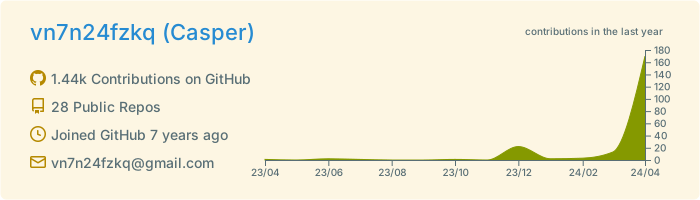
http://github-profile-summary-cards.vercel.app/api/cards/profile-details?username={username}&theme={theme_name}
- 可接收的链接参数
- theme
- Theme name
- username
- Username
- theme
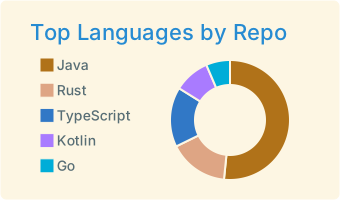
http://github-profile-summary-cards.vercel.app/api/cards/repos-per-language?username={username}&theme={theme_name}&exclude={exclude}
- 可接收的参数
- theme
- Theme name
- username
- Username
- exclude:
- 排除以逗号分隔的语言列表, e.g., exclude=java,rust,jupyter%20Notebook
- 当语言中有空格时,使用'%20'来表示.
- 提供支持的语言
- 排除以逗号分隔的语言列表, e.g., exclude=java,rust,jupyter%20Notebook
- theme
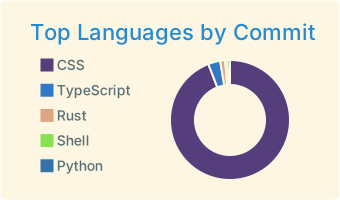
http://github-profile-summary-cards.vercel.app/api/cards/most-commit-language?username={username}&theme={theme_name}&exclude={exclude}
- 可接收的参数
- theme
- Theme name
- username
- Username
- exclude:
- 排除以逗号分隔的语言列表, e.g., exclude=java,rust,jupyter%20Notebook
- 当语言中有空格时,使用'%20'来表示
- 提供支持的语言
- 排除以逗号分隔的语言列表, e.g., exclude=java,rust,jupyter%20Notebook
- theme
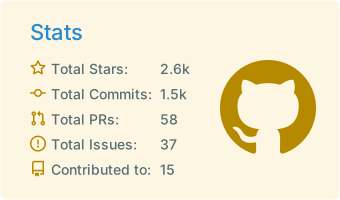
http://github-profile-summary-cards.vercel.app/api/cards/stats?username={username}&theme={theme_name}
- 可接收的参数
- theme
- Theme name
- username
- Username
- theme
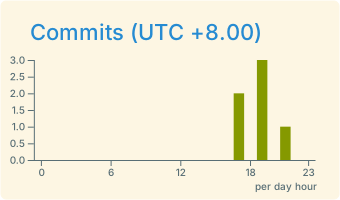
http://github-profile-summary-cards.vercel.app/api/cards/productive-time?username={username}&theme={theme_name}&utcOffset={utcOffset}
- 可接收的参数
- theme
- username
- utcOffset
此操作会生成您的GitHub个人资料摘要卡,并提交到您的存储库。添加此操作后,您还可以自己触发操作。
⭐ 教程 ( Recommendation ) ⭐
-
你需要正确授权的token | Personal access token. Personal token
-
添加 personal access token 到 repo secret.
-
Action 已经准备就绪, 点击
use this template button创建个人简介. -
在把 GITHUB_TOKEN 替换为你的 repo secret 之后触发 action ,你可以在
profile-summary-card-output下尽情使用.
- 将此 action 添加到你的仓库, 将你的 GITHUB_TOKEN in action yml file 替换成你的 repo secret.
在 action 完成之后. 你可以在 profile-summary-card-output 看到所有的摘要卡片.
注意: 一些摘要卡片可能不会及时更新, 因为github原始文件需要缓冲
name: GitHub-Profile-Summary-Cards

on:
  schedule: # execute every 24 hours
    - cron: "* */24 * * *"
  workflow_dispatch:

jobs:
  build:
    runs-on: ubuntu-latest
    name: generate-github-profile-summary-cards
    permissions:
      contents: write

    steps:
      - uses: actions/checkout@v4
      - uses: vn7n24fzkq/github-profile-summary-cards@release
        env: # default use ${{ secrets.SUMMARY_GITHUB_TOKEN }}, you should replace with your personal access token
          GITHUB_TOKEN: ${{ secrets.SUMMARY_GITHUB_TOKEN }}
        with:
          USERNAME: ${{ github.repository_owner }}
          # BRANCH_NAME is optional, default to main, branch name to push cards
          BRANCH_NAME: "main"
          # UTC_OFFSET is optional, default to zero
          UTC_OFFSET: 8
          # EXCLUDE is an optional comma seperated list of languages to exclude, defaults to ""
          EXCLUDE: ""
          # AUTO_PUSH is optional, a boolean variable default to true, whether automatically push generated files to desired branch
AUTO_PUSH: true- 需要
node 16版本, 低版本可能会造成问题. - 添加 personal access token 到
.env文件. ex:GITHUB_TOKEN=abcda69ddf66ae95538c5b1666591b59b4abc73a - 代码修改完毕后执行
npm run build
npm run run [username] [UTC offset]例如
npm run run vn7n24fzkq 8- 可使用 vercel 开发包本地运行API
vercel dev快速部署