

A terminal UI for real-time GPU monitoring on Linux — supports AMD (ROCm), NVIDIA, and integrated GPUs. Inspired by the fantastic work of btop.
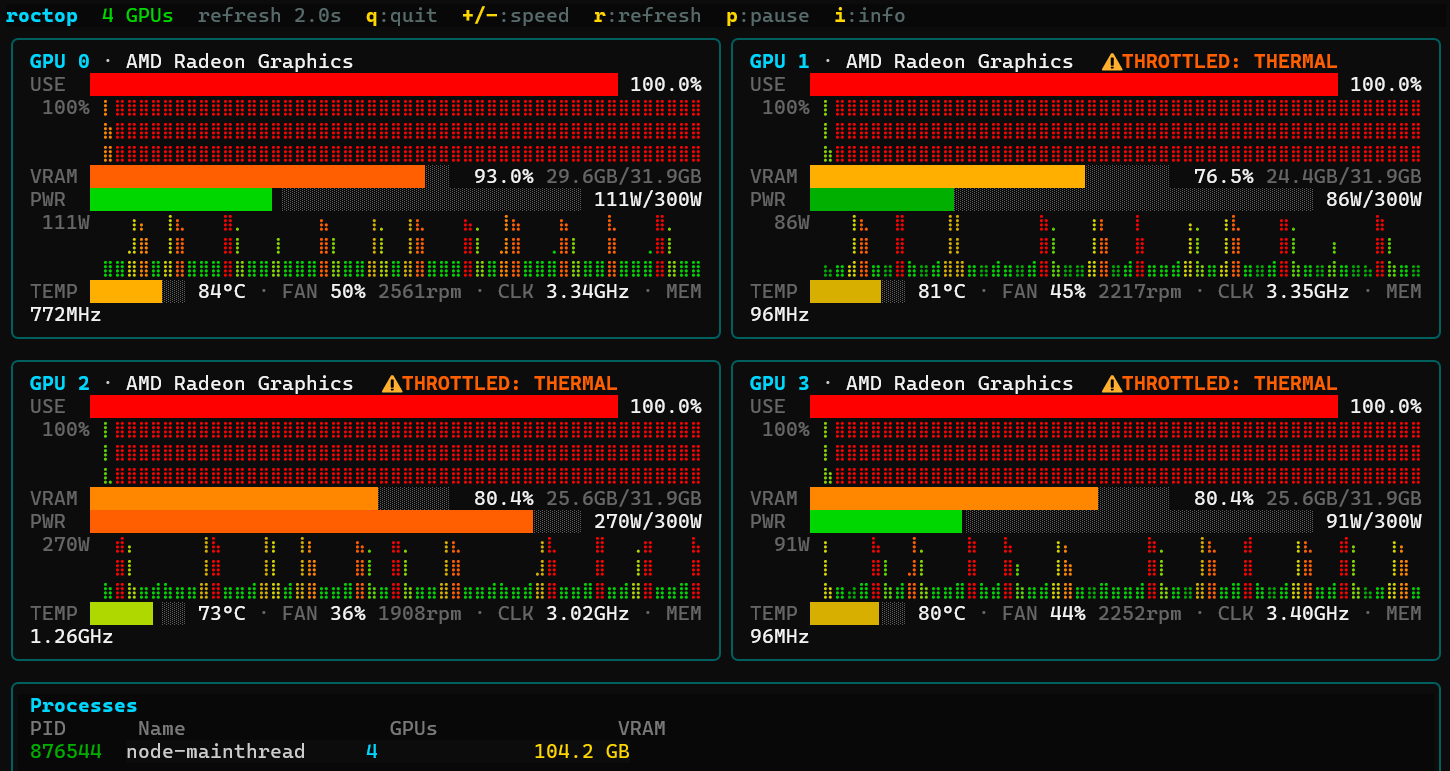
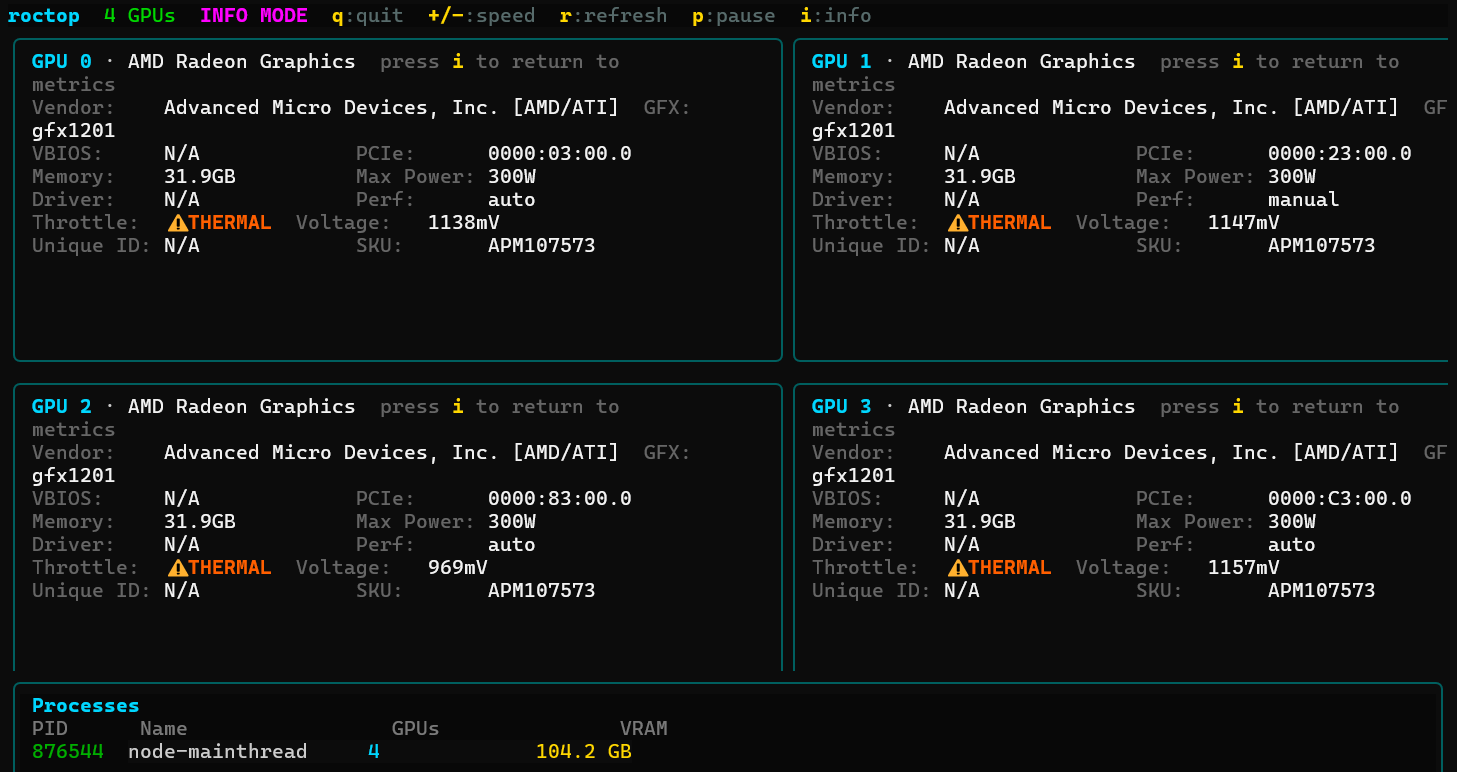
- Real-time 2-column GPU grid: utilisation, VRAM, power, temperature, clocks, fan
- Multi-row braille sparklines with gradient colouring — variation within narrow ranges stays visible
- Throttle detection with reason decoding (THERMAL, POWER_LIMIT, etc.)
- ECC/RAS error detection — warnings shown in info view with correctable/uncorrectable counts
- PCIe bandwidth monitoring — TX/RX rates with all-time peak tracking (AMD and NVIDIA)
- Static info view (press
i): VBIOS, PCIe topology, memory vendor, driver, unique ID - Per-GPU focus view (press
0–9): expand any GPU to full width - Arrow key navigation — cycle between overview and individual GPU focus views
- Process table showing which processes are using VRAM and on which GPUs
- Scrollable GPU panel region — header and process table stay anchored when the terminal is small
- Scrollable event log (press
l) — rocm-smi errors and backend warnings - Adjustable refresh rate, pause, and force-refresh keybindings
- Multi-backend: monitors AMD discrete, NVIDIA discrete, and integrated GPUs simultaneously
- Auto-detection: probes for available GPU backends at startup — no configuration needed
- Single static binary — no runtime dependencies beyond system GPU tools
| GPU Type | Backend | Requirement |
|---|---|---|
| AMD discrete | rocm-smi |
ROCm installed, rocm-smi on $PATH |
| NVIDIA discrete | nvidia-smi |
NVIDIA drivers installed, nvidia-smi on $PATH |
| AMD integrated (iGPU) | sysfs |
amdgpu kernel driver loaded (native Linux) |
| Intel integrated (iGPU) | sysfs |
i915 or xe kernel driver loaded (native Linux) |
roctop auto-detects all available backends. On a mixed system (e.g., NVIDIA discrete + AMD iGPU), all GPUs appear together in the TUI. The header shows active backends: [rocm], [nvidia], [nvidia+sysfs], etc.
Metrics that aren't available for a given GPU are shown in dark red to distinguish "no data" from a real zero.
- Linux
- At least one of:
rocm-smion PATH,nvidia-smion PATH, or a GPU with sysfs/hwmon support
Auto-detects architecture (amd64 / arm64) and installs to /usr/local/bin. Re-running upgrades to the latest version:
curl -fsSL https://raw.githubusercontent.com/x7even/roctop/main/install.sh | bashTo install to a different directory:
INSTALL_DIR=~/.local/bin curl -fsSL https://raw.githubusercontent.com/x7even/roctop/main/install.sh | bashGrab the tarball for your architecture from the releases page and extract it:
# amd64
curl -fsSL https://github.com/x7even/roctop/releases/latest/download/roctop_<version>_linux_amd64.tar.gz | tar xz
sudo mv roctop /usr/local/bin/

# arm64
curl -fsSL https://github.com/x7even/roctop/releases/latest/download/roctop_<version>_linux_arm64.tar.gz | tar xz
sudo mv roctop /usr/local/bin/Requires Go 1.24+:
git clone https://github.com/x7even/roctop.git
cd roctop
go build -o roctop .roctop
roctop --refresh 1| Option | Default | Description |
|---|---|---|
--refresh N |
2.0 |
Refresh interval in seconds (minimum 0.5) |
--version |
— | Print version and exit |
| Key | Action |
|---|---|
q / ctrl+c |
Quit |
i |
Toggle info view (static GPU details) |
? |
Toggle help panel |
l |
Toggle event log |
r |
Force refresh |
+ / = |
Increase refresh rate |
- |
Decrease refresh rate |
p |
Pause / resume |
0–9 |
Focus GPU by index at full width (same key to toggle off) |
← / → |
Cycle between overview and individual GPU focus views |
↑ / ↓ / PgUp / PgDn |
Scroll GPU panels |
| Mouse wheel | Scroll GPU panels |
Esc |
Return to main metrics screen from any mode |
roctop/
├── main.go          # Entry point, flag parsing, backend auto-detection
├── data.go          # Backend interface, GPU data model, ROCm backend
├── nvidia.go        # NVIDIA backend (nvidia-smi CSV queries)
├── sysfs.go         # sysfs/hwmon backend (iGPU metrics from kernel)
├── render.go        # Bar charts, braille sparkline renderer, colour gradients
├── panel.go         # Per-GPU metric and info panel layouts
├── header.go        # Top status bar
├── help.go          # Help panel renderer
├── process.go       # GPU process table
├── model.go         # Bubble Tea model (Init / Update / View), viewport
├── go.mod
└── .goreleaser.yaml # Release config (linux amd64 + arm64 tarballs)
roctop uses three backends depending on what's available:
- ROCm (
rocm-smi --json): Full AMD discrete GPU metrics including throttle status, PCIe link info, and static data (VBIOS, memory vendor, unique ID) - NVIDIA (
nvidia-smi --query-gpu): CSV-based metric collection for NVIDIA GPUs including utilization, VRAM, power, temperature, clocks, and per-process VRAM usage - sysfs/hwmon: Reads directly from
/sys/class/drm/card*/device/and hwmon interfaces for integrated GPUs — no vendor tools needed
At startup, roctop probes ROCm and NVIDIA backends first, records which PCI bus addresses they claim, then discovers any remaining GPUs via sysfs to avoid double-counting.
GPL v3 — free to use commercially; modifications must be shared under the same licence.