Skip to content

Tanaguru/Contrast-Finder-Firefox

Folders and files

NameName
Last commit message
Last commit date

Latest commit


History

88 Commits


Repository files navigation

Contrast-Finder-Firefox

This is Tanaguru Contrast-Finder for Firefox

https://addons.mozilla.org/en-US/firefox/addon/tanaguru-contrast-finder/

This addon speeds and eases the use of Tanaguru Contrast-Finder to find good color contrast by selecting directly in the web page the element whom color you want to change.

This helps you in satisfying web accessibility (a11y) tests on contrasts:

Documentation

All documentation is in the wiki

Screenshots

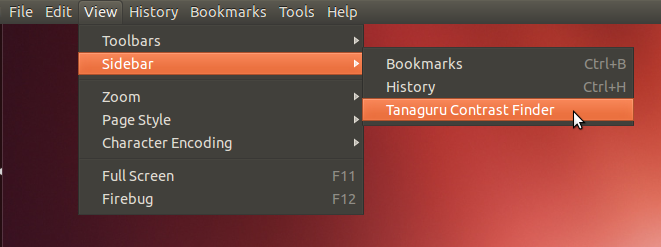
1) Opening the sidebar in Firefox

screenshot 01

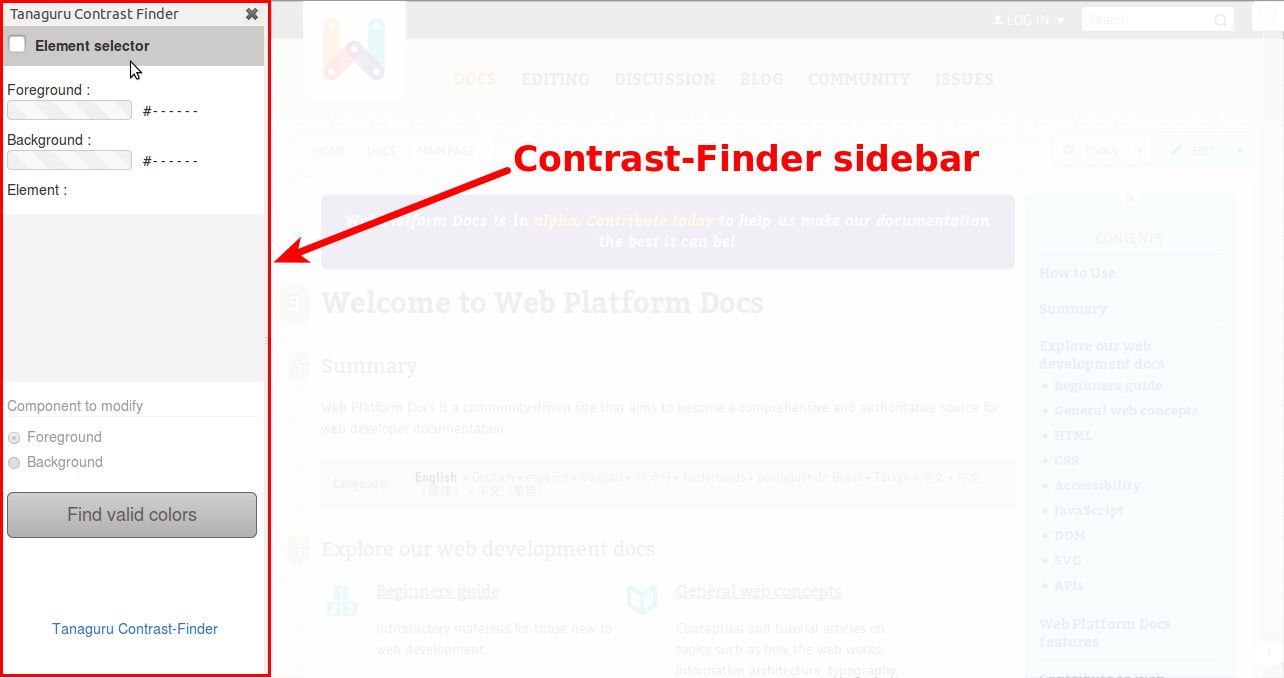
2) Tanaguru Contrast-Finder's sidebar

screenshot 02

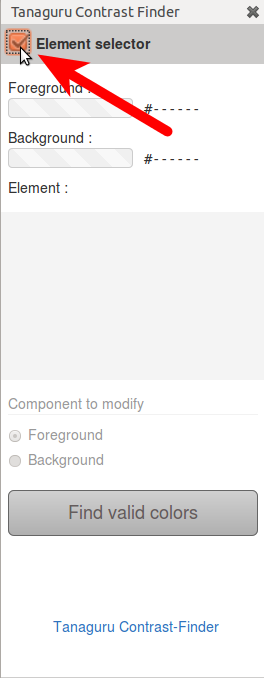
3) Activate Element selector

screenshot 03

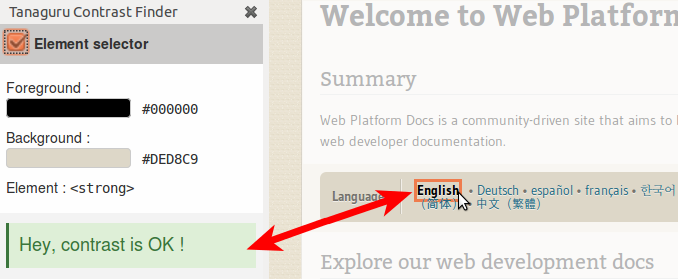
4) while hovering any element, contrast is automatically computed. This one is good.

screenshot 04

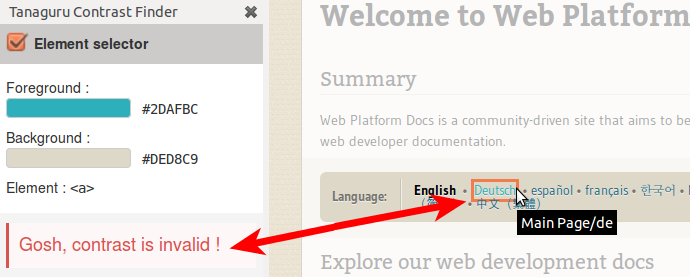
5) This text's contrast is not sufficient. Let's click to select it.

screenshot 05

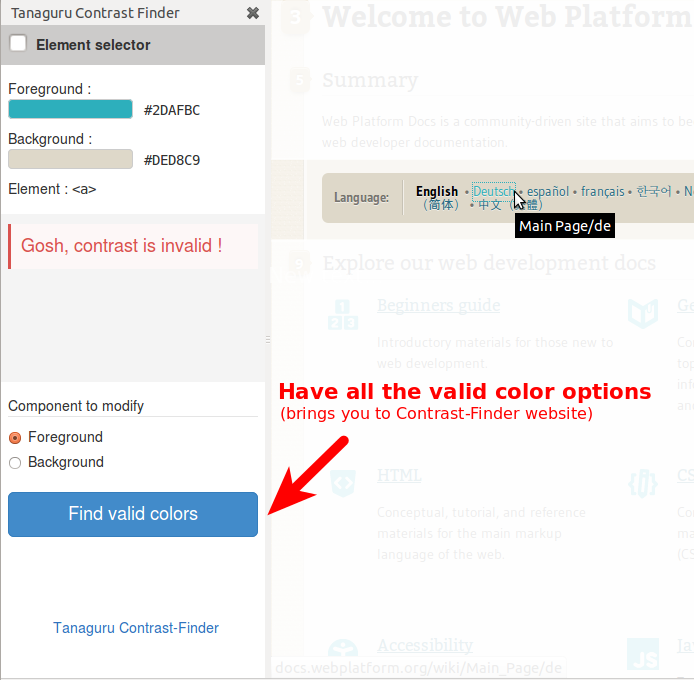
6) Choose which color to modify (foreground / background), and click the button "Find valid colors".

This makes Contrast-Finder computing possible colors and by the way brings you to Contrast-Finder website . screenshot 06
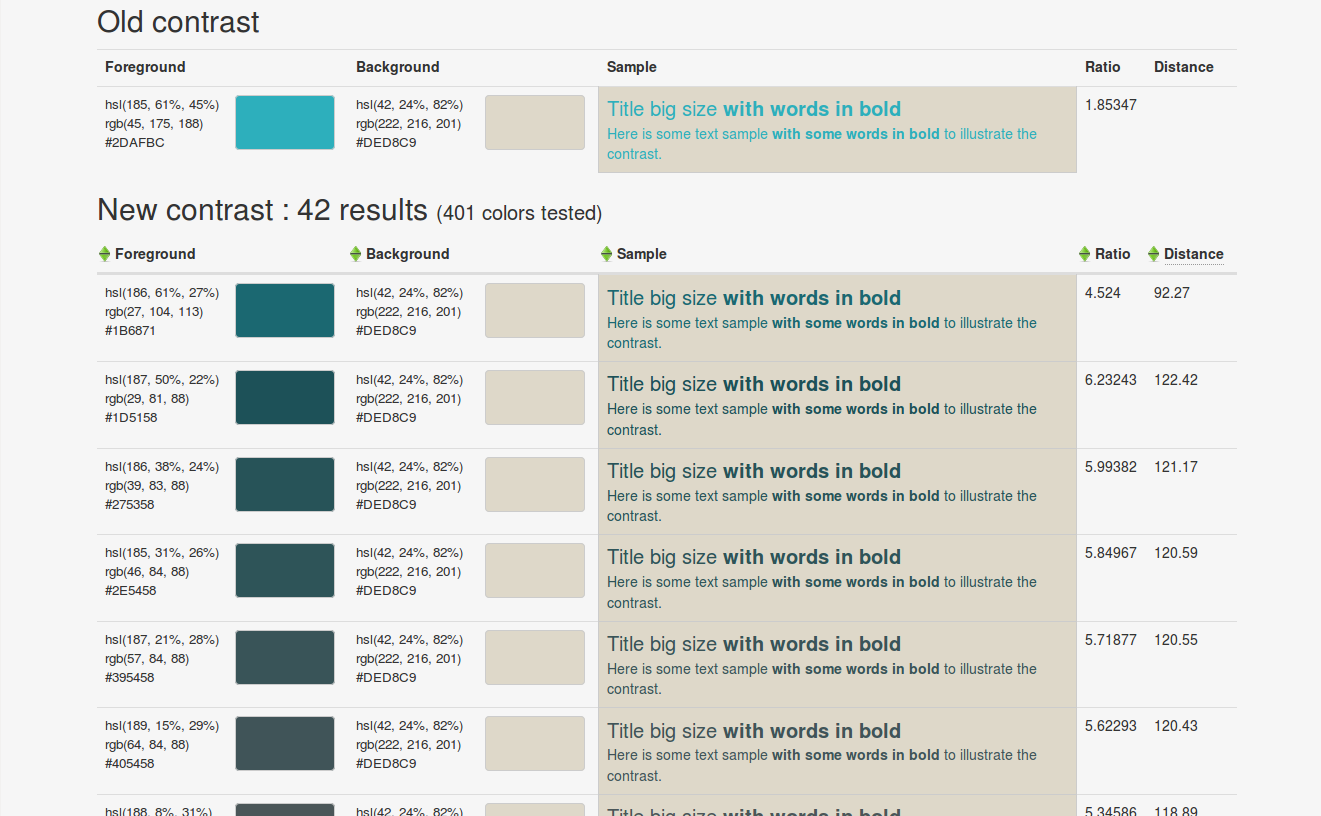
7) Contrast-Finder offers a set of valid colors for contrast

screenshot 07

Keyboard usage

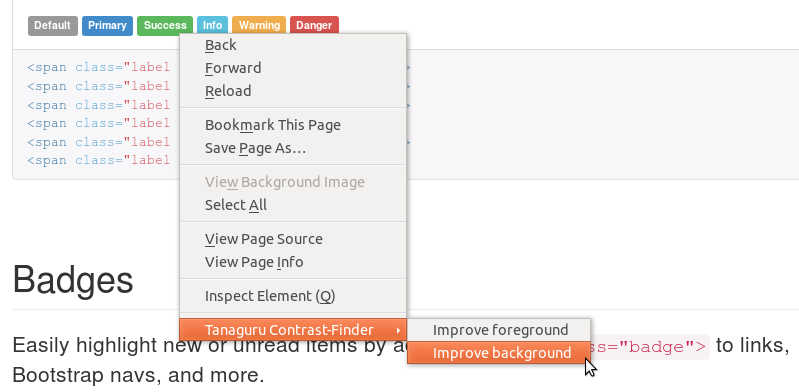
Focus to a given text, then press the "context menu" key, choose which color (background / foregound) to modify.
screenshot 08

About

Firefox extension to ease use of Tanaguru Contrast-Finder

Resources

License

Stars

Watchers

Forks

Packages


Contributors