

QDVO is a real-time monocular visual odometry algorithm which combines the benefits of a indirect and direct methods. It does this by modelling point correspondences with a non-gaussian correspondence distribution. By doing this, QDVO is able to use both corner and edge landmarks which overcoming the sensistivity to illumination changes often seen with direct (photometric) methods.
This work was presented at Purdue's AAE Research Symposium Series in 2019 and won "Best Undergraduate Presentation". You can find the slides for this presentation here.
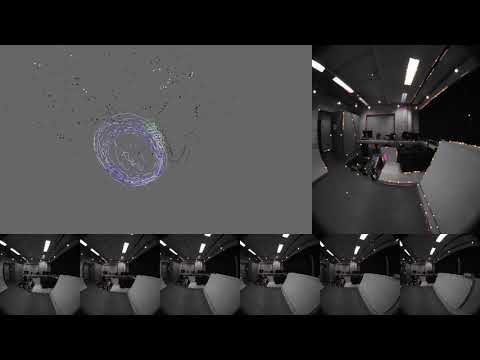
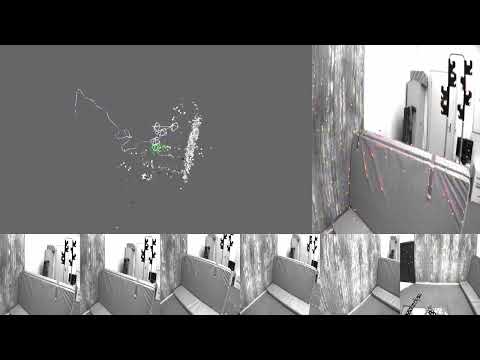
The correspondence distributions are represented with gaussian mixture models. In QDVO, the similarity score used is ZNCC. To ensure convergence far from the optimial solution, QDVO filters low similarity pixels in the correspondence distribution.

To ensure we can efficiently minimimize the negative log likelihood, QDVO uses Iteratively Reweighted Non-Linear Least Squares optimization. By doing this, QDVO is able to practically bound the compute per residual by exploiting the exponential fall-off in the influence of far away gaussians in the GMM.


The CPP implementation of QDVO is based on a custom optimizer with the following capabilities:
- Supports arbitrary manifold variables
- Built in support for SE3, SO3, InverseDepth, and Scalar
- Supports arbitrary error terms
- Built in support for marginalization of error terms and variables into a gaussian prior
- Based on a Sparse Schur Solver implementation to exploit sparsity in landmark variables.
- Built on top of SlotMap and Slot Array implementation for cache friendly access of sub-matrices
The most complete example on how to use ArgMin is in this test: TestArgMinExampleProblem.cpp
The most complete documentation of ArgMin's SSEOptimizer can be found here
To build and run QDVO's unit tests and benchmarks, see the test README for detailed Docker-based instructions.
To evaluate QDVO on EuRoC format datasets and compute trajectory accuracy metrics, see the tools README for evaluation scripts and usage instructions.
If everything is working well, the instructions should yeild metrics like this. You can also run the visualizer during this process to view the output:
Metrics:
  trajectory_rsme
    position_m
      0.1657926505967792
    rotation_rad
      0.05437238494597787
  scale_ratio
    0.5152414387714908
  odometry_error
    rotation_error_deg
      p0
        0.006621794467815206
      p50
        0.15924600009760104
      p90
        0.4366704606080118
      p100
        25.575861632348452
    translation_error_m
      p0
        0.00015554824151368935
      p50
        0.005760766429027332
      p90
        0.012452360493189065
      p100
        0.35052730009526634