debug logging
Muximux includes a debug logging system for both the frontend (browser console) and the backend (server logs). These are designed to help you diagnose issues without needing to modify code or restart the server.
Add ?debug=true to your Muximux URL:
https://muximux.example.com/?debug=true
This writes a flag to your browser's localStorage, so debug logging persists across page reloads and navigation. You only need to add the query parameter once.
Navigate to:
https://muximux.example.com/?debug=false
Or manually remove the flag:
localStorage.removeItem('muximux_debug');Important: Simply removing
?debug=truefrom the URL does not turn off debug logging — it persists in localStorage until you explicitly disable it with?debug=false.
All debug messages appear in the browser console under console.debug(). In most browsers, you need to enable the "Verbose" log level in DevTools to see them.
Messages are prefixed with [muximux:category] for easy filtering:
| Category | What's Logged |
|---|---|
config |
Config loaded (app count, auth method, health interval), config updates via WebSocket |
ws |
WebSocket connect, connected, reconnect attempts, gave up, event types received |
auth |
Auth status check results, login success/failure |
theme |
Theme applied, custom CSS load failures |
health |
Health polling started, health data updates |
icon |
Image load failures for app icons |
keys |
Keyboard shortcut actions dispatched |
In Chrome/Firefox DevTools, use the Console filter box to show only specific categories:
- Type
[muximux:ws]to see only WebSocket messages - Type
[muximux:to see all Muximux debug messages - Type
-[muximux:health]to hide health polling noise
When debug logging is disabled (the default), each debug() call is a single boolean check that returns immediately. There is no string formatting, no object serialization, and no console output. The performance impact is effectively zero.
In Settings > General, change the Log Level to debug. This takes effect immediately without a restart.
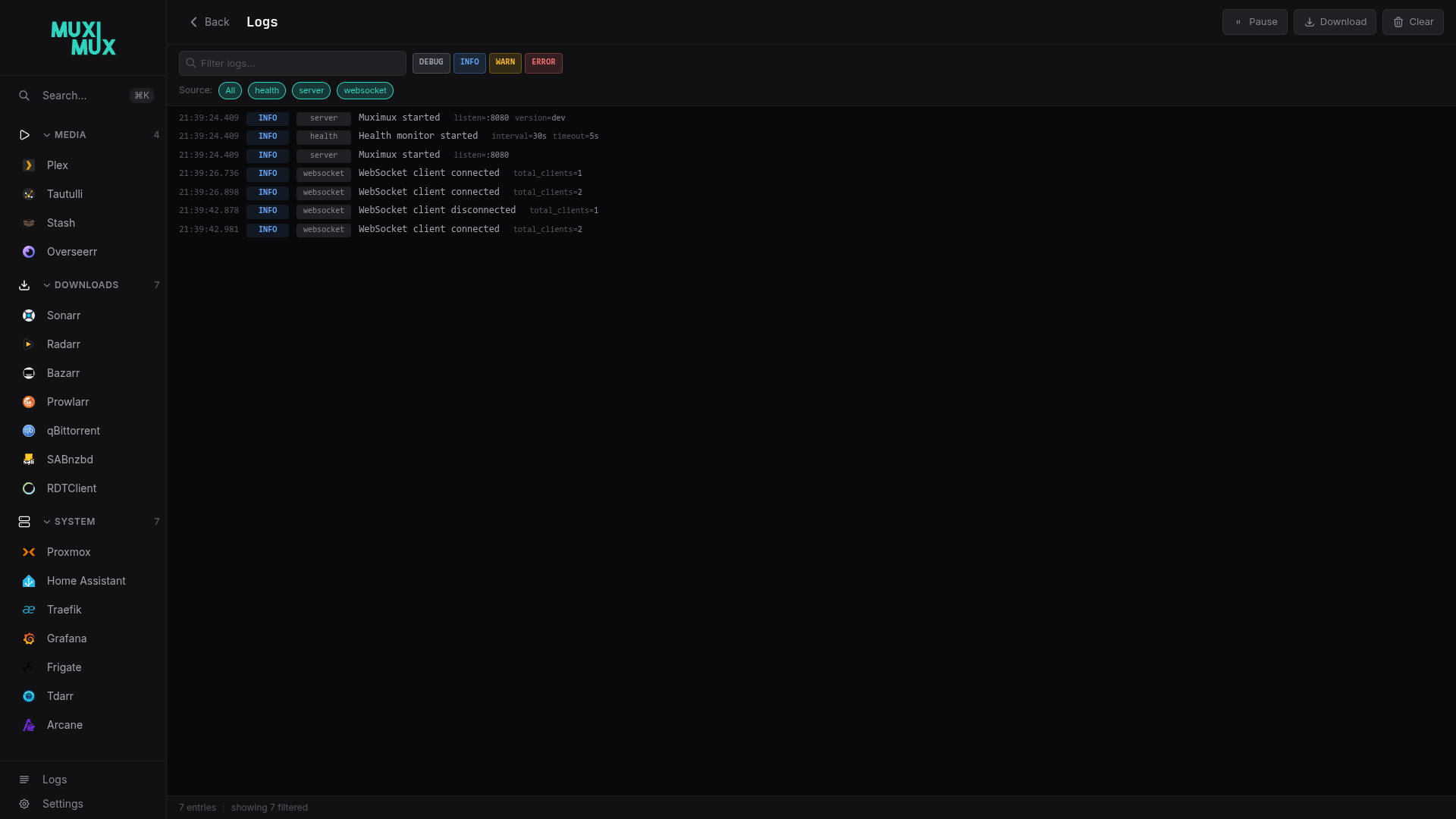
Or set it in config.yaml:
server:
log_level: debugBackend debug logging adds detailed request-level information:
| Source | What's Logged |
|---|---|
auth |
Every request showing whether it was authenticated, bypassed, or rejected, including the matched user and request path |
health |
Individual health check results per app with response times |
proxy |
Route rebuilds when config changes |
websocket |
Client connect/disconnect events |
When debug logging is enabled, you'll see Auth bypassed messages for certain paths. This is expected behavior — these are static assets and endpoints that must be accessible without authentication:
| Path Pattern | Why It's Bypassed |
|---|---|
/assets/* |
SPA JavaScript and CSS bundles (needed to render the login page) |
/manifest.json |
PWA manifest |
/api/auth/status |
Checks if the user is logged in (must work before login) |
/themes/*.css |
Theme stylesheets (needed to style the login page) |
/favicon.ico, /apple-touch-icon.png
|
Browser-requested icons |
All API endpoints that return user data (/api/config, /api/apps/*, etc.) require authentication and show Authenticated request with the username.
| Problem | What to Enable | What to Look For |
|---|---|---|
| App not loading in iframe | Frontend (?debug=true) |
[muximux:config] for app list, browser Network tab for 404s |
| WebSocket disconnections | Frontend |
[muximux:ws] for reconnect attempts and "gave up" messages |
| Theme not applying | Frontend |
[muximux:theme] for CSS load failures |
| Health status wrong | Backend (debug level) |
health source for individual check results and response times |
| Auth issues | Backend (debug level) |
auth source for bypass/reject/authenticate details per request |
When reporting an issue:
- Enable frontend debug logging (
?debug=true) - Set backend log level to
debug - Reproduce the problem
- Copy the relevant console output and server logs
- Include them in your bug report
Frontend logs can be copied from the browser's DevTools Console tab. Backend logs appear in the server's standard output (or wherever you've configured logging).
- Frontend debug logs are written only to your browser's console. They are not sent to any server.
- The
localStorageflag (muximux_debug) contains only the value"1"— no personal data. - Backend debug logs may include usernames and request paths. Be mindful of this when sharing logs publicly.