Updated Step Groups doc with Global Step Group Update#853
Conversation


WalkthroughDocumentation updates to the step-group guidance page including front matter modification, new contextual navigation links, expanded cross-project reuse instructions, image URL updates, and content rewording for consistency and clarity. Changes
Estimated code review effort🎯 1 (Trivial) | ⏱️ ~5–10 minutes
Possibly related PRs
Suggested reviewers
Poem
Pre-merge checks and finishing touches❌ Failed checks (1 inconclusive)
✅ Passed checks (2 passed)
✨ Finishing touches🧪 Generate unit tests (beta)
Tip 📝 Customizable high-level summaries are now available in beta!You can now customize how CodeRabbit generates the high-level summary in your pull requests — including its content, structure, tone, and formatting.
Example instruction:
Note: This feature is currently in beta for Pro-tier users, and pricing will be announced later. Thanks for using CodeRabbit! It's free for OSS, and your support helps us grow. If you like it, consider giving us a shout-out. Comment |
![coderabbitai[bot]](https://avatars.githubusercontent.com/in/347564?s=60&v=4)

There was a problem hiding this comment.
Actionable comments posted: 2
📜 Review details
Configuration used: CodeRabbit UI
Review profile: CHILL
Plan: Pro
📒 Files selected for processing (1)
src/pages/docs/test-cases/step-types/step-group.md(4 hunks)
🧰 Additional context used
🪛 LanguageTool
src/pages/docs/test-cases/step-types/step-group.md
[grammar] ~52-~52: Ensure spelling is correct
Context: ...te a New Step Group** 1. From the left navigatio bar, go to **Create Tests > Step Groups...
(QB_NEW_EN_ORTHOGRAPHY_ERROR_IDS_1)
[grammar] ~66-~66: Use a hyphen to join words.
Context: ...NOTE:]] | You can also create a data driven step group by associating a test ...
(QB_NEW_EN_HYPHEN)
[grammar] ~79-~79: Ensure spelling is correct
Context: ...Edit a Step Group 1. From the left navigatio bar, go to **Create Tests > Step Groups...
(QB_NEW_EN_ORTHOGRAPHY_ERROR_IDS_1)
[style] ~90-~90: You have already used this phrasing in nearby sentences. Consider replacing it to add variety to your writing.
Context: ...k kebab menu next to the step group you want to delete and click Delete. ![Delet...
(REP_WANT_TO_VB)
[grammar] ~109-~109: Ensure spelling is correct
Context: ... Specific Test Case** 1. From the left navigatio bar, go to *Create Tests > Test Cases...
(QB_NEW_EN_ORTHOGRAPHY_ERROR_IDS_1)
[grammar] ~128-~128: Ensure spelling is correct
Context: ...up From a Test Case** 1. From the left navigatio bar, go to *Create Tests > Test Cases...
(QB_NEW_EN_ORTHOGRAPHY_ERROR_IDS_1)
[grammar] ~151-~151: Ensure spelling is correct
Context: ...roup in a Test Case** 1. From the left navigatio bar, go to *Create Tests > Test Cases...
(QB_NEW_EN_ORTHOGRAPHY_ERROR_IDS_1)
[style] ~153-~153: You have already used this phrasing in nearby sentences. Consider replacing it to add variety to your writing.
Context: ...se or open a Test Case in which you want to add a step group. 3. On the test case...
(REP_WANT_TO_VB)
[style] ~158-~158: You have already used this phrasing in nearby sentences. Consider replacing it to add variety to your writing.
Context: ...list overlay, select the step group you want to add. 
[grammar] ~166-~166: Use a hyphen to join words.
Context: ... | NOTE:]] | You can also add a data driven step group to a data driven test ...
(QB_NEW_EN_HYPHEN)
[grammar] ~166-~166: Use a hyphen to join words.
Context: ...o add a data driven step group to a data driven test case. This allows iterating ...
(QB_NEW_EN_HYPHEN)
[style] ~174-~174: You have already used this phrasing in nearby sentences. Consider replacing it to add variety to your writing.
Context: ...natively, open a test case in which you want to add a step group. 3. On the test case ...
(REP_WANT_TO_VB)
⏰ Context from checks skipped due to timeout of 90000ms. You can increase the timeout in your CodeRabbit configuration to a maximum of 15 minutes (900000ms). (1)
- GitHub Check: CI
🔇 Additional comments (3)
src/pages/docs/test-cases/step-types/step-group.md (3)
6-6: ✓ Page ID normalization looks good.The front-matter change from "Test step type: Step groups" to a URL-friendly format follows documentation best practices.
29-31: ✓ Navigation link addition is appropriate.The new contextual link for "Use a Step Group Between Projects" aligns with the expanded content added in the new section.
170-193: ✓ New section on cross-project step group reuse is comprehensive and well-structured.The new "Use a Step Group Between Projects" section provides clear step-by-step instructions with supporting screenshots. The inclusion of the project/application/version selection flow and the note about supported platforms (Web, Android, iOS) is helpful for users.
Please verify that all image URLs referenced in this section (lines 179, 184, 187) are accessible and point to valid documentation assets.
|
|
||
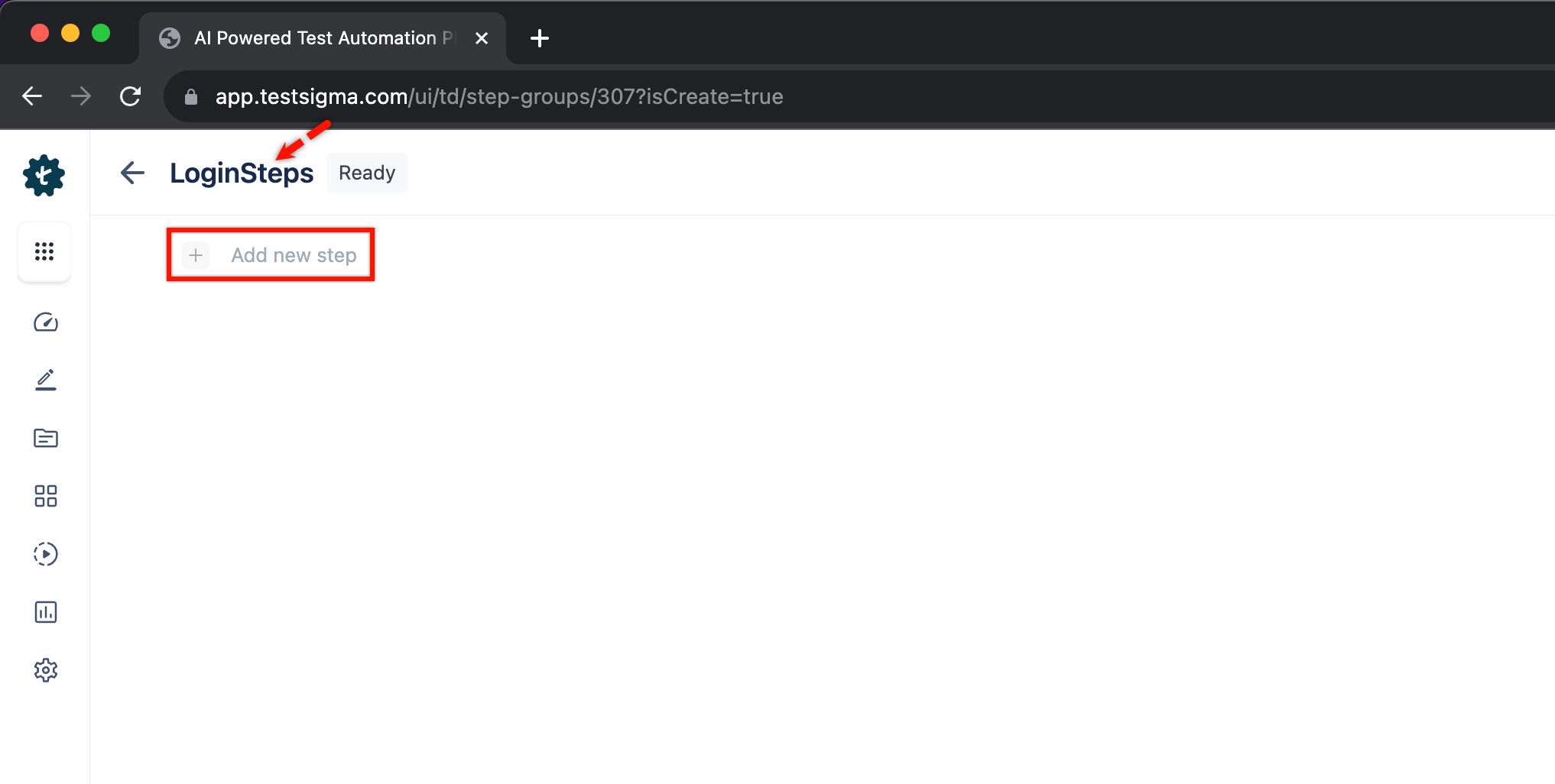
| 1. Enter **Name** and create steps manually by clicking on **Add new step**. | ||
|  | ||
| 1. From the left navigatio bar, go to **Create Tests > Step Groups**, click **Create Step Group**. |
There was a problem hiding this comment.
Fix spelling: "navigatio" → "navigation".
The phrase "From the left navigatio bar" appears on multiple lines (52, 79, 109, 128, 151). This is a typo that should be corrected to "navigation".
Apply this fix across all occurrences:
- From the left navigatio bar, go to
+ From the left navigation bar, go to
Also applies to: 79-79, 109-109, 128-128, 151-151
🧰 Tools
🪛 LanguageTool
[grammar] ~52-~52: Ensure spelling is correct
Context: ...te a New Step Group** 1. From the left navigatio bar, go to **Create Tests > Step Groups...
(QB_NEW_EN_ORTHOGRAPHY_ERROR_IDS_1)
🤖 Prompt for AI Agents
In src/pages/docs/test-cases/step-types/step-group.md around lines 52, 79, 109,
128, and 151, the word "navigatio" is misspelled; replace every occurrence of
"navigatio bar" with "navigation bar" so the sentence reads "From the left
navigation bar, go to **Create Tests > Step Groups**, click **Create Step
Group**." Ensure all five listed lines are updated consistently.
|
|
||
|
|
||
| [[info | **NOTE**:]] | ||
| | You can also create a data driven step group by associating a test data profile from the step group settings. Follow the steps below to associate a test data profile. |
There was a problem hiding this comment.
Use hyphenated "data-driven" for consistency with standard terminology.
Lines 66 and 166 use "data driven" (two words). Technical documentation typically hyphenates compound adjectives: "data-driven".
Apply this fix on both lines:
- You can also create a data driven step group
+ You can also create a data-driven step group
- You can also add a data driven step group to a data driven test case
+ You can also add a data-driven step group to a data-driven test caseAlso applies to: 166-166
🧰 Tools
🪛 LanguageTool
[grammar] ~66-~66: Use a hyphen to join words.
Context: ...NOTE:]] | You can also create a data driven step group by associating a test ...
(QB_NEW_EN_HYPHEN)
🤖 Prompt for AI Agents
In src/pages/docs/test-cases/step-types/step-group.md at lines 66 and 166, the
phrase "data driven" is used but should be hyphenated as "data-driven"; update
both occurrences to use the hyphenated compound adjective "data-driven" to match
standard terminology and maintain consistency across the document.

2 participants


Updated Step Groups doc with a section 'Use a Step Group Between Projects'

Summary by CodeRabbit
✏️ Tip: You can customize this high-level summary in your review settings.