[Tooling] Improve Prototype (aka Installable) Build comment and metadata #20071
Conversation


 AliSoftware
force-pushed
the
tooling/prototype-build-metadata
branch
from
AliSoftware
force-pushed
the
tooling/prototype-build-metadata
branch
from
520a13e to
342d3b7
Compare

 AliSoftware
force-pushed
the
tooling/prototype-build-metadata
branch
3 times, most recently
from
AliSoftware
force-pushed
the
tooling/prototype-build-metadata
branch
3 times, most recently
from
f2fc2bf to
e951c84
Compare

|
| App Name |  WordPress Alpha WordPress Alpha |
|
| Configuration | Release-Alpha | |
| Build Number | pr20071-59a3f8e | |
| Version | 21.9 | |
| Bundle ID | org.wordpress.alpha | |
| Commit | 59a3f8e | |
| App Center Build | WPiOS - One-Offs #5146 |
|

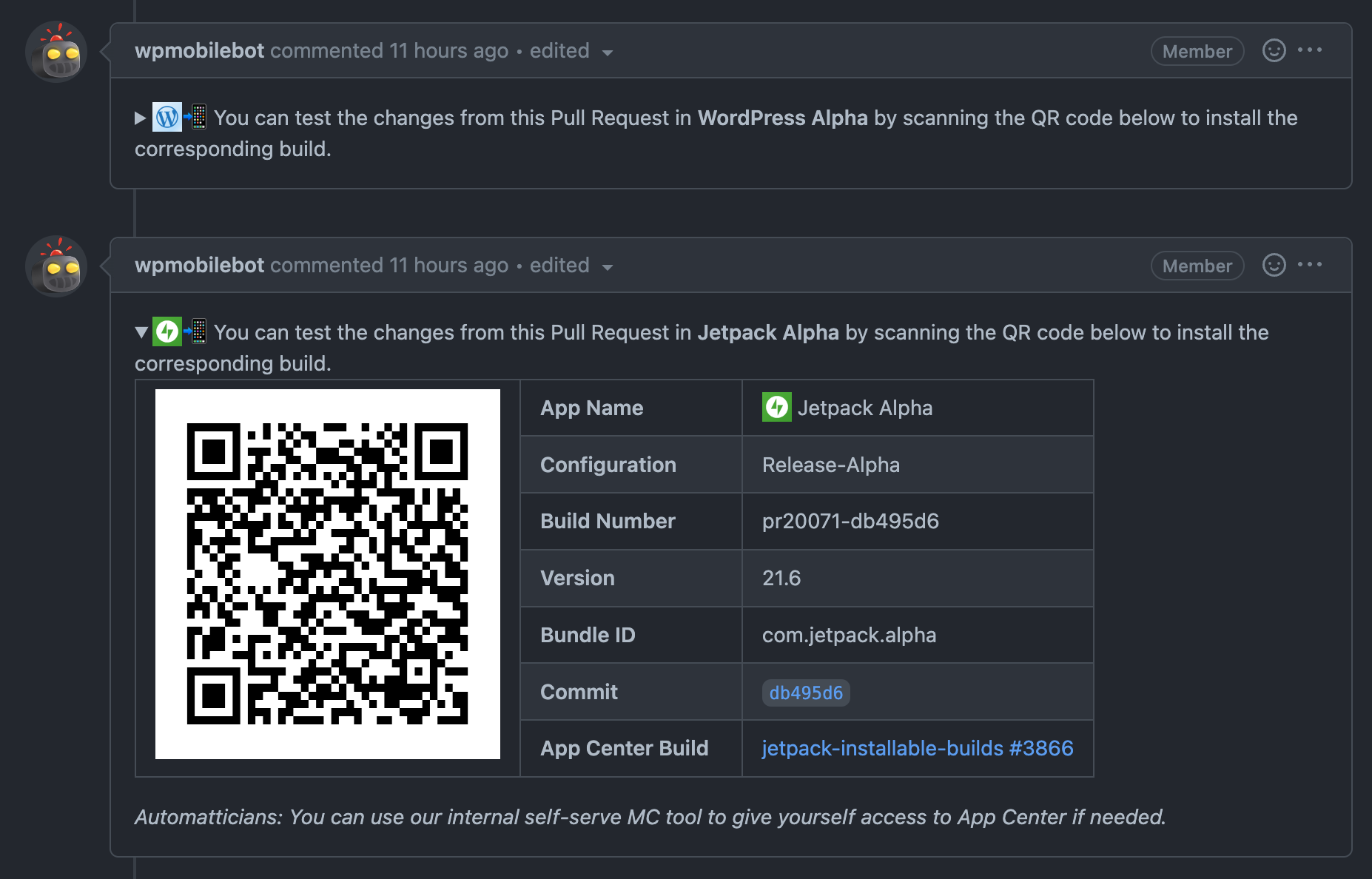
| App Name |  Jetpack Alpha Jetpack Alpha |
|
| Configuration | Release-Alpha | |
| Build Number | pr20071-59a3f8e | |
| Version | 21.9 | |
| Bundle ID | com.jetpack.alpha | |
| Commit | 59a3f8e | |
| App Center Build | jetpack-installable-builds #4168 |
AliSoftware
force-pushed
the
tooling/prototype-build-metadata
branch
2 times, most recently
from
2963cd0 to
6875032
Compare

|
I was about to comment in regards to the |
AliSoftware
force-pushed
the
tooling/prototype-build-metadata
branch
from
6875032 to
db495d6
Compare
|
👌 Note: I cancelled the "Build for Testing" step on CI to avoid spawning Mac workers for it needlessly (as this PR is still Draft and will have more force-pushes to come—especially to update the reference in the |
 AliSoftware
force-pushed
the
tooling/prototype-build-metadata
branch
from
AliSoftware
force-pushed
the
tooling/prototype-build-metadata
branch
from
db495d6 to
5dbb1b2
Compare
AliSoftware
force-pushed
the
tooling/prototype-build-metadata
branch
from
5dbb1b2 to
45f93da
Compare
 - DRY the common steps for WordPress vs Jetpack into a helper method
 - Use latest release-toolkit action to generate a nice-looking PR comment with the QR code and build info
AliSoftware
force-pushed
the
tooling/prototype-build-metadata
branch
3 times, most recently
from
45ae889 to
5b4cb22
Compare
AliSoftware
force-pushed
the
tooling/prototype-build-metadata
branch
2 times, most recently
from
3b38f53 to
355fe18
Compare
Every build can be "installed", so the term "Installable Build" wasn't super descriptive.
We are already calling them "Prototype Builds" in other repos, so we decided to adopt that new wording everywhere from now on.
AliSoftware
force-pushed
the
tooling/prototype-build-metadata
branch
from
355fe18 to
59a3f8e
Compare

|
|
||
| echo "--- :hammer_and_wrench: Building" | ||
| bundle exec fastlane build_and_upload_jetpack_installable_build | ||
| bundle exec fastlane build_and_upload_wordpress_prototype_build |

There was a problem hiding this comment.
I love how git got confused about the renaming and ended up producing this diff.
| buildkite_metadata(set: metadata) | ||
| appcenter_install_url = "https://install.appcenter.ms/orgs/#{APPCENTER_OWNER_NAME}/apps/#{appcenter_app_name}/releases/#{appcenter_id}" | ||
| list = metadata.map { |k, v| " - **#{k}**: #{v}" }.join("\n") | ||
| buildkite_annotate(context: "appcenter-info-#{output_app_name}", style: 'info', message: "#{output_app_name} [App Center Build](#{appcenter_install_url}) Info:\n\n#{list}") |
There was a problem hiding this comment.
Occasionally I noticed there are "Test Failures" annotation in the build page, but all test jobs are successful. I think the root cause is the "Test Failures" annotation isn't removed after a successful retry.
I think a similar issue may occur here too: this "build info" annotation won't be removed if the latest build fails.
There was a problem hiding this comment.
That fastlane action is called at the very end of the script and buildkite step doing the Prototype build. So an annotation will only be added if the Prototype build step ran all the way to the end once. But if it went all the way to the end without an issue, the CI step will be green and Buildkite won't even show a button to retry the step, so it's impossible for that step to succeed first (and add metadata) then fail later.
(and if the user chooses "Rebuild" on the whole CI build, that creates an entirely separate build and Buildkite page for it anyway)
The only case where I can see the situation that you describes happening is if the script and lane called by that CI step goes all the way to the end, after successfully pushing the build to App Center and adding the annotation, but fail at some meta CI level (eg failure to terminate and unregister the VM properly or whatnot)… and then you retry the step, and then this time if fails before getting to upload a new App Center build and adding the annotation… quite the corner case imho 😅
In contrast, the reason why annotations for tests stay around even after build success is a bit different:
- The test failure annotations are generated on step failure, in case where we can (and are likely to) retry the step. While App Center metadata info annotations are added on success
- The annotation for test failure annotation is handled by a shell script from our
a8c-ci-toolkit-buildkite-plugin(annotate_test_failuresaction iirc?) not by the fastlane action from our release-toolkit - One of the reasons for why we sometimes still have those annotations reporting test failures even when the step ended up green in the end… might not be because we forgot to remove the annotation, but because the test was flaky but Xcode was set up to do 3 retries before marking it as failed, but still logged every attempt in the
report.junit(with one XML node for the initial failure and another for the ultimate success for the same test) but ourannotate_test_failuresa8c-ci-toolkit command is not smart enough to pick up on that (we'll have to debug and implement a fix for all that at some point)


What?
Improve Prototype (aka Installable) Builds in a couple of ways:
To test:
/meta-datato the URL of the Buildkite build and validate that it includes the correct metadata?meta_dataquery parameter on the Buildkite URL, e.g.?meta_data[build_type]=Prototypeto search for all CI builds that correspond to / include Prototype builds