-
Notifications
You must be signed in to change notification settings - Fork 2
Native Preloader
levching edited this page Apr 14, 2020
·
3 revisions
The Native preloader feature gives you the ability to show nice looking native preloader, in case you need to lock the screen and show preloader to a user while you performing an operation in the background.
When you need to lock the screen, just call the LockScreen method:
using SA.CrossPlatform.UI;
...
UM_Preloader.LockScreen();When you are ready to unlock the screen for a user, just use the method:
using SA.CrossPlatform.UI;
...
UM_Preloader.UnlockScreen();Here is an example that will lock an app screen for 2 seconds:
using SA.CrossPlatform.UI;
...
UM_Preloader.LockScreen();
SA_Coroutine.WaitForSeconds(2f, () => {
UM_Preloader.UnlockScreen();
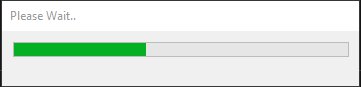
});Here is how preloader will look like on different platforms:
iOS

Android
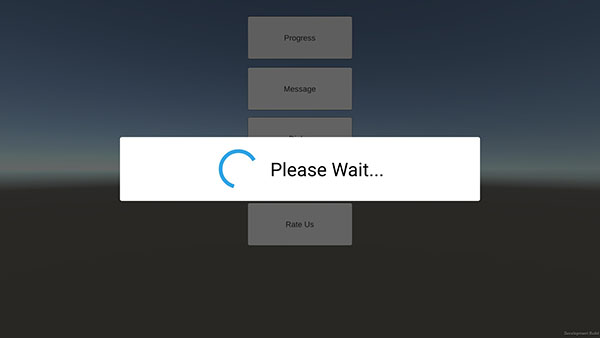
Unity Editor
Reliable and high-quality Unity Development service. Let's Talk!
Website | AssetStore | LinkedIn | Youtube | Scripting Reference
- Application
- Dark Mode
- Native Dialogs
- Native Preloader
- Date Picker Dialog
- Time Picker Dialog
- Rate Us Dialog
- Build Info
- Locale
- Permissions
- Wheel Picker Dialog
- Getting Started
- Connecting to The Service
- Purchase flow
- Transactions Validation
- Test Inside the Editor
- Advanced use cases
- Getting Started
- Enabling the Ads Service
- Banner Ads
- Non-rewarded Ads
- Rewarded Ads
- Unity Ads
- Google AdMob
- Chartboost
- Getting Started
- Analytics API
- Automatic Tracking
- Unity Analytics
- Firebase Analytics
- Facebook Analytics