Sprint 2 Inventory System and Consumables User Testing (Team 8)
A demo of the inventory system and consumables item completed in Sprint 2.
- Understand how users interact with products;
- Find out how satisfied users are with the section;
- Find out if users can understand the usage of the design behind the product;
- Identify modifications needed to improve product usability issues.
This user test will use questionnaires and remote testing to obtain feedback data.
- Questionnaires: The questionnaire consisted of 5 short answer questions. The design framework of the questionnaire will be clear and concise, and will ensure that each question has good clarity.
- Remote testing: The remote testing uses Zoom shared screens to present the demo, conduct interviews, and gather key points from the testing.
- The questionnaire will have 10 participants.
- The remote test will have 3 participants.
- All participants were volunteered to participate in this test.
Questionnaires:
Remote Testing Notes:
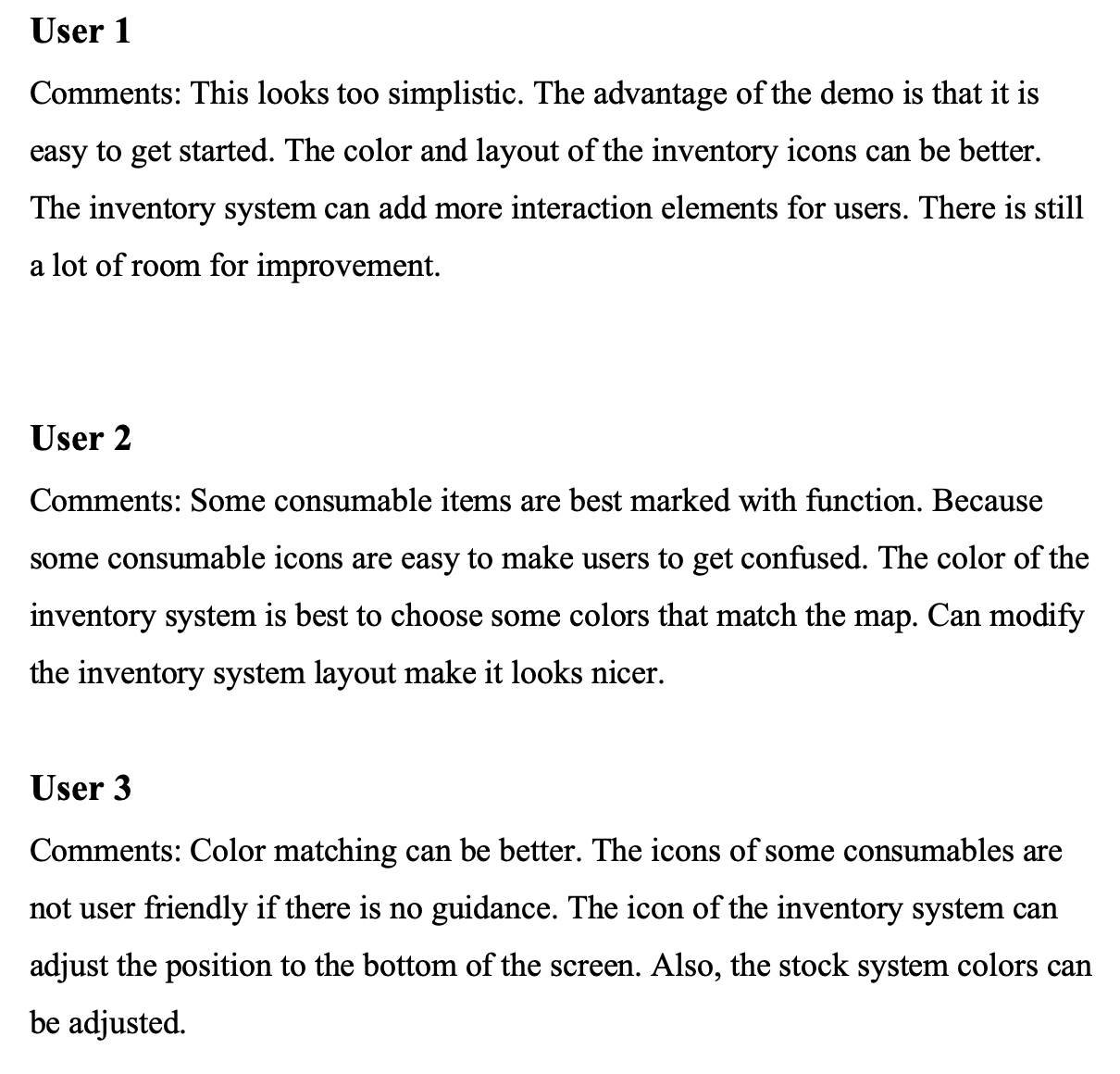
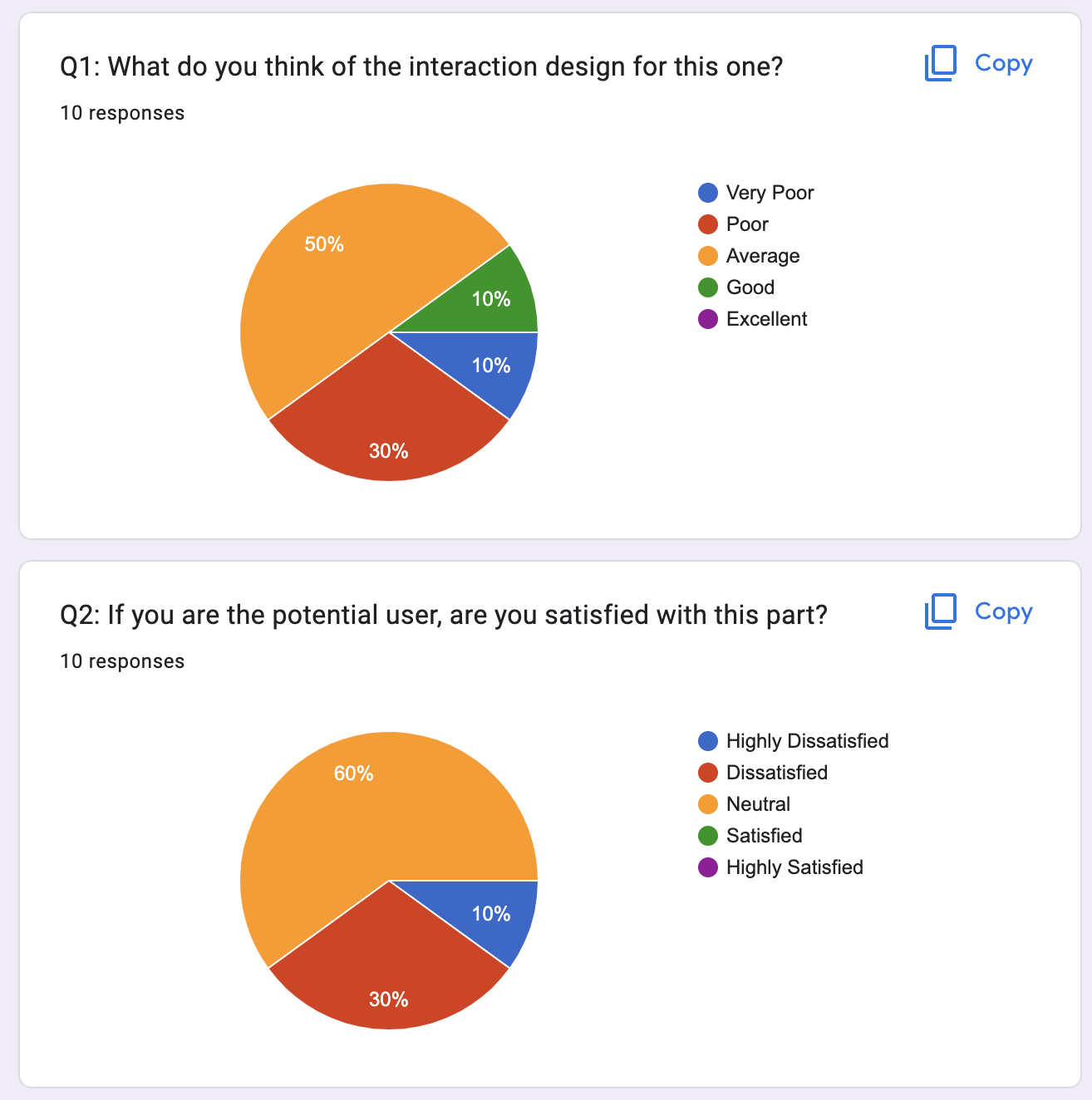
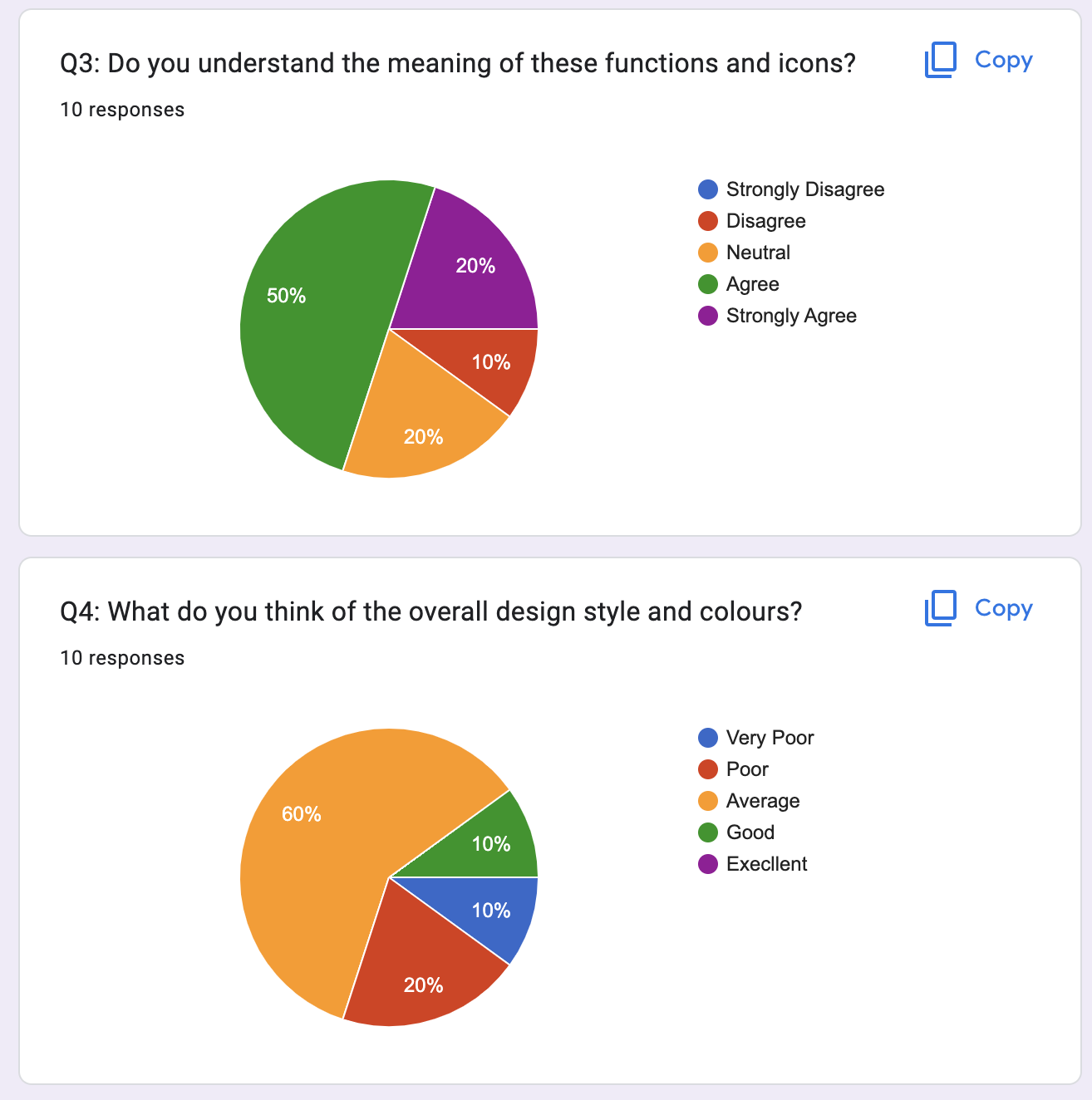
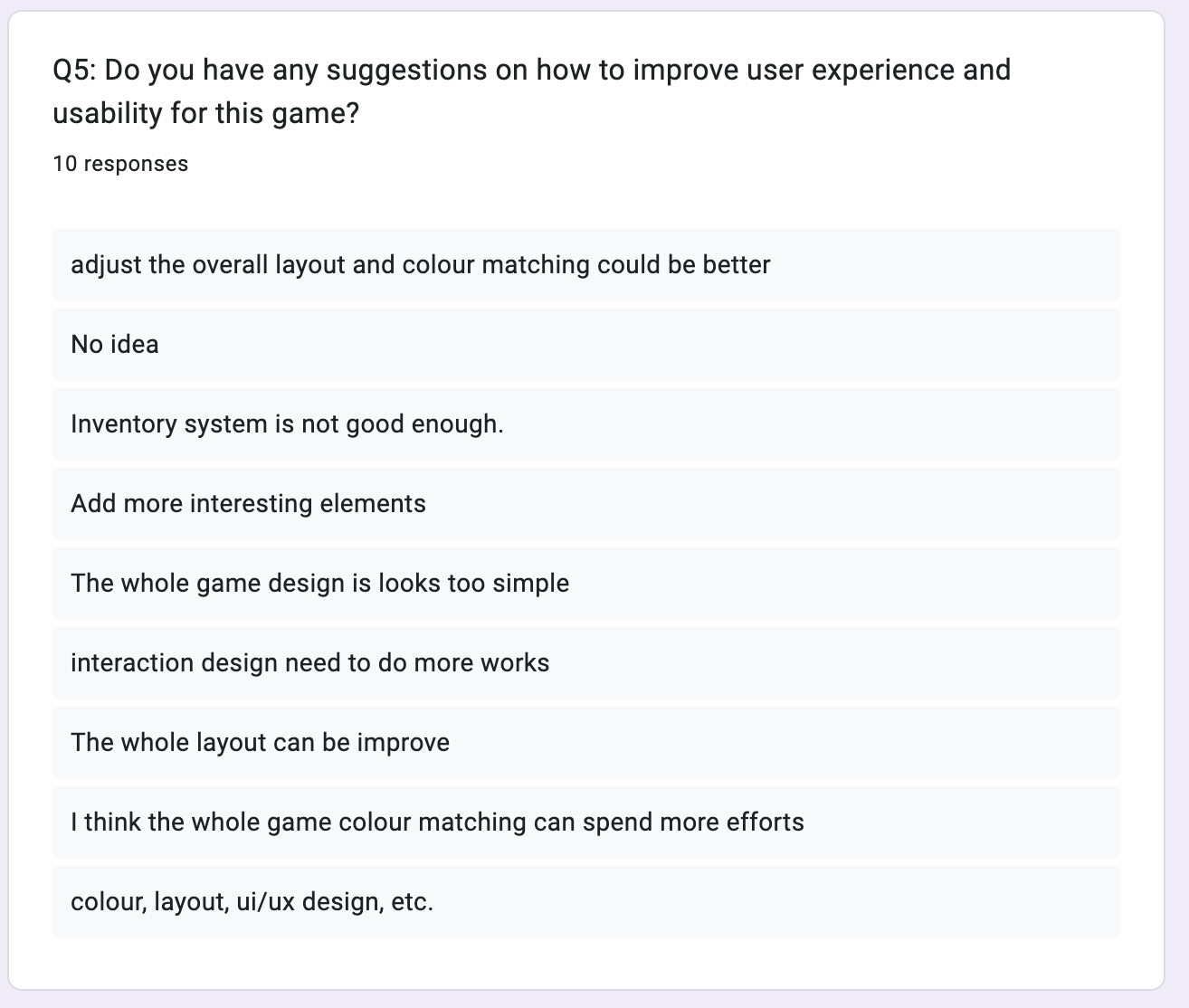
Based on questionnaires and remote testing data, we found that 50% of the participants were neutral about our design, and 30% of the participants were dissatisfied with the demo, when they stand at the point of potential users. We believe that the reasons for the following results are:
- The interaction design part still needs to be improved;
For instance, we can add more interaction design into the inventory system. And also add more interactive elements on consumables items.
- The colour matching and layout of the inventory system are not good enough;
- The icons of some consumables are not clear enough;
The Icons of consumables are not a good representation of the meaning of their functions.
Therefore, based on these three aspects, we will continue iterate and extend this part in Sprint 2 and the next few Sprints. And we will also pick some critical suggestions from users remote testing to make the overall demo look more user-friendly.