RRduino: Setting the Address of a Node
Change to the config tool directory
cd RR-duino/jmri-RR-duino
python3 ./pico-rr-duino-setup.py
Before anything else make sure pin 2 is grounded on your node.
Set the following:
- Set port to /dev/ttyUSB0 (or whatever shows in the previous step)
- Set port speed to 38400
- Tab to Connect button and press Enter.
- Tab to Address field, enter unique number for this node.
- Tab to 'Set address' button and press Enter
- Tab to 'Store to EEPROM' and press Enter
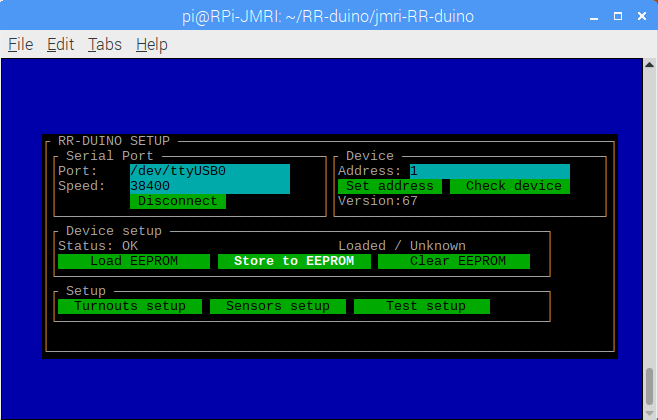
The address is now stored, you can disconnect and unground pin 2.
As a side note: if you have several nodes connected (eg if they are on a rs485 bus), make sure you only set one address at a time (only one node can have its pin 2 grounded at a time) to avoid any confusion.