Conversation


added basic steps to assign managed identity
added the template again 🙈
added link on Managed Identities from Docs, added a sentence on why we prefer mI over App registrations and handling secrets, skipped steps 1 and 2 as they are part of prerequisites

|
@LuiseFreese can you update the Link Checker workflow to add this |
added as requested `https://graph.microsoft.com.*` to be excluded from checks
Needs to be in quotes in the yaml so |
added `"` round the URL so that YAML likes it.

 marcduiker
left a comment
marcduiker
left a comment
marcduiker
left a comment
There was a problem hiding this comment.
Added mostly some formatting and style changes. Still have to review exercise 4. Could you also add some lines like: Use the PowerShell terminal and type: followed by the instructions you already have. Because to novice users it might not be clear if az cli or PowerShell code should go in the function or in a local terminal.
|
|
||
| #Set values | ||
| $webAppName="LuiseDemo-functionapp$rand" | ||
| $principalId=$(az resource list -n $webAppName --query [*].identity.principalId --out tsv) |
There was a problem hiding this comment.
I'm a PowerShell n00b. I see two usages of assigning variables here. Lines 152 and 153 are wrapping the output of the az commands in a $( ... ). This is not used when assigning the variables for graphId and appRoleId. Why this difference? Is it due to the tsv output formatting?
There was a problem hiding this comment.
PrincipalId is the Object ID of the system-assigned Managed Identity to which we want to assign the app role.
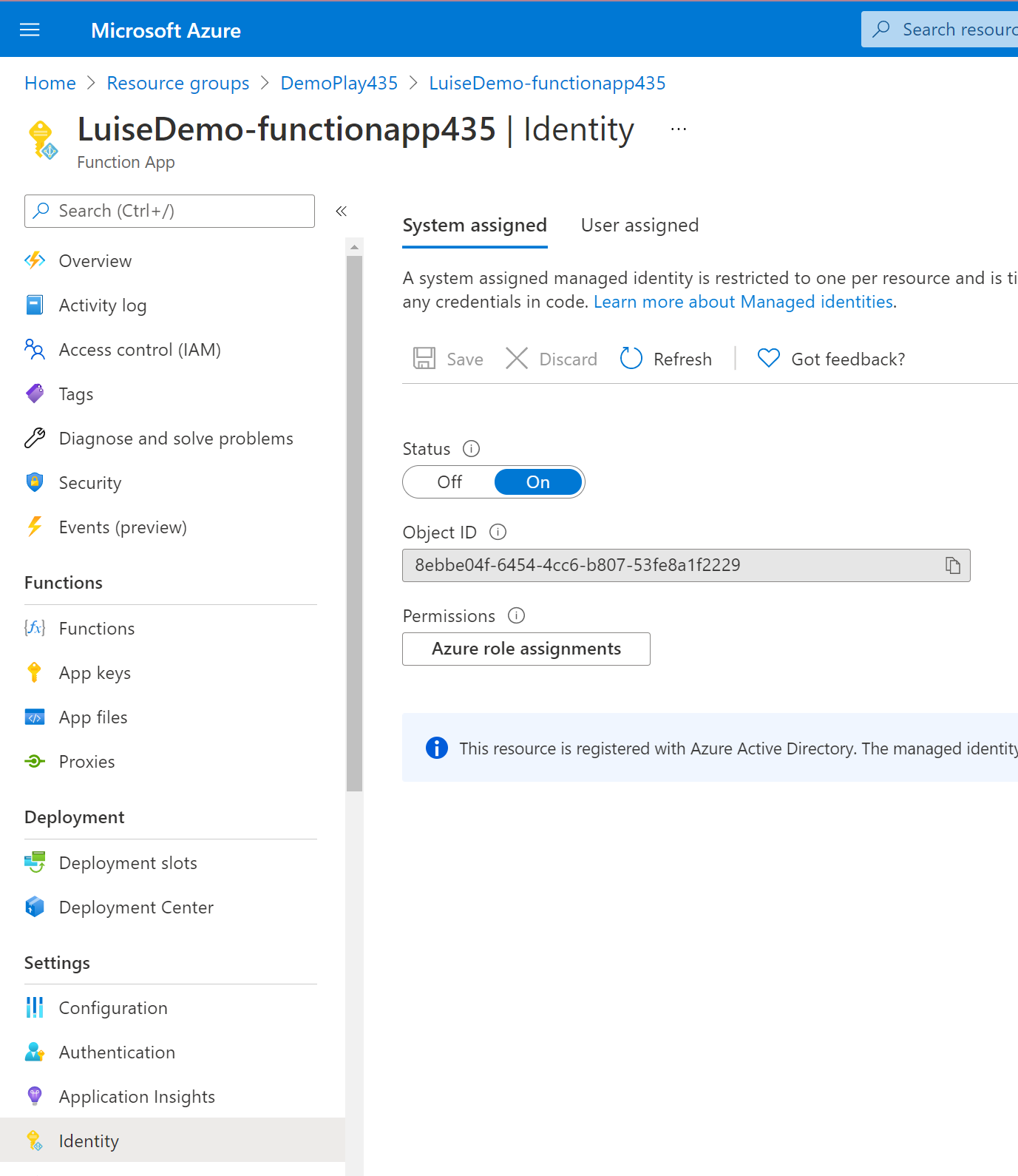 and we get this with
 $principalId = $(az resource list -n $webAppName --query [*].identity.principalId --out tsv) while $webappName is the name of our function app. We need the PrincipalId in the body of the REST call:
$body = "{'principalId':'$principalId','resourceId':'$graphResourceId','appRoleId':'$appRoleId'}"
graphID is the application ID of Microsoft Graph API exposed on AAD, its value is 00000003-0000-0000-c000-000000000000. We get this with $graphId = az ad sp list --query "[?appDisplayName=='Microsoft Graph'].appId | [0]" --all and we need it to get the appRoleId.
The appRoleId is the particular scope, like Group.Read or Teams.Create.
Does this make sense to you?
|
|
||
| ```powershell | ||
|
|
||
| #Get Graph Api service provider (that's later needed for --api) |
There was a problem hiding this comment.
I don't understand this part: (that's later needed for --api)
There was a problem hiding this comment.
I can delete this... it was more a comment for myself... the syntax for adding permissions is
az ad app permission add --id <ID goes here> --api <api like Graph goes here> --api-permissions <permission scope like Group.Read goes here>=Scope
Does that make sense to you?

Co-authored-by: Marc Duiker <marcduiker@users.noreply.github.com>
Co-authored-by: Marc Duiker <marcduiker@users.noreply.github.com>
Co-authored-by: Marc Duiker <marcduiker@users.noreply.github.com>
Co-authored-by: Marc Duiker <marcduiker@users.noreply.github.com>
Co-authored-by: Marc Duiker <marcduiker@users.noreply.github.com>
Co-authored-by: Marc Duiker <marcduiker@users.noreply.github.com>
Co-authored-by: Marc Duiker <marcduiker@users.noreply.github.com>
Co-authored-by: Marc Duiker <marcduiker@users.noreply.github.com>
Co-authored-by: Marc Duiker <marcduiker@users.noreply.github.com>
Co-authored-by: Marc Duiker <marcduiker@users.noreply.github.com>
Co-authored-by: Marc Duiker <marcduiker@users.noreply.github.com>
Co-authored-by: Marc Duiker <marcduiker@users.noreply.github.com>
Co-authored-by: Marc Duiker <marcduiker@users.noreply.github.com>
Co-authored-by: Marc Duiker <marcduiker@users.noreply.github.com>
Co-authored-by: Marc Duiker <marcduiker@users.noreply.github.com>
Co-authored-by: Marc Duiker <marcduiker@users.noreply.github.com>
Co-authored-by: Marc Duiker <marcduiker@users.noreply.github.com>
Co-authored-by: Marc Duiker <marcduiker@users.noreply.github.com>
adds some "use the PowerShell terminal" to clarify :-)


2 participants


tried to take into account your requested changes.