Advanced RF Analysis
- Rene Wolf - VHS-decode vs Signal degradation - Nov 2023
The cool thing you can do with full RF captures is taking advantage of any SDR or Audio Processing tools on the market for inspecting the waveform.
Import -> RAW Data
Byte Order -> Little Eiden
Sample Rate ->
4000000 DdD/MISRC 40MHz/16-bit (10-bits padded to 16-bits)
4000000 Clockgen 40MHz/8-bit
2860000 CXADC 28.6 MHz/8-bit
3580000 cxadc3 35.8 MHz/8-bit
1430000 10cxadc 14.3 MHz/16-bit
1790000 10cxadc3 17.9 MHz/16-bit

Cross Platform & Free replacement for similar viewing to adobe audition.
View -> Show Spectral Frequency Display (Shift+D)

Then you can use normal visual inspection to determine if it's signal is too low or too high.
It's recommended to use 8/16bit FLAC compressed or uncompressed 8/16bit captures for this task and set your cache directory to a location with enough space or you will possibly zero-fill a drive.
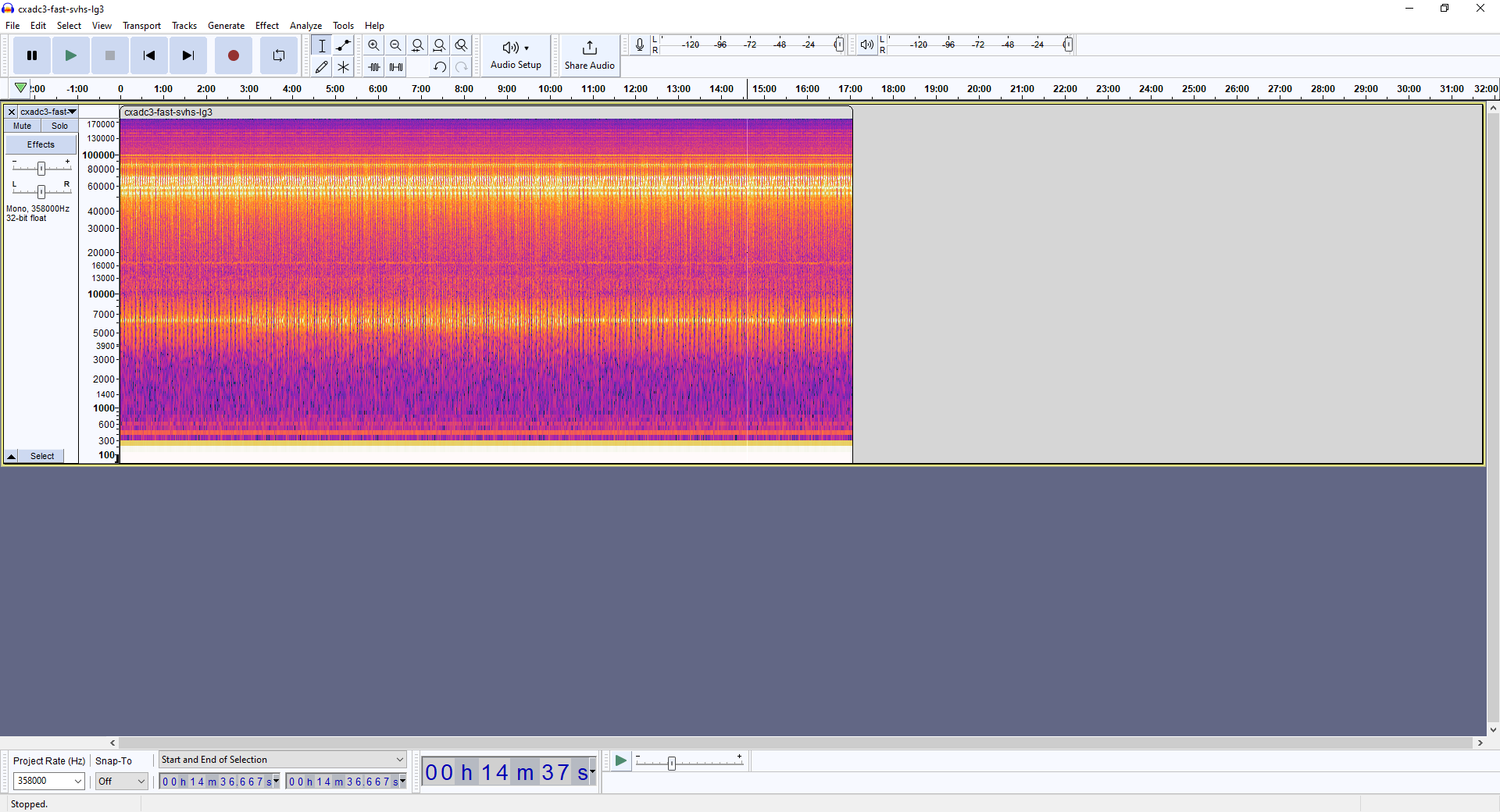
Right-click on the left-hand side to change settings and enable the spectrograph.

You can change the settings according to the sample rate used for the capture.

ld-analyse allows you to view the values of your .json metadata file with visually assisted graphing.
Black SNR (Signal To Noise Ratio) is your basic quality indicator.

40-50 dB - Great Signal
30-40 dB - Good Signal
20-30 dB - Weak Signal
10-20 dB - Poor Signal
- FAQ - Frequently Asked Questions
- Diagram Breakdowns
- Visual-Comparisons
- VCR Reports / RF Tap Examples
- Download & Contribute Data
- Speed Testing


- Capture Setup Guide
- MISRC
- CX Cards & CXADC
- CX Cards - Clockgen Mod
- DdD - Domesday Duplicator
- RTL-SDR
- Hardware Installation Guide
- Finding RF Tap Locations
- Amplifier Setup Guide
- The Tap List Example VCR's
- Visual VBI Data Guide
- Closed Captioning
- Teletext
- WSS Wide - Screen Signalling
- VITC Timecode
- VITS Signals
- XDS Data (PBS)
- Video ID IEC 61880
- Auto Audio Align
- Vapoursynth TBC Median Stacking Guide
- Ruxpin-Decode & TV Teddy Tapes
- Tony's GNU Radio For Dummies Guide
- Tony's GNU Radio Scripts
- DomesDay Duplicator Utilities
- ld-decode Utilities