VITC SMPTE Timecode
Back Page Identifying VBI Data
Timecode typically looks like this:
01:03:03:12
HH:MM:SS:FF or Hours:Minutes:Seconds:Frames
1 Hours : 3 Minutes : 3 Seconds : 12 Frames
Commonly it will be referred to as just "TC"
SMPTE = Society of Motion Picture and Television Engineers, the standardisation body that affixed the standard.
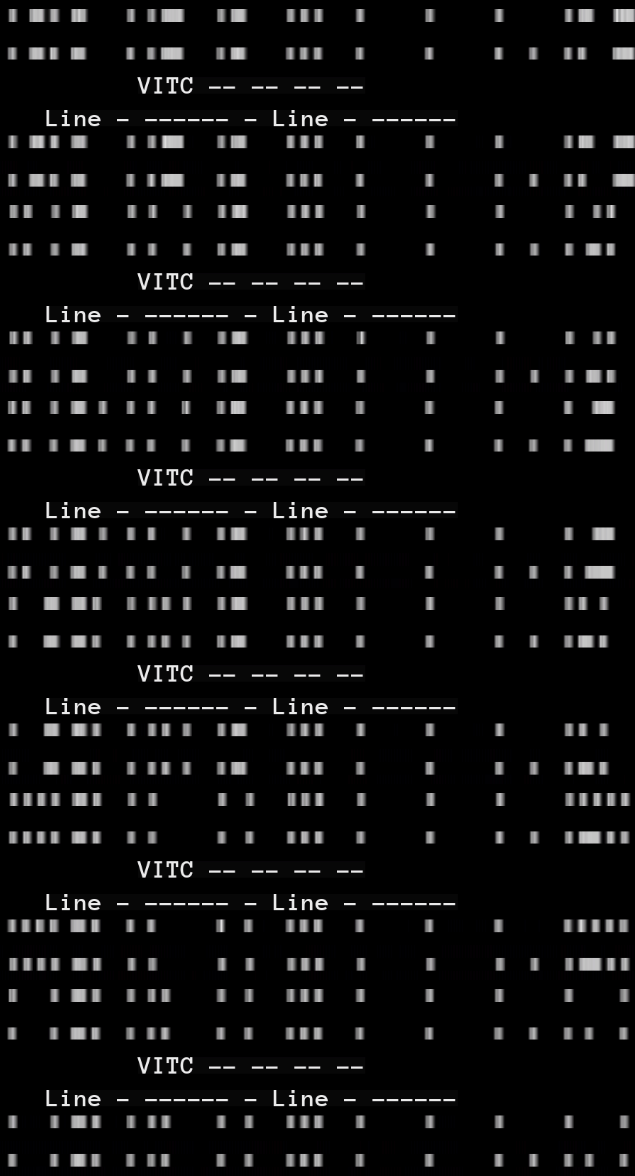
VITC timecode is in simple terms a method of visually embedding timecode data into a video signal, using 2 redundant rows of white lines that make square data blocks when extracted this example below is from QCTools via FFMPEGs filter, however we now extract this data with ld-process-vbi, but also if you have good pattern memory it is human-readable.
It will typically be time of day or running time of that tape segment, also known as TOD & Free Run in modern camera systems.
There are 2 versions non-drop frame & drop frame this can tell you if there is frame loss or not.
For consumers, VITC was used for exact frame editing or exact record time information on a frame-by-frame basis.
25 FPS VITC Digitally Rendered

VITC Timecode on a SVHS camcorder:
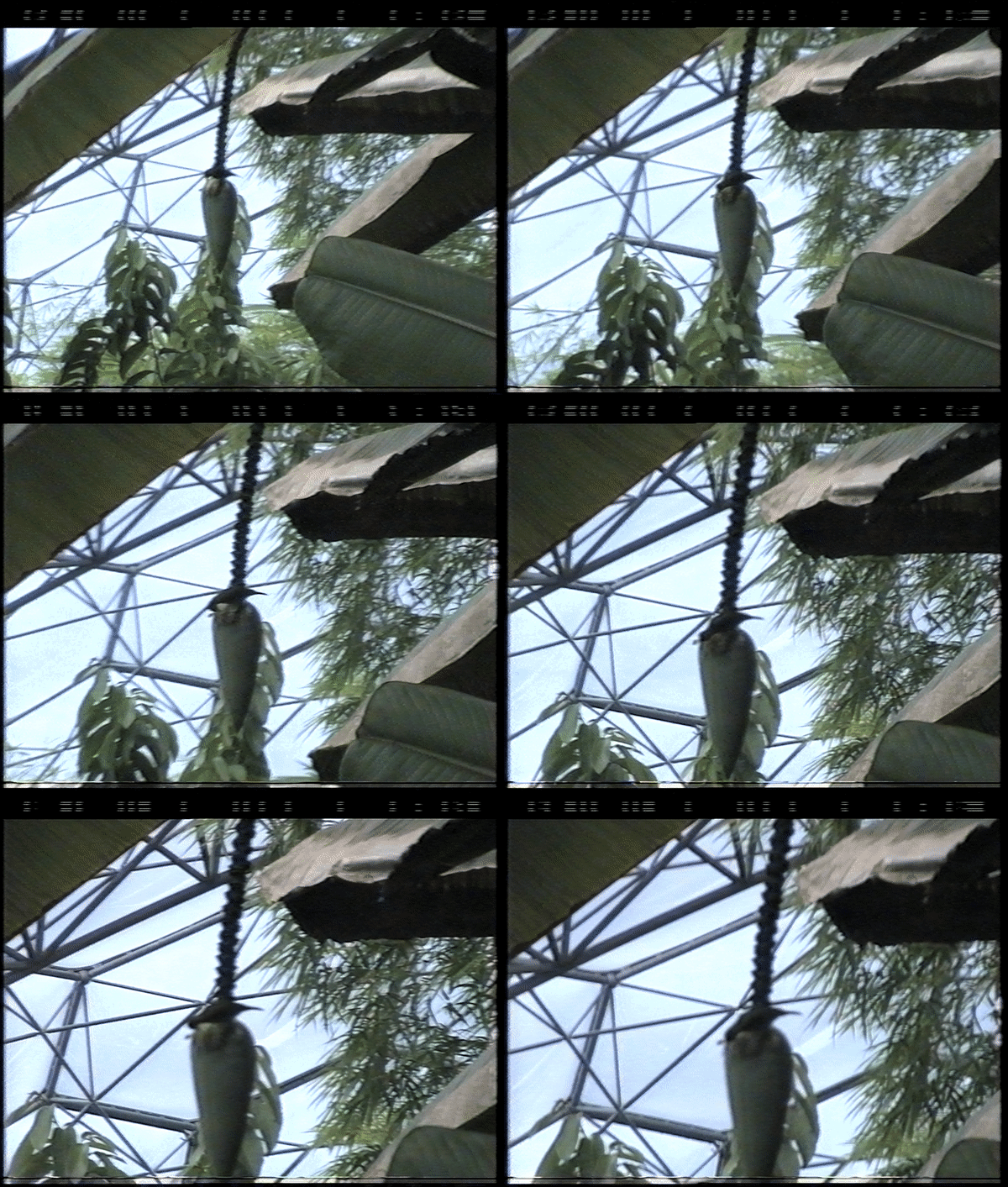
lavfi.readvitc.found=1
lavfi.readvitc.tc_str=01:18:41:00
frame:629  pts:25160   pts_time:25.16
ld-process-vbi input.tbc
This will scan the VBI area for data and add VITC timecode fields to the .JSON which can be read inside ld-analyse.
ld-export-metadata input.json
Will have options later to export this data externally, so save your .JSON files!
There is currently Unai VITC which allows you to create video streams with VITC timecode for embedding into files.
And hardware generators are still available on sites like eBay which can use VITC/LTC cross-translation.
Formats like S-VHS, Betacam, 1 Inch Type C all use VITC when recorded on a higher-end device or in production or broadcast environments it will normally have SMPTE VITC in every single frame it looks like this notice the lines at the top above the video frame.
This is what normal digital PAL 720x608 / NTSC 720x512 SD IMX archive feeds will look like where just the top VBI data is exposed.

Modern usage of VITC will look very sharp from digital Betacam tapes etc
At the top of the visible image there are dots and dashes these represent bits of data that can embed timecode data for the absolute position of media on a tape.
Today AJA, Blackmagic & Magewell SDI and PCIe A/D units (ADV-7850 Based) have VBI Data slicers which means they have Teletext/Closed Captions & VITC processing capability if using industry-standard equipment for reference captures you will most likely have SMPTE TC mixed into your video stream if properly handled.
Note
Blackmagic's stock capture application "Media Express" won't use the full real-time timecode stream just use the first frame timecode, external SDI recorders or using VRecord can allow for full timecode streams to be preserved.
Note
Broadcast level capture cards like those from Odysee can provide VBI area data on a software pin.
This is how ld-process-vbi outputs the data into the .JSON metadata file.
This object represents Vertical Interval Timecode data for a field.
| Name | Type | Description |
|---|---|---|
| vitcData | Integer Array | VITC raw data as 8 values |
Each of the values in vitcData represents 8 bits of the raw VITC data, without the framing bits or CRC. The LSB of vitcData[0] is VITC bit 2 (the LSB of the frame number), and the MSB of vitcData[7] is VITC bit 79.
The decode workflow has now condensed many manual commands into simple arguments
Caution
Before making an export, the centring of the active area and respective VBI space data should be adjusted on ld-analyse with video parameter's page so nothing on the left/right side.
| Incorrrectly Centered | Properly Centered |
|---|---|
 |
 |
Create a IMX standard archive:
tbc-video-export --vbi input.tbc
This creates a 720x512 resolution file for 525-line media and a 720x608 file for 625-line media to the IMX standard which provides an extra 35 pixels of vertical frame area including the entire VBI space that's used.
Create a Full-Vertical export:
tbc-video-export --full-vertical input.tbc
Video8 & Hi8 may contain VITC but primarily use Sony's RCTC (Rewritable Consumer Timecode) while there is not currently support for this with decode/tools however that data is embedded inside the RF and can be recovered.
The RCTC Timecode/Date system looks like this:
0:00:01 03:45:51PM FEB 6 1994
0:00:02 03:45:52PM FEB 6 1994
0:00:03 03:45:53PM FEB 6 1994
Runtime - hours:minutes:seconds Time Of Date - hours:minutes:seconds MMM D YYYY
(Timecode should be currently extractable with firewire transfers on a digital8 camcorder/deck? - needs checking)
Digital8 & DV/DVCam firewire transfers will give you ATC or Absolute Time Code called in metadata "Subcode Time Code" which is easily transferable to normal SMTPE or QuickTime TC via transcoding/remuxing if Final Cut Pro is used for import this will be done automatically, if not the data is still embedded into the .DV or .AVI file.
Note
HDV has SMPTE timecode with full 24-hour support as all HDV cameras had full TC generators in the prosumer/broadcast market.
This form of timecode is common in modern use in prosumer-broadcast, as it is embedded into a single audio channel.
libltc tools can handle the generation and decoding of LTC timecode.
https://github.com/x42/ltc-tools
Back Page Identifying VBI Data
- FAQ - Frequently Asked Questions
- Diagram Breakdowns
- Visual-Comparisons
- VCR Reports / RF Tap Examples
- Download & Contribute Data
- Speed Testing


- Capture Setup Guide
- MISRC
- CX Cards & CXADC
- CX Cards - Clockgen Mod
- DdD - Domesday Duplicator
- RTL-SDR
- Hardware Installation Guide
- Finding RF Tap Locations
- Amplifier Setup Guide
- The Tap List Example VCR's
- Visual VBI Data Guide
- Closed Captioning
- Teletext
- WSS Wide - Screen Signalling
- VITC Timecode
- VITS Signals
- XDS Data (PBS)
- Video ID IEC 61880
- Auto Audio Align
- Vapoursynth TBC Median Stacking Guide
- Ruxpin-Decode & TV Teddy Tapes
- Tony's GNU Radio For Dummies Guide
- Tony's GNU Radio Scripts
- DomesDay Duplicator Utilities
- ld-decode Utilities