Command List
--debug Enables Verbose Mode Better Logging Information.
-f Manual setting of Input Frequency in integers of hz, mhz, ghz or 4fsc/5fsc/8fsc/10fsc (or CXADC desgnators) the default is 40msps 16-bit the rate the DomesDayDuplicator uses (decoder is 8-bit/16-bit agnostic & 10-bit packed is unpacked automatically)
--no_resample Experimental Skips internal resampling to 40mhz, allows for native use of lower sample rates i.e 16-28msps and faster decoding.
-t Threads Sets Number of CPU processing threads default is 1, there is no limit but decoding will only utilise 6-8 threads at upto 10fps observed on x86 and upto 8fps+ on Apple M1 Max Silicon (Apple hardware needs re-testing with current code*)
(Note: Decoding is primarily single-core & cache speed biased)
--tf, --tape_format Sets tape format ''VHS'' ''SVHS'' ''UMATIC'' ''HIGH8'' ''Video8'' ''BETAMAX'' Selects tape format (default is VHS)
--use_saved_levels Experimental Skips doing most of the level detect code on each frame and only does it at the start or if there are issues detecting syncs. Provides a speedup in decoding and seems to work okay on captures that only have one single recording of media.
--level_detect_divisor (Default 2) Experimental (May lower processing time)
Currently, 1-6 value, 1 every sample, 2 every other sample and so on, Changes vsync serration code only use every nth sample when determining sync/blank levels higher value lower accuracy.
--debug Outputs full debug loging with timestamps, helpful for damaged tapes or keeping track of decode time, costs a small but reltivly negligible amount of extra processing time.
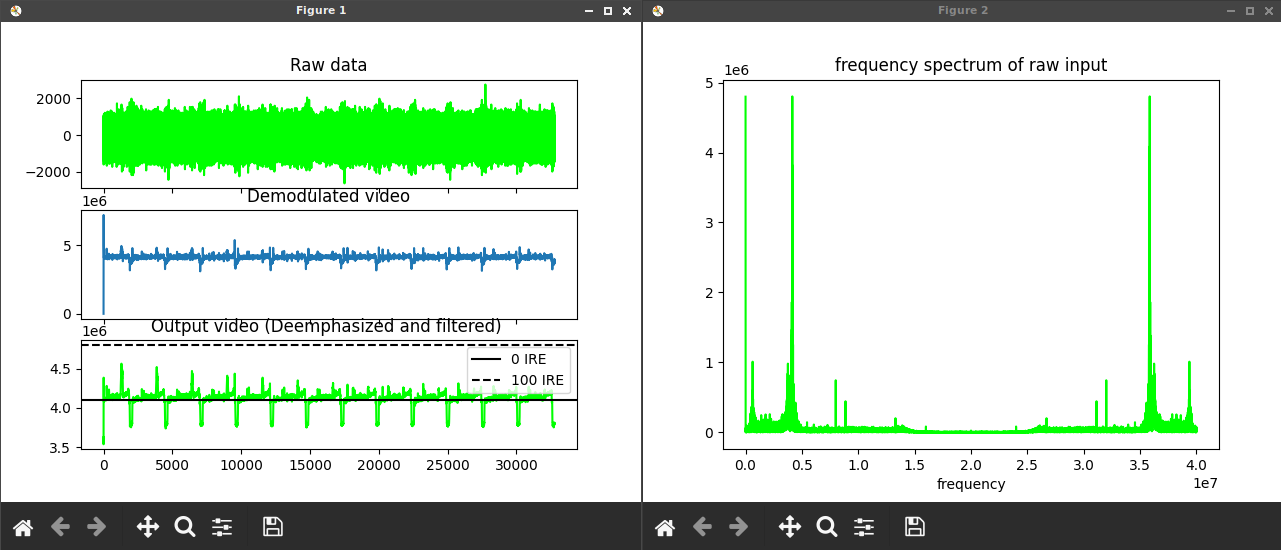
--dp & --debug_plot Do a plot for the requested data, separated by whitespace. Current options are: "
+ plot_options
+ ".",
--dp deemphasis Shows the deemphasis curve (note it's not very detailed atm and think it might just show 0-Nyquist rather than properly labeled)
--dp demodblock Displays Raw Demodulated Frequency Spectrum Graphs, makes a pop-up window per each thread so -t 32 would give you 32 GUI windows etc
-s Jumps ahead to any given frame in the capture.
--start_fileloc Jumps ahead to any given sample in the capture.
-l Limits decode length to n frames.
--sl Sharpness Level 0-100 Value sets the level of visual sharpness, default 0, Higher values are better suited for plain, flat images i.e. cartoons and animated material, as strong ghosting can occur and or excessive noise (akin to cranking up the sharpness on any regular TV set.)
-L,--level_adjust Multiply top/bottom IRE in JSON by 1 +/- this value controls Black/White video levels, adjustment can be used to avoid clipping on RGB conversion in chroma decode.
--recheck_phase Re-check chroma phase on every field, useful for multiple recordings on one single VHS tape for example. (No effect on U-matic)
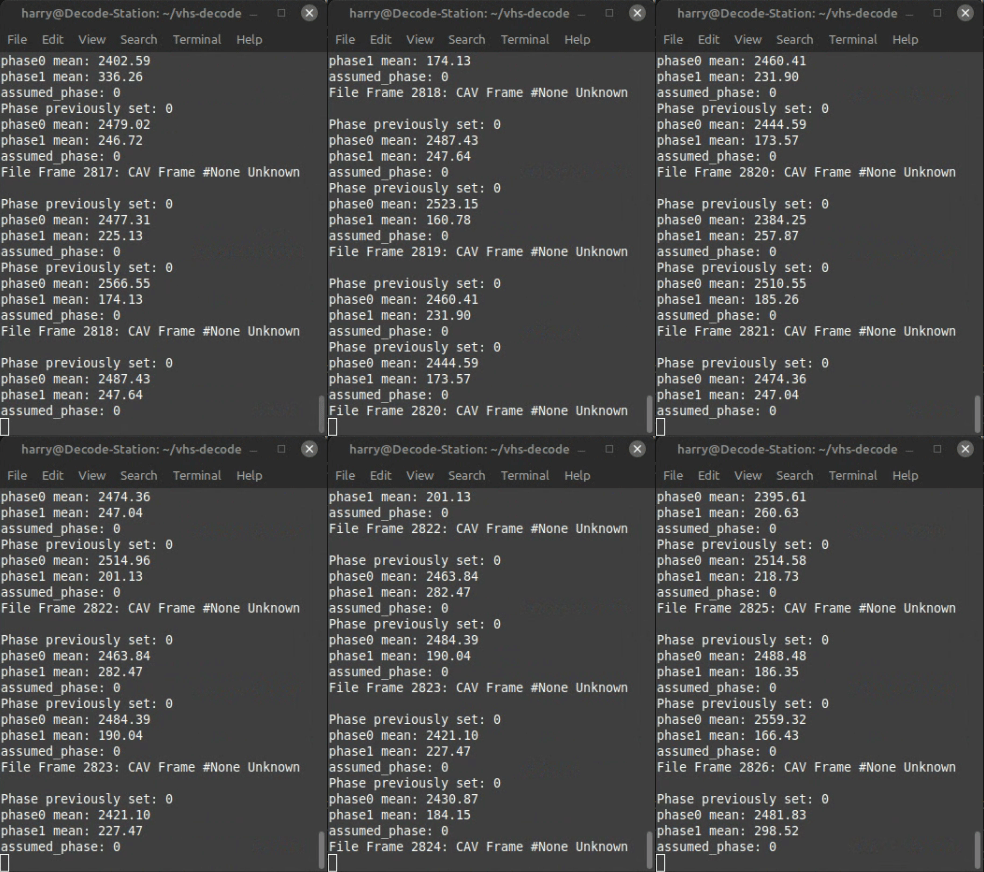
--drh, --disable_right_hsync Horizontal Sync Check, Corrects warping in the horizontal lines and corrects the line start position of the video frame, this option Disables the use of the right side of hsync for lineloc detection (old behaviour)
--noAGC (deprecated, already disabled by default) Disables Automatic Gain Control image brightness/gamma levels use if fluctuating
--AGC Enables Automatic Gain Control
--ct Enables Chroma Trap Intended to reduce chroma interference on the main luma signal, Recommended to use if seeing banding or checkerboarding on the main luma .tbc in ld-analyse.
--y_comb Enables Y Channel comb filter (Luminance), optionally specifying IRE limit like --y_comb 5 this option is used to eliminate crosshatch/diamond patterns sometimes found in decoded images.
--nocomb Disables Croma Combing, Disable's internal chroma comb filter.
--sclip --sync_clip Enables Sync Clipping
--nodd Disable diff demod
--nld, --non_linear_deemphasis Can help reduce ringing and oversharpening. (WIP). (Used for hi-band formats and VHS LP/SP)
-D, --dod_t, --dod_threshold_p RF Dropout level fraction Threshold for dropouts in percentage of average (in decimal)
--noDOD Disables Drop Out Detection Default is on. (But processed after the fact with ld-dropout-correct/gen_chroma_vid scripts)
--dod_h, --dod_hysteresis The RF level needs to go above the dropout threshold multiplied by this for a dropout to end.
--dod_t_abs, --dod_threshold_abs RF Dropout level threshold absolute value.
Note: that RF levels vary greatly between tapes and recording setups.
--clamp Enable blanking DC offset clamping/compensation, disabled by default can improve if white level is extremely high.
--noclamp Disables blanking DC offset clamping/compensation.
--fallback_vsync Enable vsync detect fallback. (Will be enabled by default after further testing)
--cafc Chroma Automatic Frequency Control (AFC) Enables, down-converted chroma carrier AFC, implies --recheck_phase
-T If set to 0 or 1, force use of video track phase.
--high_boost Multiplier for boost to high RF frequencies Uses default if not specified. Subject to change
--notch define the centre frequency for the optional built-in notch "bandpass" filter.
--notch_q define Q factor Intended primarily for reducing noise from interference however, the decoder logic already compensates based on tape type and TV System values.
-n = NTSC Fully Supported.
-p = PAL Fully Supported.
-pm = PAL-M Experimental.
--NTSCJ = NTSC-J Fully Supported.
--MESECAM = MESECAM Support Added.
--cxadc 28.6 MHz/8-bit (8fsc) Stock Crystal Native 8xFsc 8bit Unsigned Sampling Mode
--cxadc3 35.8 MHz/8-bit (10fsc) Stock Crystal Native 4xFsc 16bit Filtered Vertical Blanking Interval Data
--10cxadc 14.3 MHz/16-bit (4fsc) Stock Crystal 1.25x 8xFsc 8bit Unsigned Sampling Mode
--10cxadc3 17.9 MHz/16-bit (5fsc) Stock Crystal 1.25x 4xFsc 16bit Filtered Vertical Blanking Interval Data
Simple Use Example: ./gen_chroma_vid.sh input-tbc-name
Outputs an FFV1 4:2:2 .mkv video file to the same directory as the TBC file.
Note! inputs and outputs can be drag and drop added in Ubuntu/Mint GUI environments.
-i or --input
Name of the input, without extension. This option is mandatory.
--input-json
Specify the input JSON file
-v or --videosystem
Manually sets video system PAL/NTSC etc (This is now automatic based off .json file)
-a or --audio
Optional Audio track (*.wav, mp3, aac et. al.) to mux with generated video.
-s or --start
Specify the start frame number.
-l or --length
Specify the length (number of frames to process)
--chroma-gain (Saturation) Gain factor applied to chroma components (default 1.5 for PAL, 2.0 for NTSC)
--chroma-phase (Hue) Phase rotation applied to chroma components (degrees; default 0.0)
-b or --blackandwhite Output video in black and white.
Pixel formats (colour encoding) are currently:
-p or --output-format (FFmpeg output formats; default yuv422p10le "4:2:2 10bit")
RGB - RGB48 (RGB 16-16-16)
10-Bit 4:2:2 - YUV422P10LE
10-Bit 4:4:4 - YUV444P16
16-bit Grey Scale - GRAY16
--pad or --output-padding Pad the output frame to any multiple of 2 (needs testing)
The Following commands adjust the image output in the vertical plane, horizontal adjustment is yet to be implemented.
--ffll,
--first_active_field_line <number> The first visible line of a field.
Range's
1-259 for NTSC (default: 20)
2-308 for PAL (default: 22)
--lfll,
--last_active_field_line <number> The last visible line of a field.
Range's
1-259 for NTSC (default:259)
2-308 for PAL (default: 308)
--ffrl,
--first_active_frame_line <number> The first visible line of a frame.
Range's
1-525 for NTSC (default: 40)
1-620 for PAL (default: 44)
--lfrl,
--last_active_frame_line <number> The last visible line of a frame.
Range's
1-525 for NTSC (default:525)
1-620 for PAL (default: 620)
-f or --full
Sets output to full-frame of composite video signal 1135x625 PAL & 910x525 NTSC Experimental

These set your output to give you a full vertical image with the VBI area 928x624 PAL 760x528 NTSC
PAL:
--ffll 2 --lfll 308 --ffrl 2 --lfrl 620 <tbc-name>
NTSC:
--ffll 1 --lfll 259 --ffrl 2 --lfrl 525 <tbc-name>
This produces an image like this on SVHS allowing you to see or manually read data in the VBI area such as the VITC Timecode shown:

These commands work well for 16:9 widescreen letterbox crop tapes rendering only the centre making a 928x432 PAL & 760x432 NTSCImage ideal for scaling/de-interlacing to 720p 50/60p for Blu-Ray mastering.
PAL:
--ffll 2 --lfll 308 --ffrl 118 --lfrl 548 <tbc-name>
NTSC:
--ffll 2 --lfll 308 --ffrl 118 --lfrl 453 <tbc-name>

Thanks to FFMPEG we have a useful filter to read this data in software, although it is technically human readable.
Simply edit the below commands and replace "input.tbc" / "input.mkv" and "output.mkv" / "vitc.txt" with your input files and desired output name.
ld-process-vbi
You will see the HH:MM:SS:FF counter at the bottom of ld-analyse when viewing the TBC files.

ffmpeg -i input.mkv -vf "readvitc=scan_max=-1,metadata=print:file=vitc.txt" -f null -
This will make a human-readable .txt file if the filter correctly detects the data.
ld-chroma-decoder --ffll 2 --lfll 308 --ffrl 2 --lfrl 620 <tbc-name>
ld-chroma-decoder --ffll 2 --lfll 308 --ffrl 2 --lfrl 520 <tbc-name>
ffmpeg -hide_banner -y -async 1 -f rawvideo -pix_fmt gray16 -video_size 1135x626 -i "input.tbc" -vf "readvitc=scan_max=-1,metadata=print:file=vitc.txt" -f null -
ffmpeg -hide_banner -y -async 1 -f rawvideo -pix_fmt gray16 -video_size 910x526 -i "input.tbc" -vf "readvitc=scan_max=-1,metadata=print:file=vitc.txt" -f null -
ffmpeg -hide_banner -y -async 1 -f rawvideo -pix_fmt gray16 -video_size 1135x626 -i "input.tbc" -vf "il=l='i':c='i',bwdif" -c ffv1 -pix_fmt gray16le -aspect 939:626 -r 50 "output.mkv"
ffmpeg -hide_banner -y -async 1 -f rawvideo -pix_fmt gray16 -video_size 910x526 -i "input.tbc" -vf "il=l='i':c='i',bwdif" -c ffv1 -pix_fmt gray16le -aspect 760:526 -r 60000/1001 "output.mkv"
--decoder Manually sets chroma decoder to use (default is automatic)
PAL: pal2d, transform2d, transform3d
NTSC ntsc1d, ntsc2d, ntsc3d, ntsc3dnoadapt
-r or --reverse Reverse the field order to second/first (default first/second)
-t or --threads Specify the number of concurrent CPU processing threads (default number of logical CPUs)
-q or --quiet Suppress info and warning messages
-o or --oftest NTSC: Overlay the adaptive filter map (only used for testing)
--chroma-nr <number> NTSC: Chroma noise reduction level in dB (default 0.0)
--luma-nr <number> Luma noise reduction level in dB (default 1.0)
--simple-pal Transform: Use 1D UV filter (default 2D)
--transform-mode <mode> Filter mode to use (level, threshold; default threshold)"
--transform-threshold <number> Uniform similarity threshold in 'threshold' mode (default 0.4)"
--transform-thresholds <file> File containing per-bin similarity thresholds in 'threshold' mode"
--show-ffts Overlay the input and output FFTs (Fast Fourier Transforms)
--ntsc-phase-comp Use NTSC QADM decoder taking burst phase into account (BETA)
sudo pip3 install -I soundfile==0.10.3.post1
In-file RF Data, TV System, out-file Audio Data must have .wav extension at the end can be renamed to .flac afterwards if desired for 8mm formats the --h8 flag is needed.
Example:
./hifi-decode -p --cxadc HiFI-Audio-PAL-DdD.lds hifi-decode-output.wav
n - NTSC
p - PAL
f Manual Input Hz, MHz, GHz.
-f 40 For DomesDayDuplicator
--cxadc 28.6 MHz/8-bit (8fsc)
--cxadc3 35.8 MHz/8-bit (10fsc)
--10cxadc 14.3 MHz/16-bit (4fsc) (Technically 4fsc NTSC)
--10cxadc3 17.9 MHz/16-bit (5fsc) (Technically 4fsc PAL)
--bg Forces guessing of the carrier bias.
-t To set the threads for parallel decoding.
--original To force use of vhs-decodes FM demodulation.
--preview Enables a faster decoder for real-time preview. (faster and noisier)
--noise_reduction NOISE_REDUCTION Set noise reduction on/off (default is on)
--auto_fine_tune AUTO_FINE_TUNE Set auto tuning of the analogue front end on/off (useful for mixed standards tapes)
--NR_sidechain_gain Sets the noise reduction envelope tracking sidechain gain (default is 33). Range (20~100): 100 being a hard gate effect, operating range should be 40 and below (dynamic range decompressor adjustment smaller = more aggressive)
--h8 Video8 & High8 HiFi tape format.
--gnuradio Opens ZMQ REP pipe to gnu-radio at port 5555, the sample rate for gnu-radio is 8388608 Hz.
-h, --help show this help message and exit
-t threads, --threads threads number of CPU threads to use
-f FREQ, --frequency FREQ RF sampling frequency in source file (default is 40MHz) FREQ can be a bare number in MHz, or a number with one of the case-insensitive suffixes Hz, kHz, MHz, GHz, fSC (meaning NTSC) or fSCPAL.
--analog_audio_frequency AFREQ RF sampling frequency in source file (default is 44100hz)
infile source file
outfile base name for destination files
--start file-location, -s file-location rough jump to frame n of capture (default is 0)
--length frames, -l frames limit length to x number of frames
--seek frame, -S frame seek to frame n of capture
--start_fileloc start_fileloc jump to precise sample # in the file
--PAL, -p, --pal Source is in PAL format
--NTSC, -n, --ntsc Source is in NTSC format
--NTSCJ, -j Source is in NTSC-J (IRE 0 black) format
-m mtf, --MTF mtf Mtf compensation multiplier
--MTF_offset mtf_offset Mtf compensation offset
--noEFM Disable EFM front end
--preEFM Write filtered but otherwise pre-processed EFM data
--disable_analog_audio, --disable_analogue_audio, --daa Disable analog(ue) audio decoding
--AC3 Enable AC3 audio decoding (NTSC only)
--audio_filterwidth FREQ Analog audio filter width
--noAGC Disable AGC
--noDOD Disable dropout detector
--ignoreleadout Continue decoding after lead-out seen
--RF_TBC Create a .tbc.ldf file without decoding, only time base corrects the signal.
--verboseVITS Enable additional JSON fields
--lowband Use more restricted RF settings for noisier disks
--NTSC_color_notch_filter, -N Mitigate interference from analogue audio in reds in NTSC captures
--V4300D_notch_filter, -V LD-V4300D PAL/digital audio captures: remove spurious ~8.5mhz signal
-d deemp_adjust, --deemp_adjust Deemphasis level multiplier
--deemp_low deemp_low Deemphasis low coefficient
--deemp_high deemp_high Deemphasis high coefficient
--video_bpf_high FREQ Video BPF high end frequency
--video_lpf FREQ Video low-pass filter frequency
--video_lpf_order VLPF_ORDER Video low-pass filter order
Say for some reason you have a source file in a certain format that you are either piping or otherwise can't change the extension of to get *-decode to recognize the datatype.
You can use mkfifo to create a named pipe to overcome this.
Example: mkfifo link.u8
flac -d u8capture.flac --force-raw-format --endian=little --sign=unsigned -o link.u8 -f |vhs-decode link.u8 out/u8capture
- FAQ - Frequently Asked Questions
- Diagram Breakdowns
- Visual-Comparisons
- VCR Reports / RF Tap Examples
- Download & Contribute Data
- Speed Testing


- Capture Setup Guide
- MISRC
- CX Cards & CXADC
- CX Cards - Clockgen Mod
- DdD - Domesday Duplicator
- RTL-SDR
- Hardware Installation Guide
- Finding RF Tap Locations
- Amplifier Setup Guide
- The Tap List Example VCR's
- Visual VBI Data Guide
- Closed Captioning
- Teletext
- WSS Wide - Screen Signalling
- VITC Timecode
- VITS Signals
- XDS Data (PBS)
- Video ID IEC 61880
- Auto Audio Align
- Vapoursynth TBC Median Stacking Guide
- Ruxpin-Decode & TV Teddy Tapes
- Tony's GNU Radio For Dummies Guide
- Tony's GNU Radio Scripts
- DomesDay Duplicator Utilities
- ld-decode Utilities