Deeplearning4j with Apple M1 Chip
-
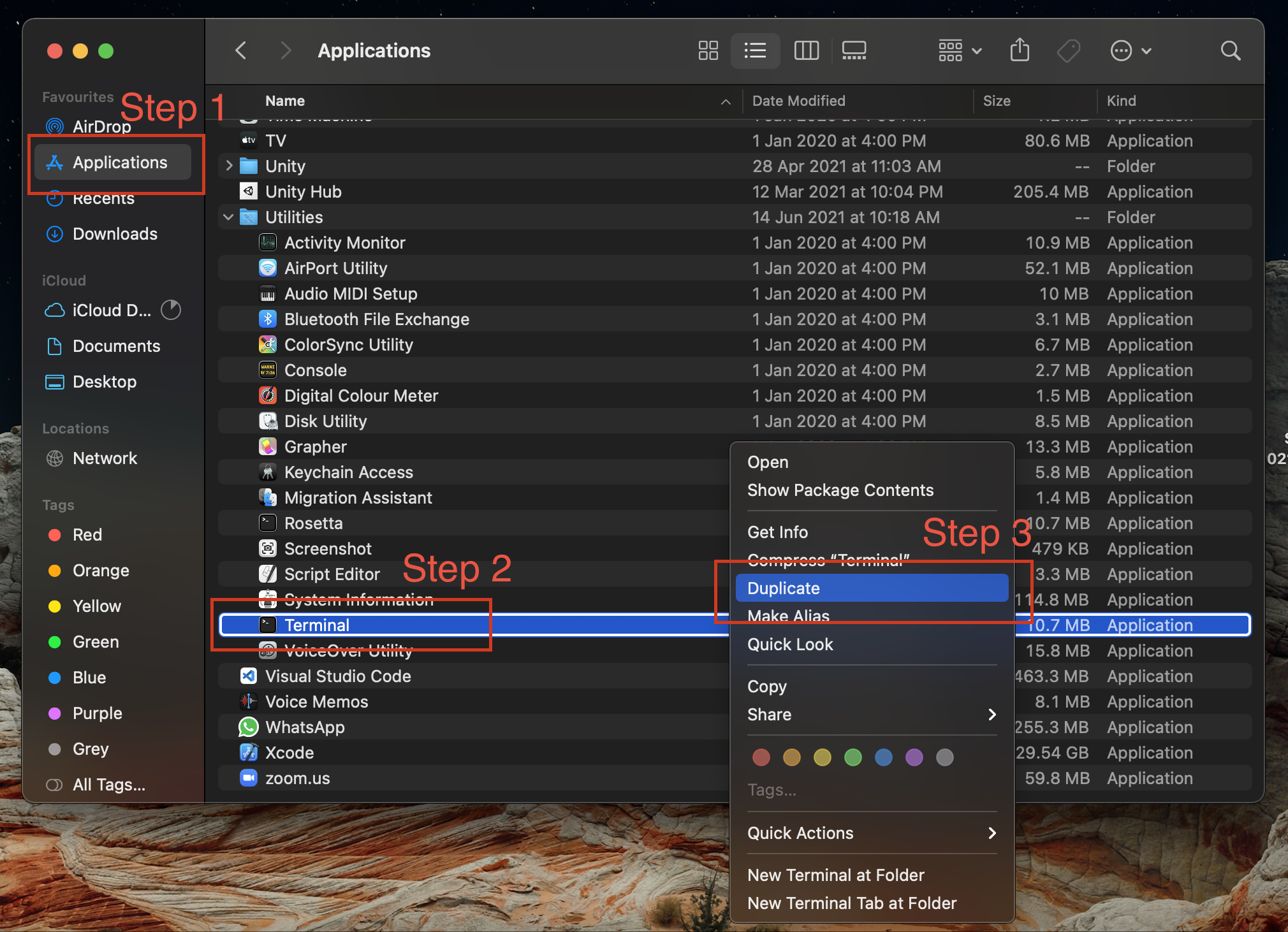
Open terminal information details.
-
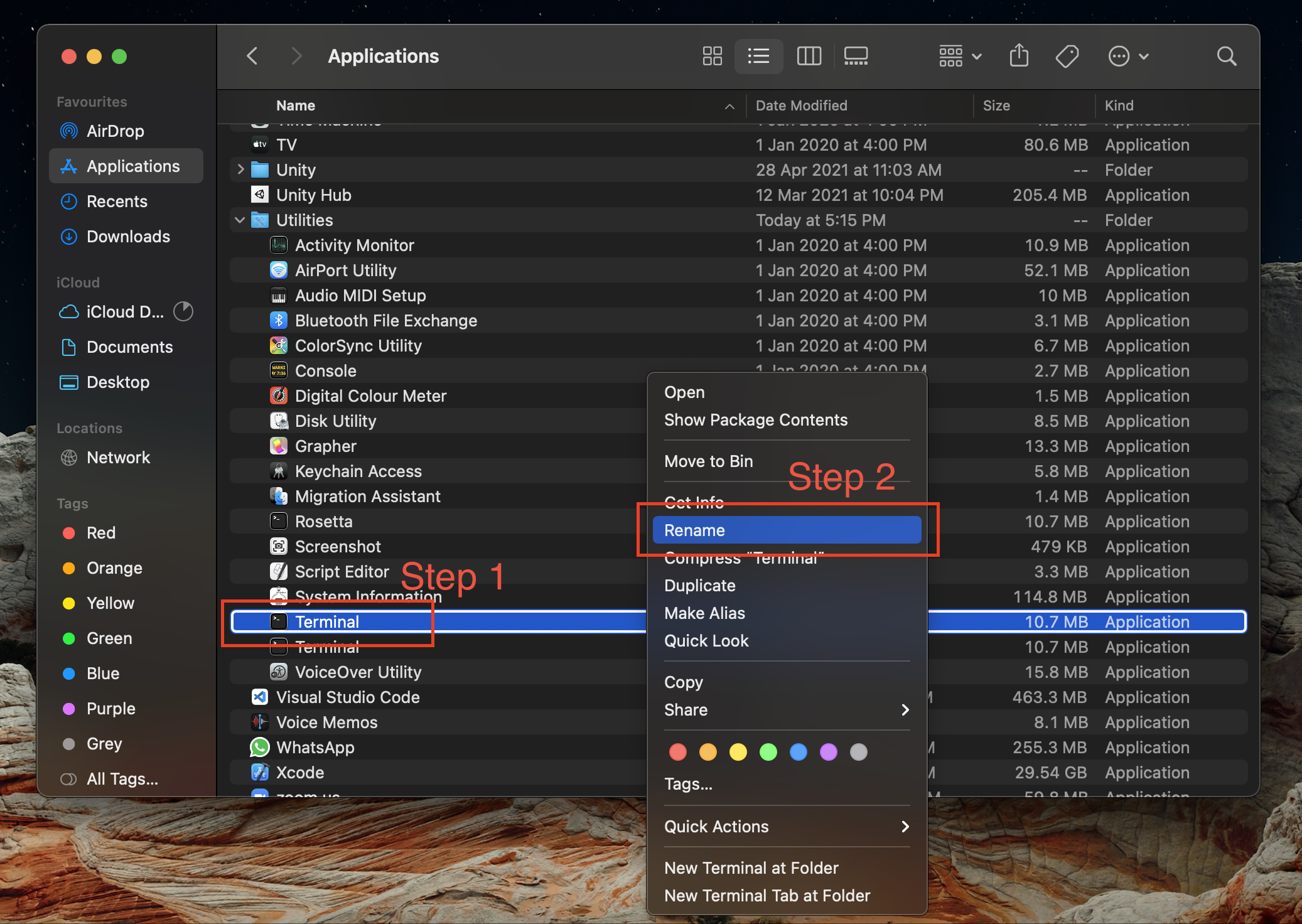
Change the duplicated terminal name to Rosetta.
-
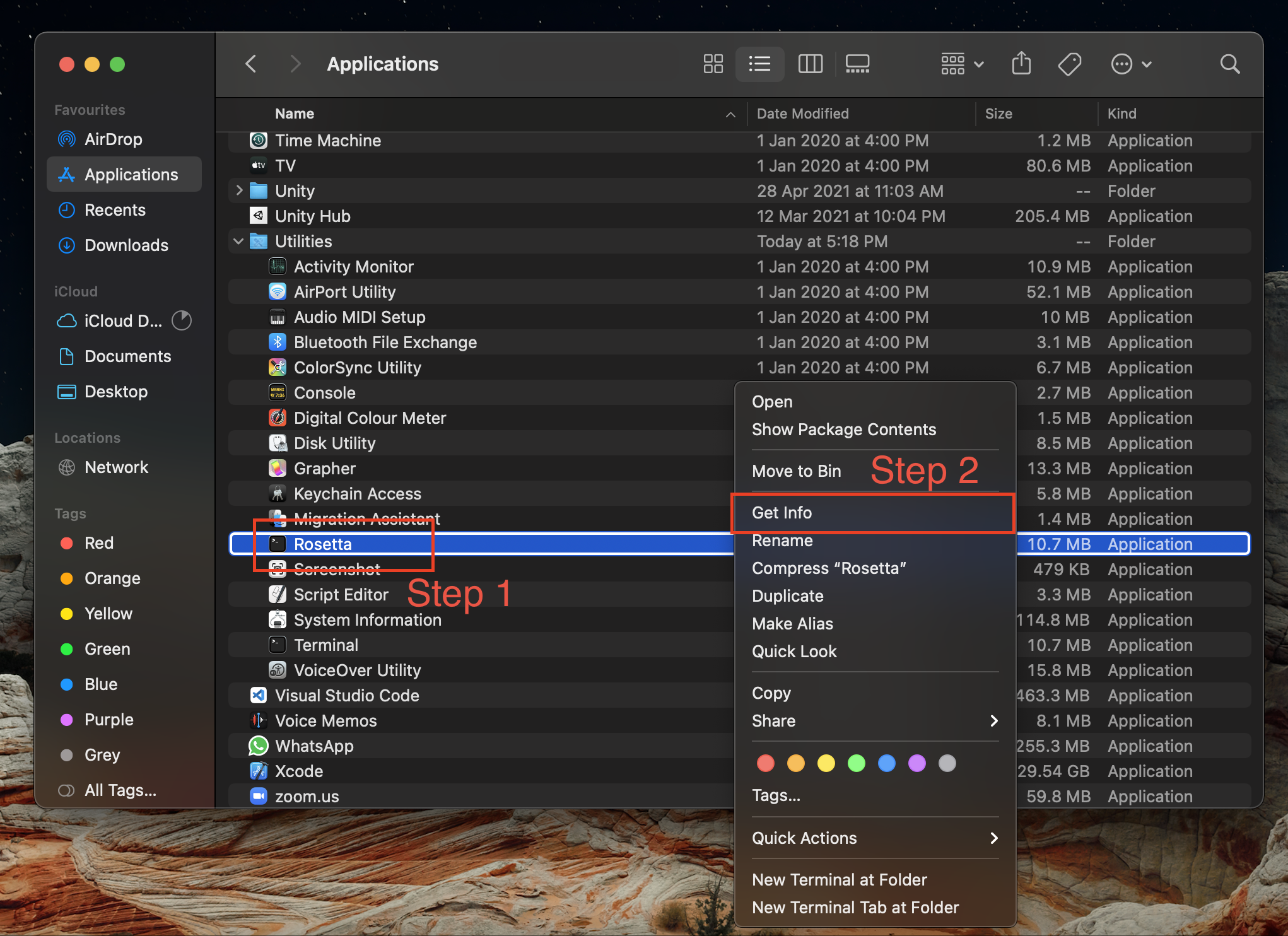
Right-click on Rosetta, select Get Info.
-
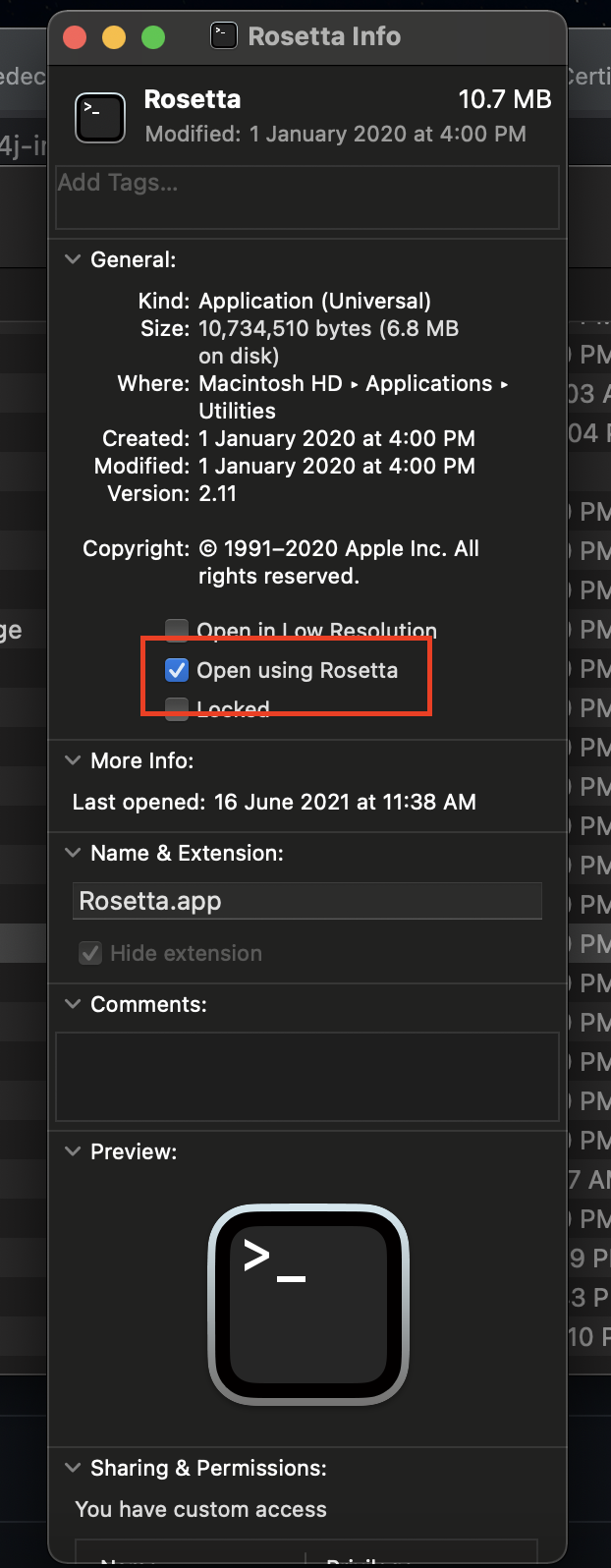
Make sure Open using Rosetta is checked to enable the Rosetta environment.
-
Open Rosetta Terminal and install Homebrew using command
/bin/bash -c "$(curl -fsSL https://raw.githubusercontent.com/Homebrew/install/HEAD/install.sh)". Ignore the(base)in the screenshot.
-
Type
brewin Rosetta Terminal. You should see the output as below.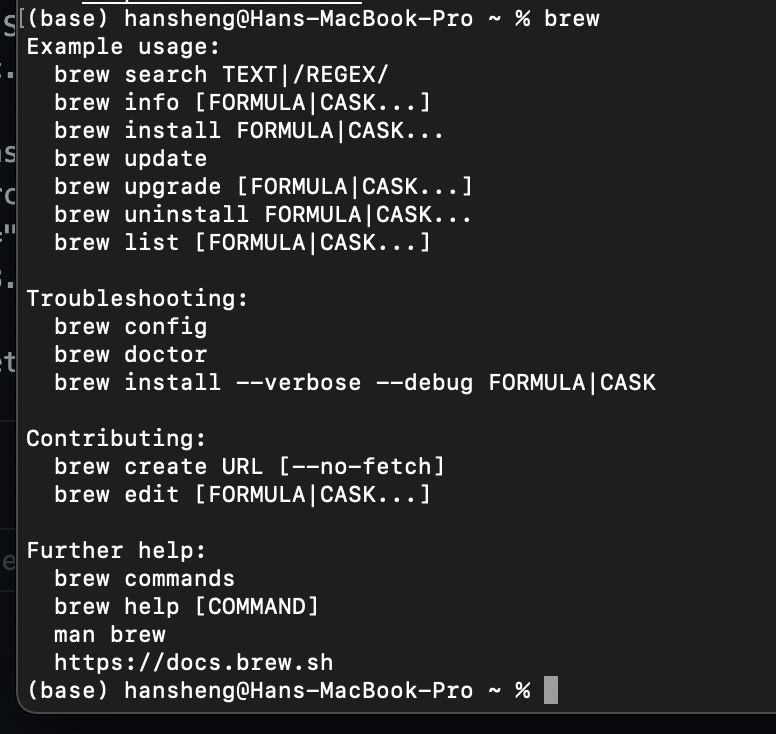
-
Type
brew tap bell-sw/libericain Rosetta Terminal, and you will see the output as below. Ignore the(dl4j-arm)in the screenshot.
-
Type
brew install --cask liberica-jdk15-fullin Rosetta Terminal.
-
Type
java -versionin Rosetta Terminal. You should see the output below.
-
Install maven using command
brew install maven.
-
Type
sudo nano ~/.zshrc, and press enter.
-
Paste two line below:
-
export JAVA_HOME=/Library/Java/JavaVirtualMachines/liberica-jdk-15-full.jdk/Contents/Home -
export MAVEN_OPTS="-Xms8192m -Xmx8192m"at the bottom of the file. After that, press
control + x, follow by pressY, and press enter.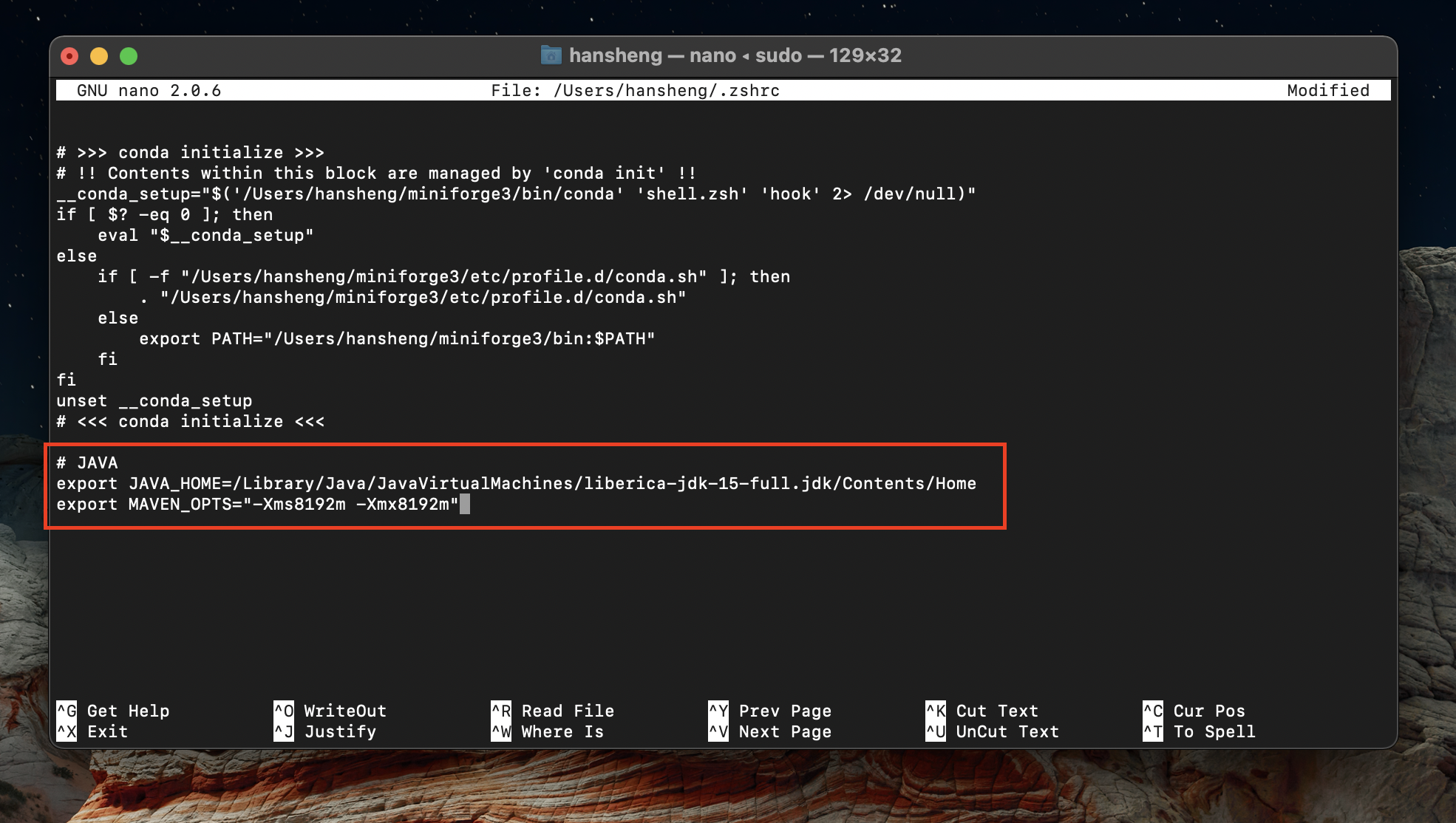
-
Type
mvn -versionin Rosetta Terminal. The output should be same as below.
-
Clone CDLE Training Labs repository using
git clone cd cdle-training-labs.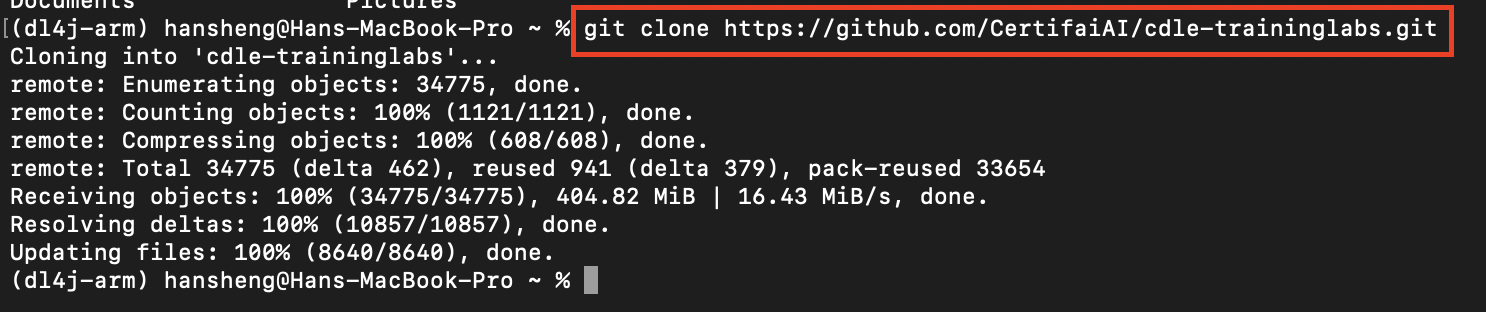
-
Type
cd cdle-training-labsand typemvn clean install.
-
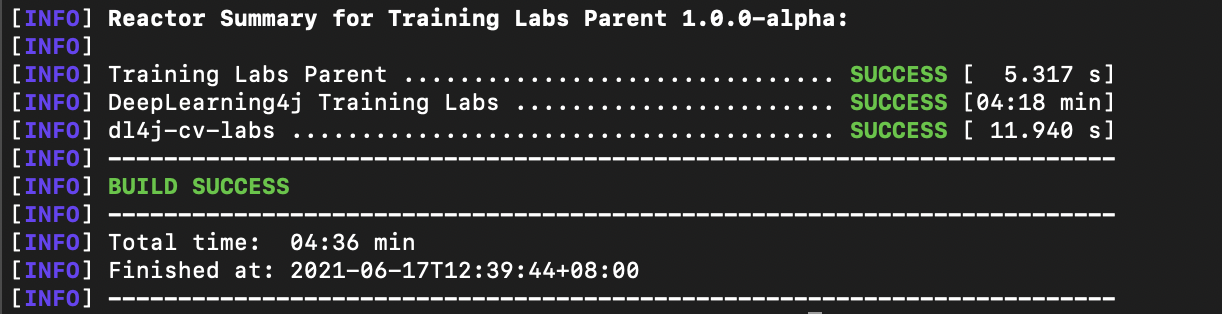
A Build Success message will shown in Rosetta Terminal once the compilation process is successful.
-
Open CDLE Training Lab repository using IntelliJ.
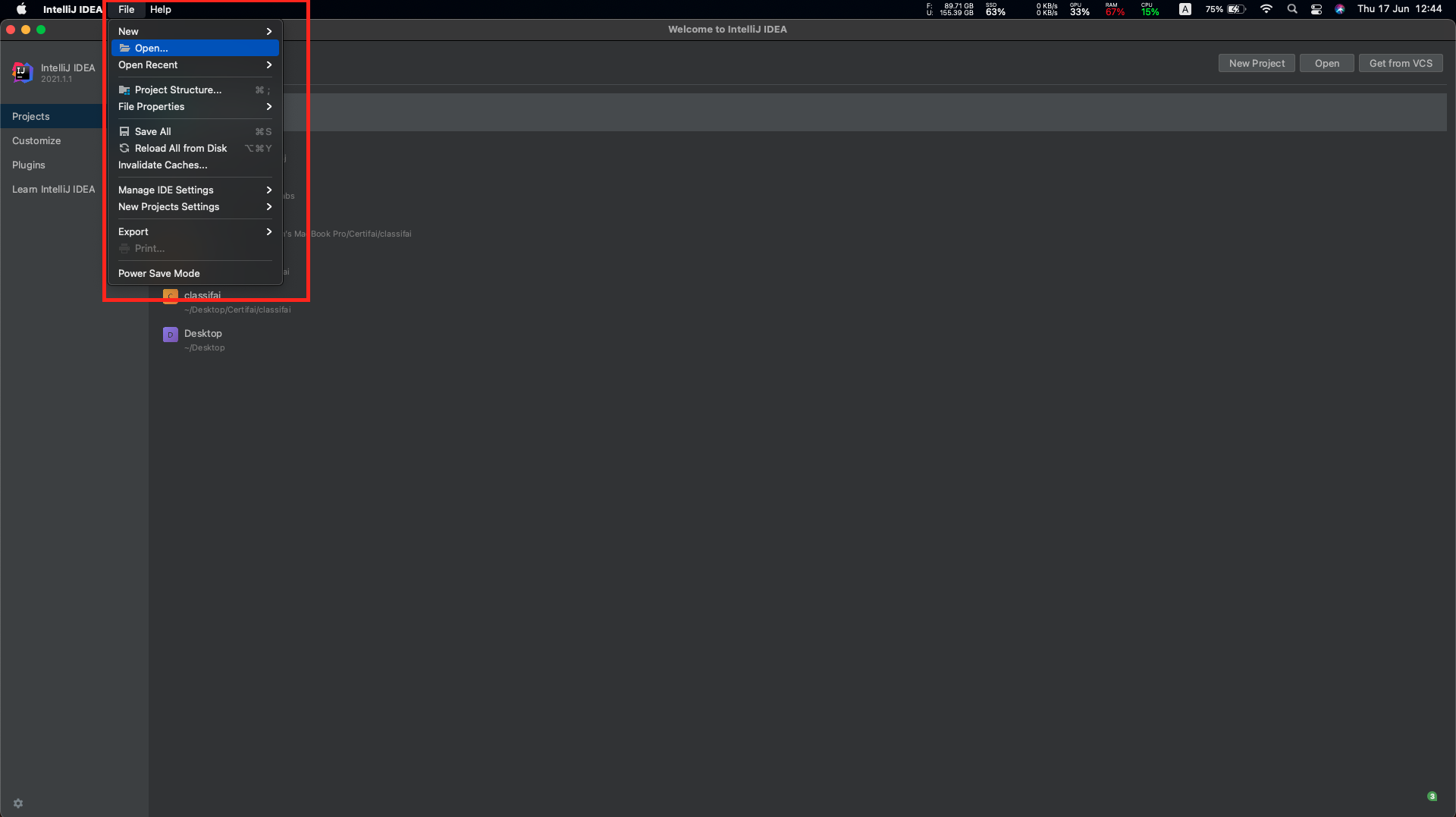
-
Wait the dependencies resolving process done.
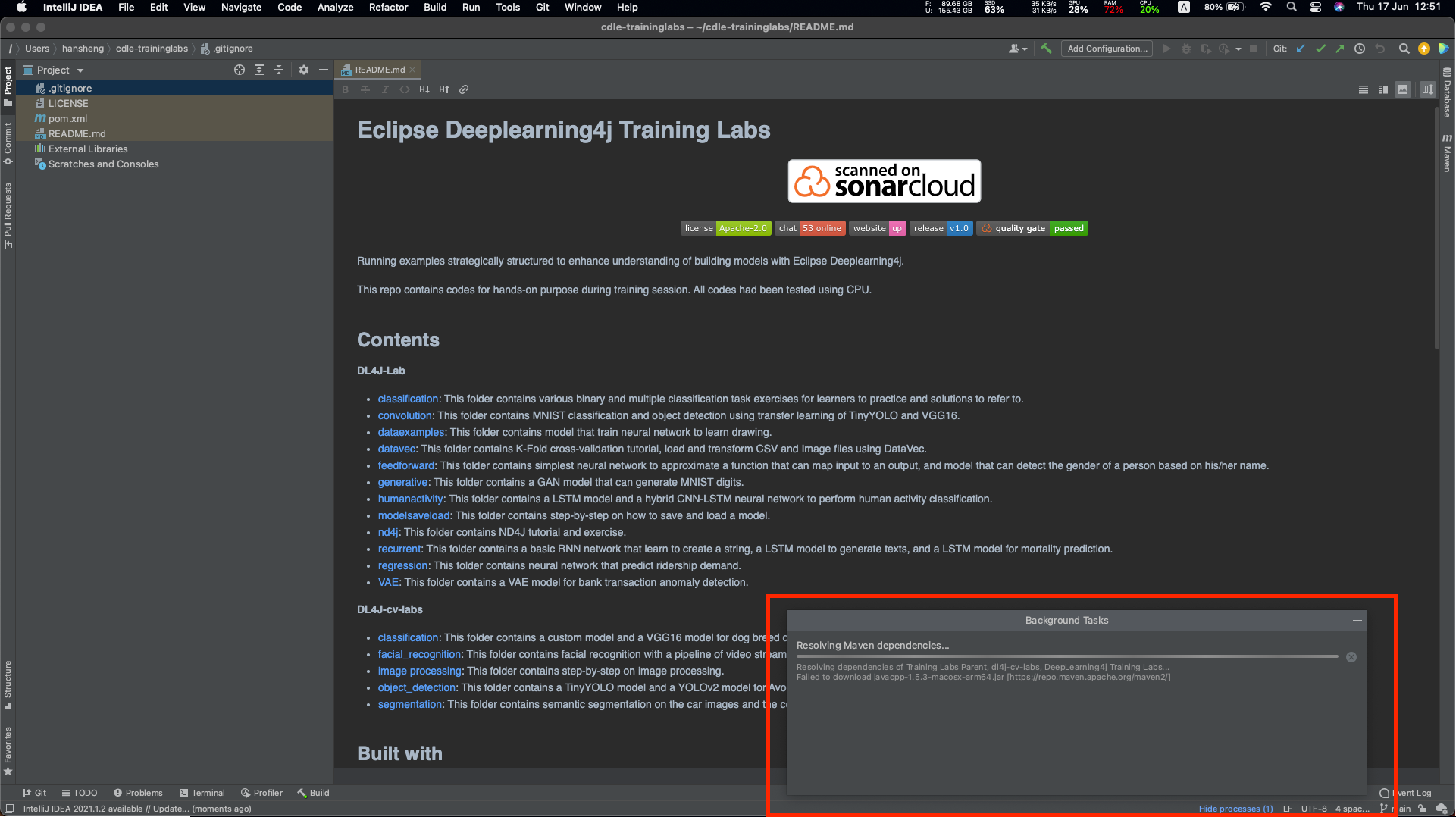
-
Ignore the dependencies error in IntelliJ.
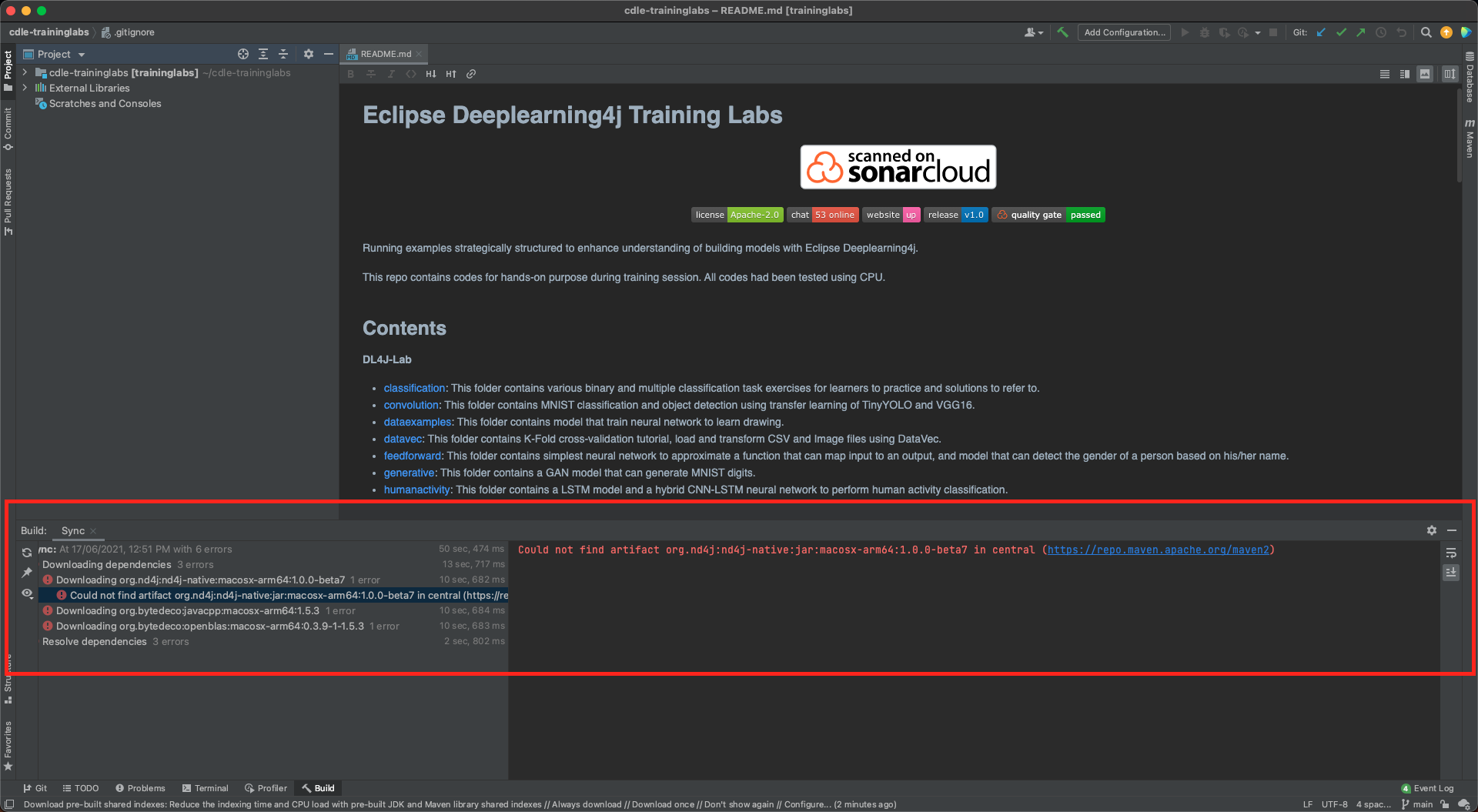
-
We need to identify its root folder name, package name and class name for the Java file we want to compile. Let's say we want to run CNN.java in dl4j-cv-labs.
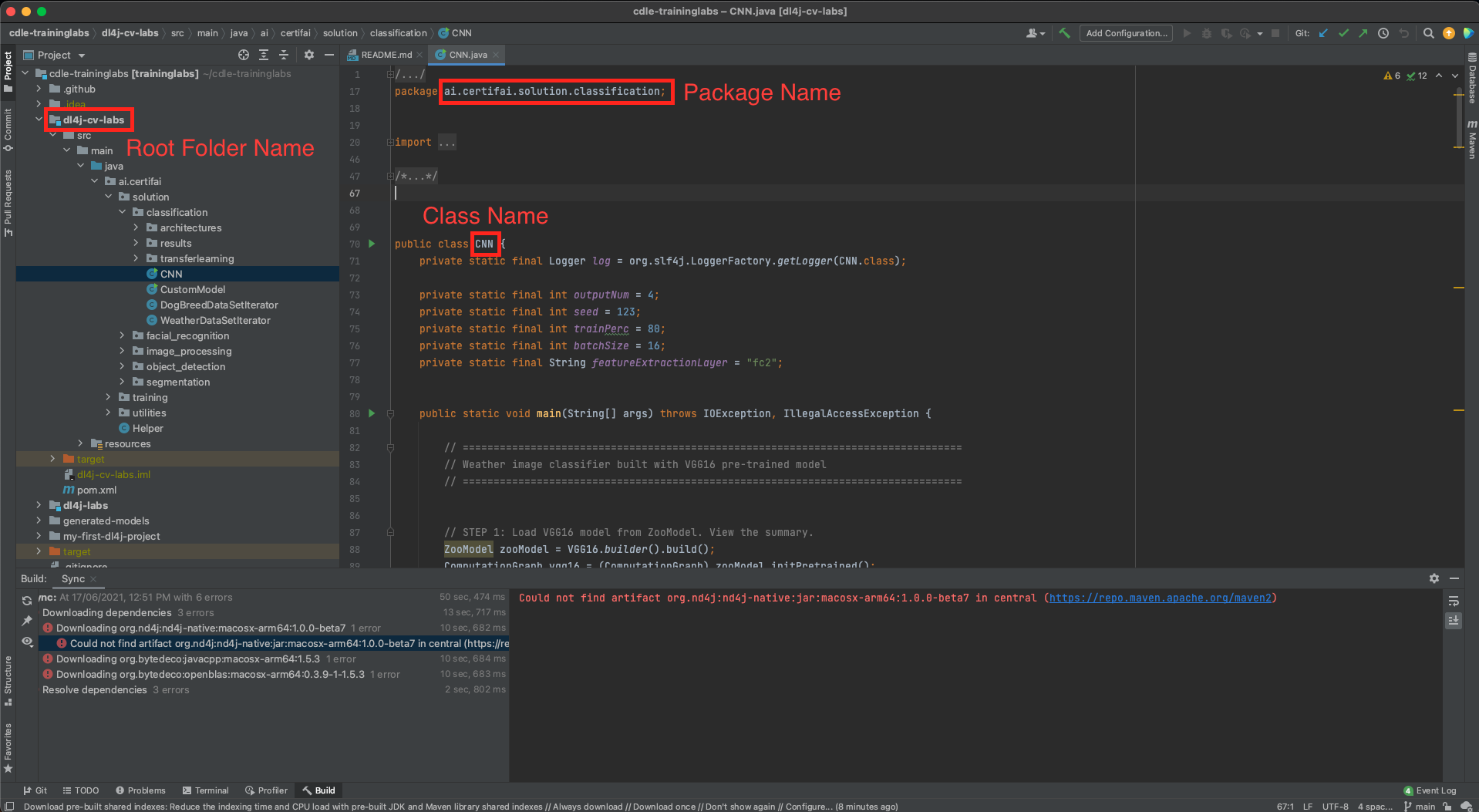
-
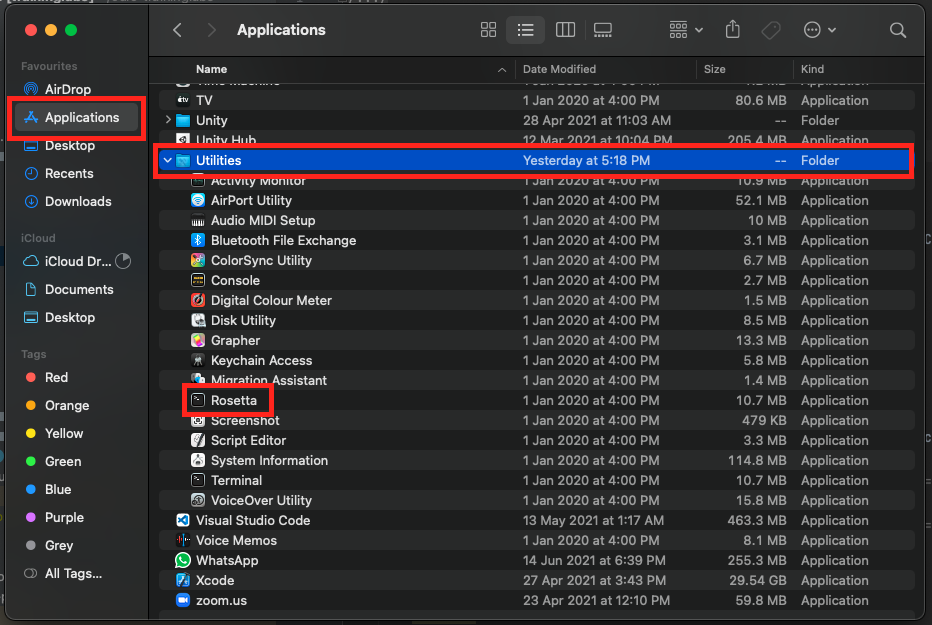
Open the Rosetta Terminal in Application.
-
Type
cd cdle-training-labs/<root folder name>. Root folder name can be obtain in Step 4. In my case, I'll run CNN in dl4j-cv-labs.
-
Type
mvn exec:java -Dexec.mainClass=<package name>.<class name>in Rosetta Terminal and it will start compiling. Package name and class name can be obtain in Step 4. In my case I'll run CNN in dl4j-cv-labs.