2.3.47 Satellite Agent Zero
Handle:
agentzero
URL: http://localhost:34461
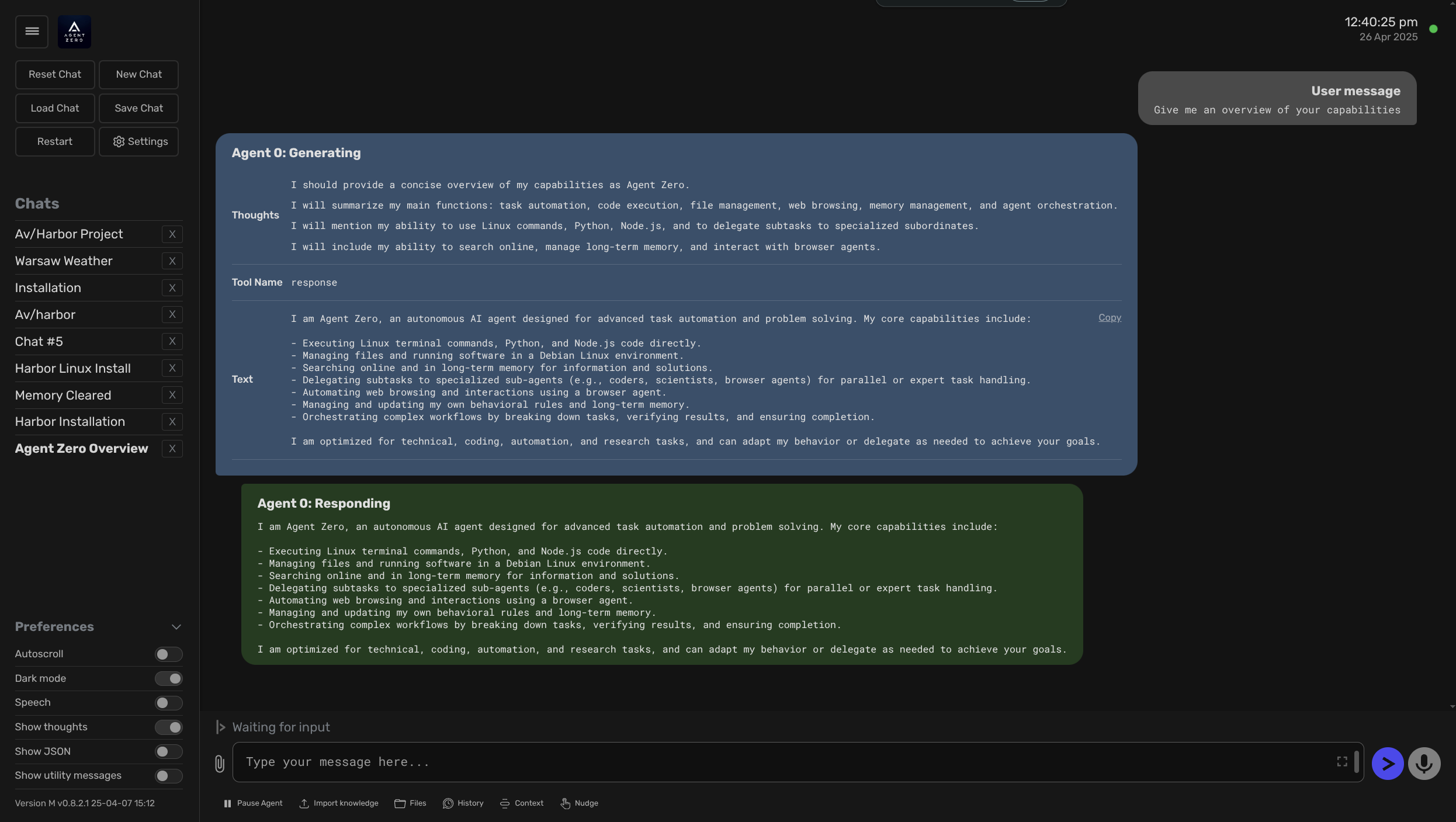
General-purpose personal assistant with: Web RAG, persistent memory, Browser Use.
# [Optional] Pre-pull the image
harbor pull agentzero

# Start the service
# --open is optional, to open in browser
# ⚠️ On the first start - ensure to configure the models in the UI
harbor up agentzero --open
See troubleshooting guide if you encounter any issues.
- There's no way to pre-configure the models via environment variables, so on the first start you need to configure the models in the UI
- You need to configure: Chat Model, Utility Model and Embedding Model for the service to work
-
Example configuration for Ollama:
- Chat Model:
gemma-3:12b-qat - Utility Model:
gemma-3:12b-qat - Web Browser Model:
gemma-3:12b-qat - Embedding Model:
mxbai-embed-large⚠️ Ensure to setnum_ctx=512in the parameters, otherwise it will not work
- Chat Model:
- TIP: These models needs to be fairly capable and run with ~40k context size to work with the features from Agent Zero
- Harbor will connect
agentzerotoollamaservice when running together - Harbor will share your API keys for Groq/Mistral/OpenRouter/Anthropic/Google with the service (if configured)
You'll mostly be interacting with Agent Zero via its Web UI, run harbor open to access it.
# Open Agent Zero Web UI in the browser
harbor open agentzero

# Get a URL
harbor url agentzero

# Get a QR for the phone
harbor qr agentzeroSee official Agent Zero documentation for reference.
Following options can be set via harbor config:
# The port on the host where Agent Zero endpoint will be available
HARBOR_AGENTZERO_HOST_PORT     34461

# Docker image to use for the Agent Zero service
HARBOR_AGENTZERO_IMAGE         agent0ai/agent-zero

# Docker tag to use for the service
HARBOR_AGENTZERO_VERSION       latest

# Folder that will be mounted to the container
# Should be either relative to $(harbor home) or absolute
HARBOR_AGENTZERO_WORKSPACE     ./services/agentzero/data
See environment configuration guide to set arbitrary environment variables for the service.