2.3.6 Satellite: langfuse
Handle:
langfuse
URL: http://localhost:33881
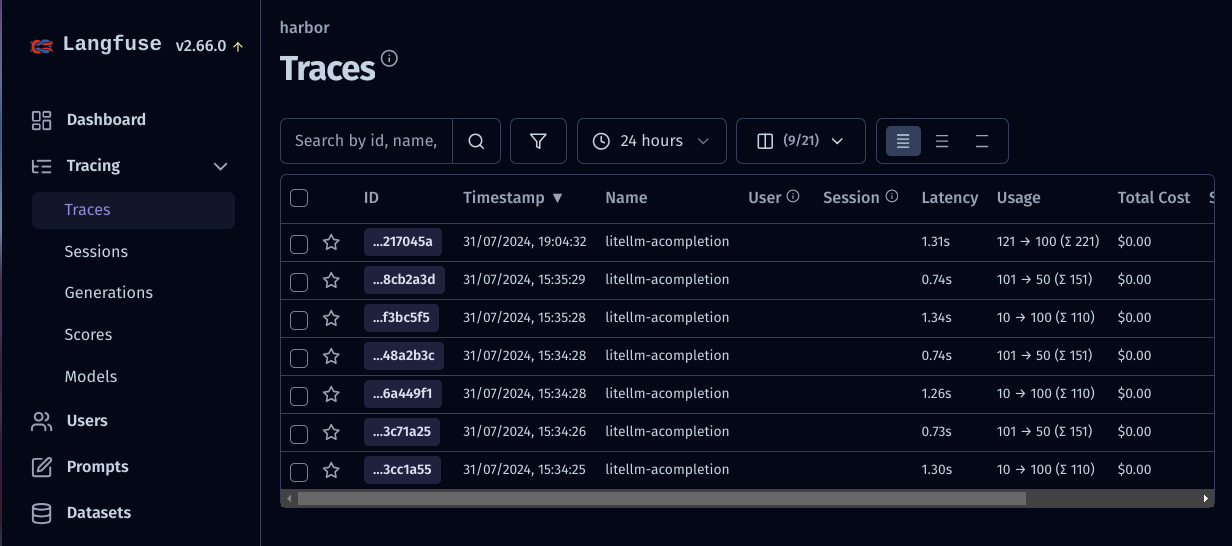
Open source LLM engineering platform.
Spin up with:
# [Optional] Pull the langfuse images
# ahead of starting the service
harbor pull langfuse

# Start the service
harbor up langfuseThe value is in connecting Langfuse to the other services with OpenAI-compatible APIs, such as litellm. In order to do that - you should setup public/secret keys (unfortunately no way to pre-configure on Harbor's end).
When langfuse is running, open its UI with:
harbor open langfuseYou'll land on the Project's dashboard - open the "Settings" and create new API keys.
Grab the values from the opened modal and pass them back to the Harbor:
harbor config set langfuse.secret_key '<secret key>'
harbor config set langfuse.public_key '<public key>'See official environment variables configuration guide. To set them, see Harbor's environment configuration guide.
Following options can be set via harbor config:
# The port on the host where Langfuse UI will be available
HARBOR_LANGFUSE_HOST_PORT      33881

# The port on the host where the Langfuse DB is available
HARBOR_LANGFUSE_DB_HOST_PORT   33882

# Location of Langfuse persistent data on the host
# Should be either relative to $(harbor home) or an absolute path
HARBOR_LANGFUSE_WORKSPACE      ./services/langfuse/data

# Langfuse API key pair (set after creating keys in the UI)
HARBOR_LANGFUSE_PUBLIC_KEY
HARBOR_LANGFUSE_SECRET_KEY
# Example: get/set env vars via Harbor CLI
# Get
harbor env langfuse LANGFUSE_READ_FROM_POSTGRES_ONLY
# Set
harbor env langfuse LANGFUSE_READ_FROM_POSTGRES_ONLY false