Connection Templates Management
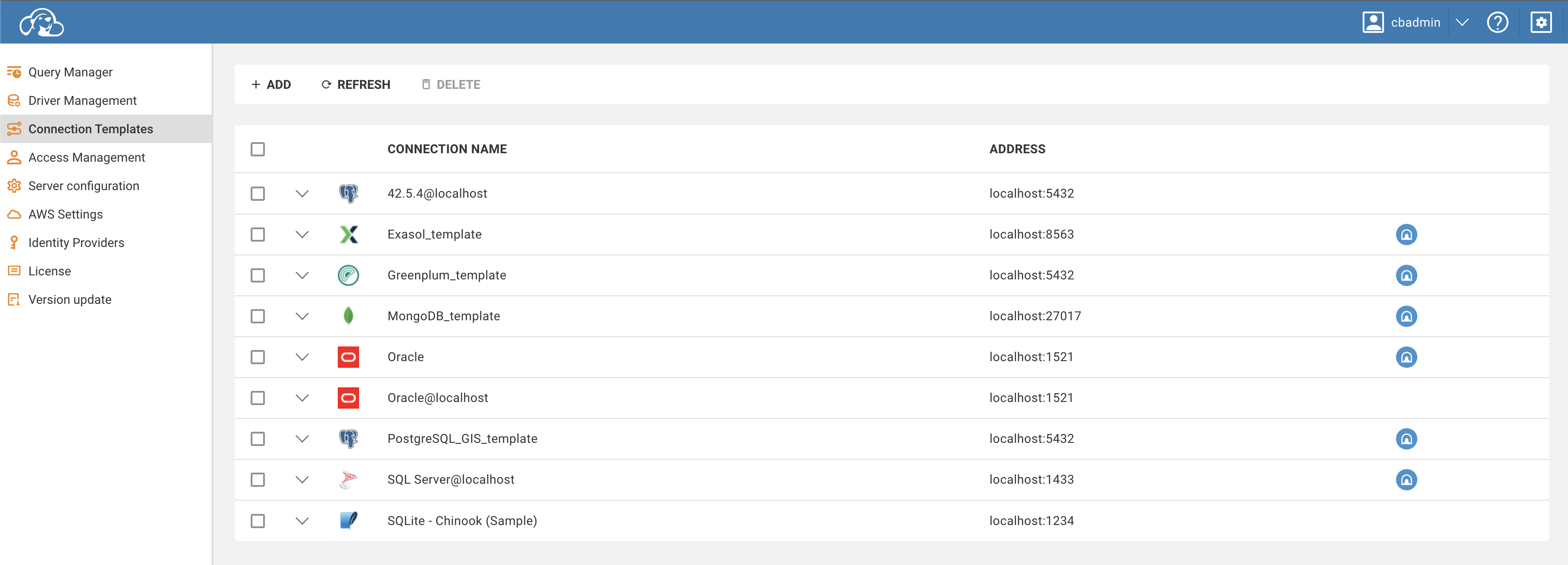
You can add, edit, or remove database templates on the Connection Templates page in administration.
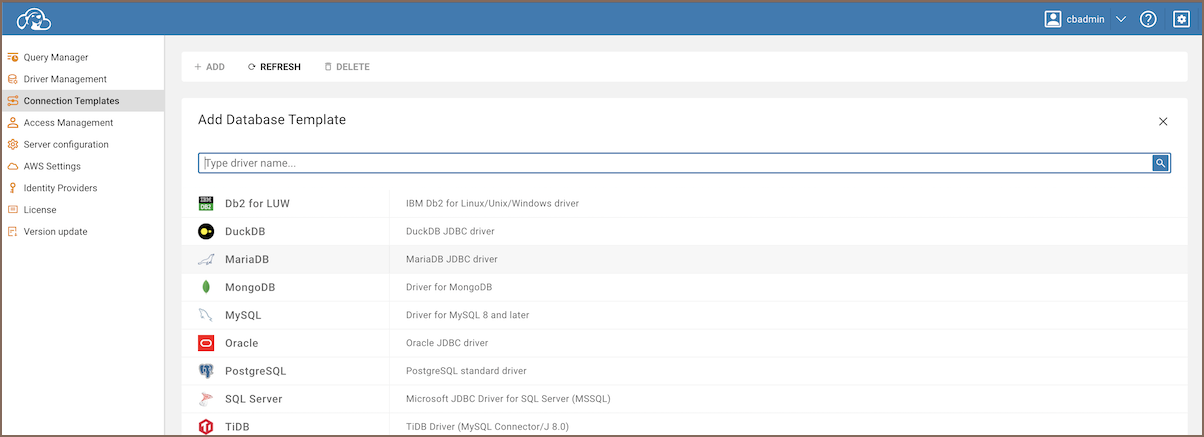
To create a new template, follow the steps below:
- Click the
Addbutton located on the top toolbar. This will open the template creation form. - Fill out the fields in the form with the appropriate information.
- Once all fields are completed, click
Create.
Your new template should be successfully created and it will appear at the top of the templates table.
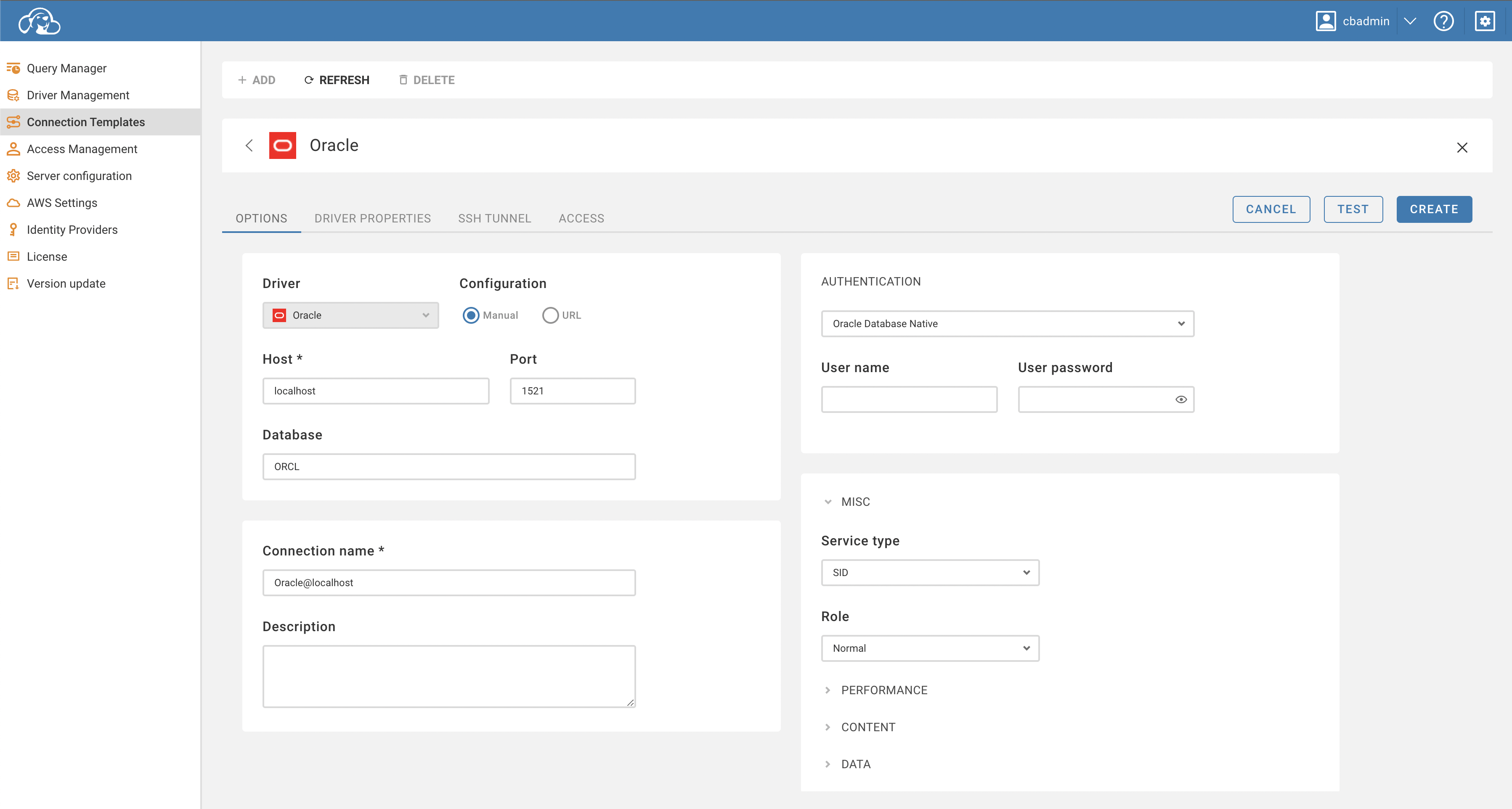
Below are the detailed steps to set the template parameters:
- Open the template form. This can be done by clicking the
Addbutton in the toolbar. - Fill in the appropriate information in the base template parameters, driver settings, SSH tunnel, and access fields.
- To verify the template connection, click the
Testbutton. If SSH is configured, the test will use it to establish the connection. - If the template requires authentication, users will be prompted to enter their credentials.
- As an administrator, you can set and save these authentication parameters by checking the
Save Credentialscheckbox in theAuthenticationsection. Doing so will allow any user with access to the template to connect without needing to enter their credentials.
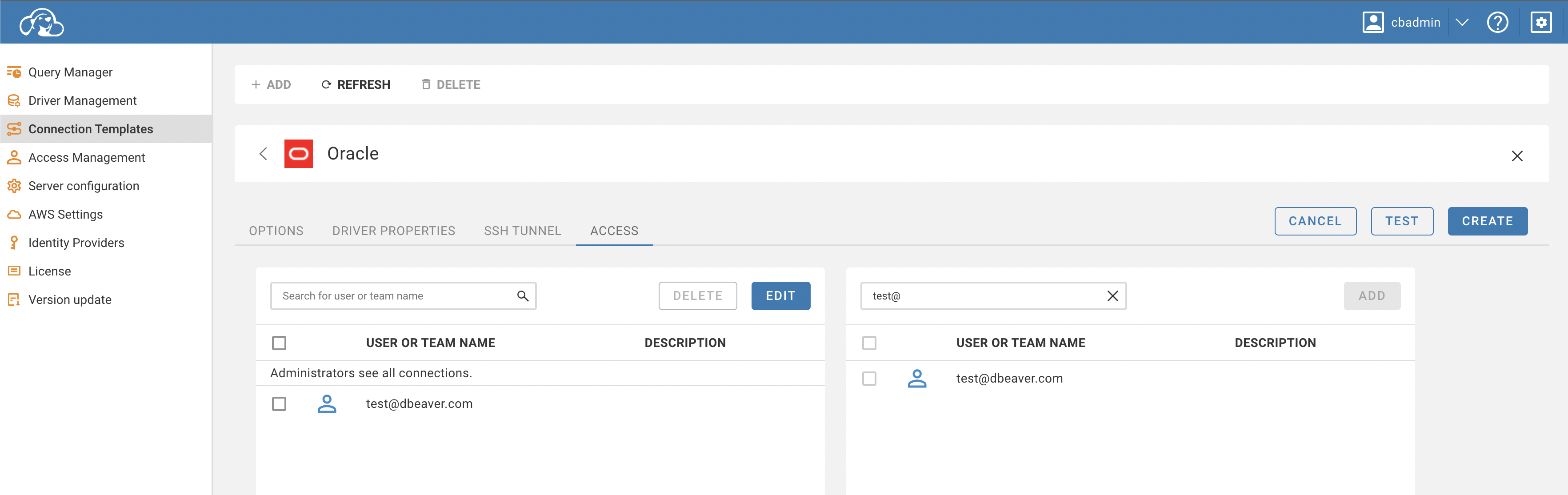
You can manage access to the database at the Access tab. You can select users or roles to provide access to.
- Getting started
- Create connection
- Connection network options
- Supported databases
-
Drivers management

- Database authentication methods
- Database navigator
- Properties editor
- Data editor
- SQL editor
-
Entity relation diagrams
- Cloud services
-
AI Smart assistance
- Data transfer
- General user guide
- Administration
- Server configuration
-
Server security and access configuration
- Authentication methods
- Access management
- Proxy configuration
-
Secret management
- Logs
-
Query manager
- Workspace location
- Command line parameters
-
Session manager
- Deployment options
- CloudBeaver Editions
- FAQ
- Development