Reverse proxy header authentication
CloudBeaver offers a feature for authorization and authentication using reverse proxy headers. This method allows to authenticate users via specific HTTP header fields.
-
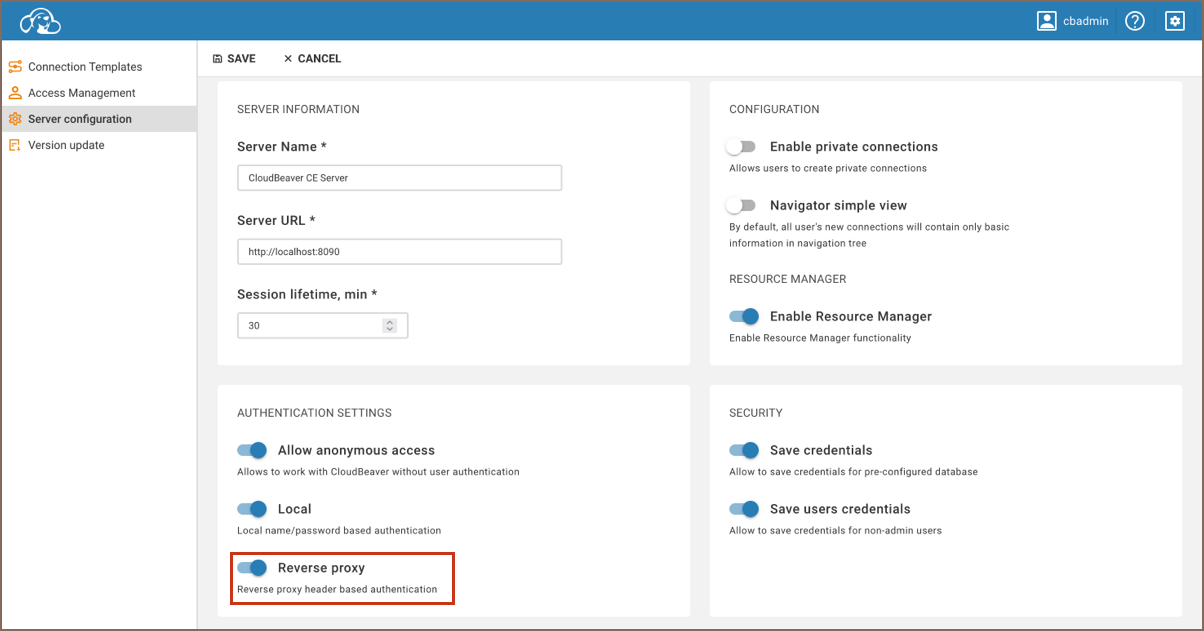
As an administrator, navigate to the Settings -> Server configuration.
-
Locate the Reverse proxy option and activate this setting to allow reverse proxy authentication.
-
Save changes.
To configure reverse proxy authentication, follow these steps:
- Open your
.cloudbeaver.runtime.confconfiguration file. - Locate the
appsection within the file. - Add a new entry to the
authConfigurationsarray with the following structure:
  "app": {
    ...
    "authConfigurations": [
      {
        "id": "your_proxy_id",
        "provider": "reverseProxy",
        "displayName": "your_proxy_username",
        "disabled": true,
        "iconURL": "",
        "description": "",
        "parameters": {
          "logout-url": "https://link_if_needed",
          "user-header": "",
          "team-header": "",
          "team-delimiter": "",
          "first-name-header": "",
          "last-name-header": ""
        }
      }
    ]
  }
Important: Ensure you include the mandatory fields id, provider, and displayName. The
providername must be set toreverseProxy.
Configure the standard HTTP header fields as follows:
| Header | Description |
|---|---|
X-User |
user login |
X-Team |
user teams |
X-First-name |
user profile firstname |
X-Last-name |
user profile lastname |
X-Full-name |
user profile fullname |
X-Role |
user roles, only for DBeaver Team edition |
Consider a user named newuser, belonging to both user and admin teams. To access an application with reverse proxy
header authentication enabled, the following HTTP headers should be set in the request to the CloudBeaver application:
X-User: newuser
X-Team: user|admin
X-First-name: John
X-Last-name: Smith
Tip: CloudBeaver categorizes users into two default teams:
userandadmin. Default delimiter used to separate teams in the header is|(could be customized inteam-delimiterparameter, all characters are allowed).
- Getting started
- Create connection
- Connection network options
- Supported databases
-
Drivers management

- Database authentication methods
- Database navigator
- Properties editor
- Data editor
- SQL editor
-
Entity relation diagrams
- Cloud services
-
AI Smart assistance
- Data transfer
- General user guide
- Administration
- Server configuration
-
Server security and access configuration
- Authentication methods
- Access management
- Proxy configuration
-
Secret management
- Logs
-
Query manager
- Workspace location
- Command line parameters
-
Session manager
- Deployment options
- CloudBeaver Editions
- FAQ
- Development