Single Sign On
Note: This feature is available in Enterprise, AWS, Team editions only.
CloudBeaver Enterprise supports federated authentication for Single Sign-On (SSO) access into the application.
SSO is an authentication service which permits a user to log in with single credentials to multiple applications.
SSO in Cloudbeaver allows to:
-
log in to the application by users who have been given rights.
-
get access to databases according to users' roles.
Cloudbeaver supports SAML and OpenID authentication methods for SSO.
You can configure SSO access for AWS. In order to provide users permission to your AWS cloud resources (RDS, DynamoDB, etc.) you need to configure AWS federated access proxy user. You can find more information here: configuring SAML assertions for the authentication response:
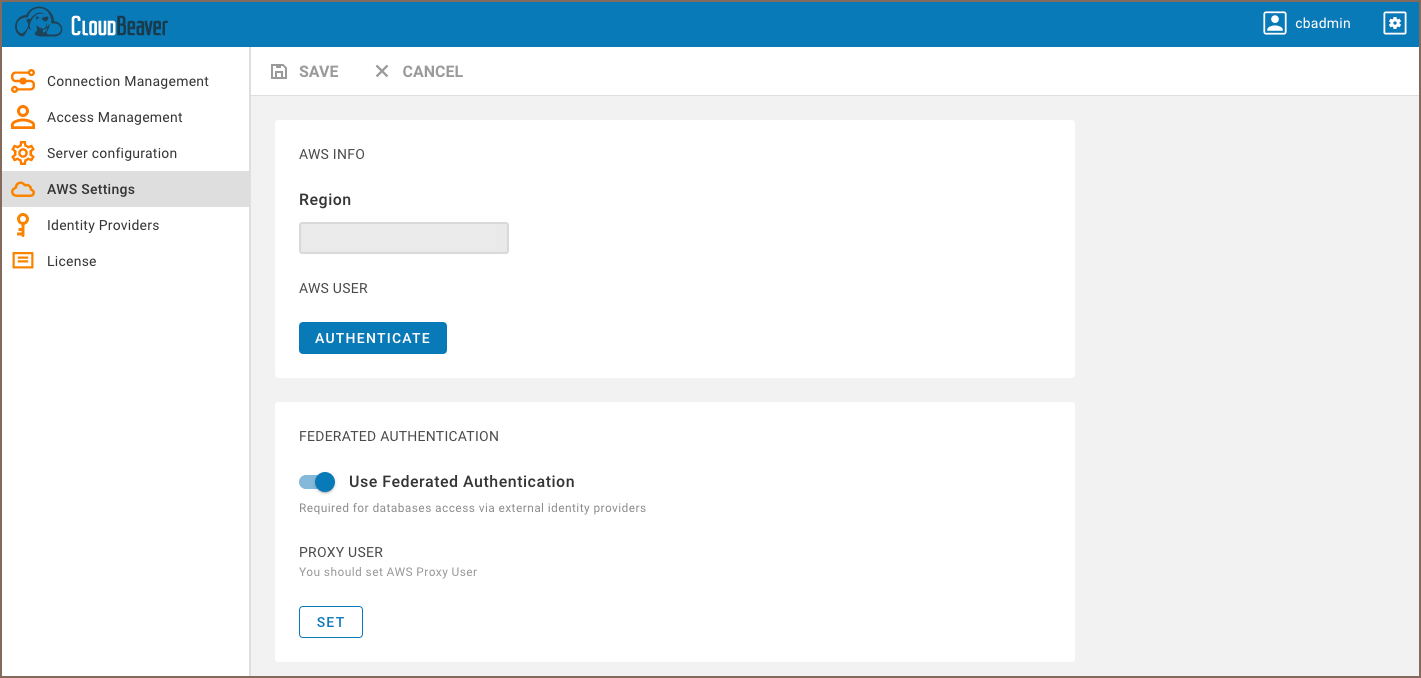
- Go to the AWS Settings tab and enable the Federated authentication.
-
Add the Proxy User on the same page. You can set the current user or add a new one.
-
Create SAML configuration. You can find more information here:
When an AWS user is logged into CloudBeaver using SSO, it has the Proxy User and the IAM user's identity-based permissions.
Actual permission set and user role are configured in attribute mappings of SAML integration.
Proxy use must have permissions to access you databases. Besides that it must have permission to generate federated tokens for end-users based on requested roles. Make sure it have following AWS policies:
| Policy name | Description |
|---|---|
| arn:aws:iam::aws:policy/service-role/AWSQuickSightListIAM | Allows to list IAM policies and permissions |
Also make sure it has following STS permissions:
| Permission | Description |
|---|---|
| sts:GetSessionToken | |
| sts:TagSession | |
| sts:GetFederationToken | |
| sts:GetAccessKeyInfo | |
| sts:GetCallerIdentity | |
| sts:GetServiceBearerToken |
More info at GetFederationToken policy
CloudBeaver does not keep your authentication information on the server-side and in configuration files.
Once your session expires, you will need to authenticate again. When a user logs out from the application, CloudBeaver also performs a session logout from Id Provider.
- Getting started
- Create connection
- Connection network options
- Supported databases
-
Drivers management

- Database authentication methods
- Database navigator
- Properties editor
- Data editor
- SQL editor
-
Entity relation diagrams
- Cloud services
-
AI Smart assistance
- Data transfer
- General user guide
- Administration
- Server configuration
-
Server security and access configuration
- Authentication methods
- Access management
- Proxy configuration
-
Secret management
- Logs
-
Query manager
- Workspace location
- Command line parameters
-
Session manager
- Deployment options
- CloudBeaver Editions
- FAQ
- Development