Value Panel
Value panel provides additional space in the Data editor in which you can manipulate data. The panel is handy if you work with complex types (structures, arrays), long text data, or BLOBs.
To open the panel, click Value button in the right hand side of the Data tab. Alternatively, you can open the Value panel by clicking Show in value panel on a cell context menu.
To close the panel, click the Value button again.
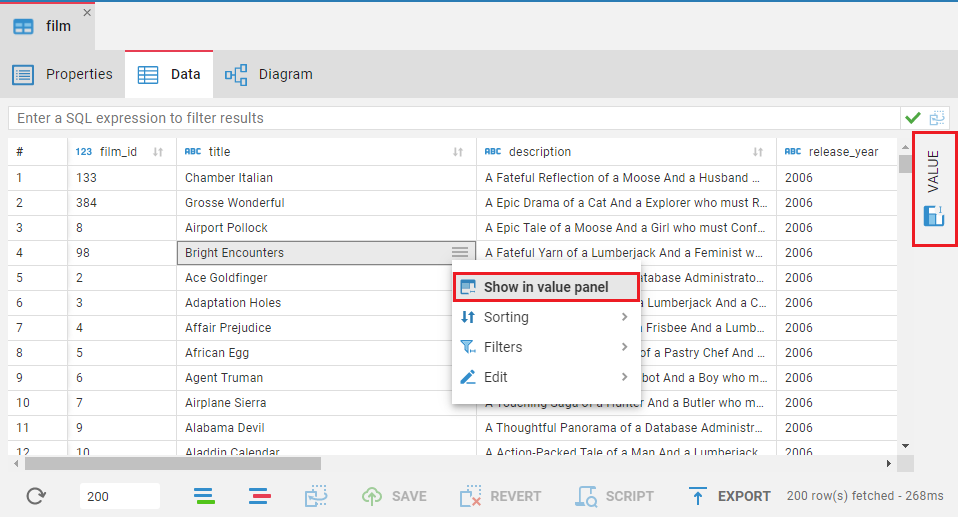
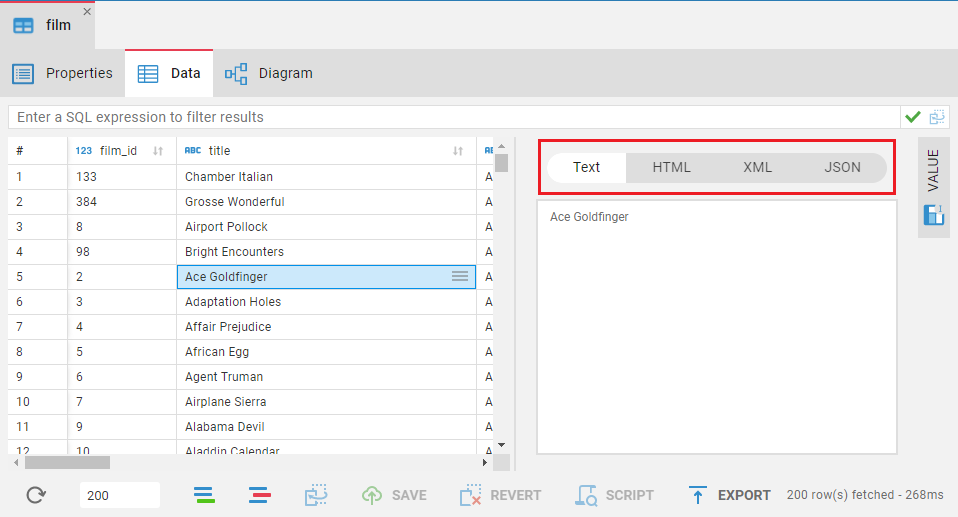
The Value viewer panel displays just one value that is currently selected or in focus and allows editing.
At the top of the Value panel you can find several tabs. The tabs depend on the current value type. For example, if your current value is a string, you'll find 4 tabs (Plain text, HTML, XML, JSON), each representing a format the string can be shown in.
- Getting started
- Create connection
- Connection network options
- Supported databases
-
Drivers management

- Database authentication methods
- Database navigator
- Properties editor
- Data editor
- SQL editor
-
Entity relation diagrams
- Cloud services
-
AI Smart assistance
- Data transfer
- General user guide
- Administration
- Server configuration
-
Server security and access configuration
- Authentication methods
- Access management
- Proxy configuration
-
Secret management
- Logs
-
Query manager
- Workspace location
- Command line parameters
-
Session manager
- Deployment options
- CloudBeaver Editions
- FAQ
- Development