Working with spatial GIS data
Spatial data, often represented as either geometric or geographical values, can be visualized on a map or graph. A geometric object is typically composed of a sequence of points that define its shape. For a more comprehensive understanding of spatial data, you can refer to this detailed explanation.
CloudBeaver's support of spatial data covers the following databases:
- PostgreSQL (PostGIS)
- Greenplum
- CockroachDB
- MySQL
- MariaDB
- SQLite (GeoPackage)
- H2GIS
- SAP HANA
- DuckDB
- Redshift
- Exasol
- Altibase
- BigQuery

- Oracle
- SQL Server
- Snowflake
- AlloyDB
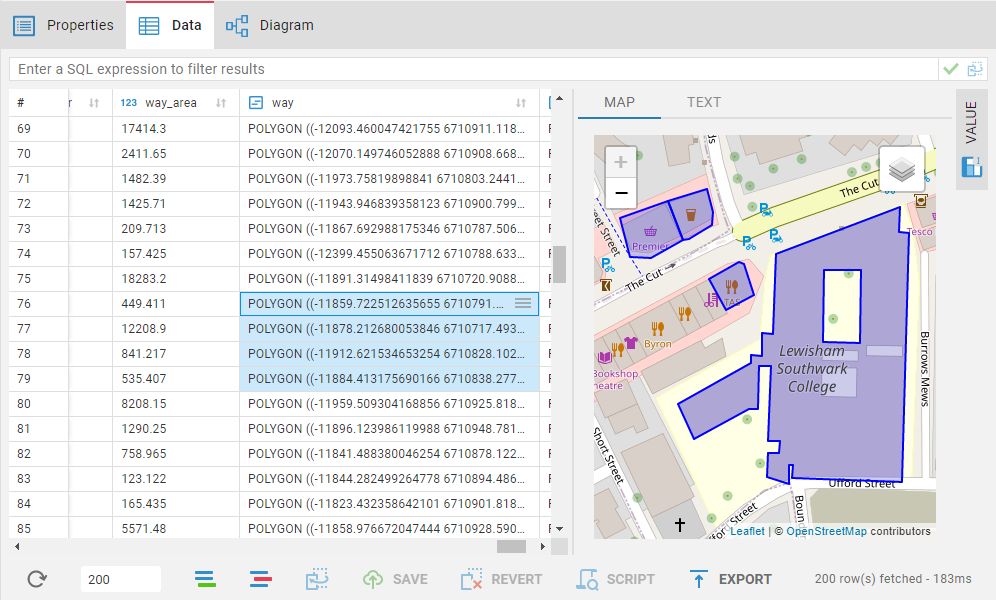
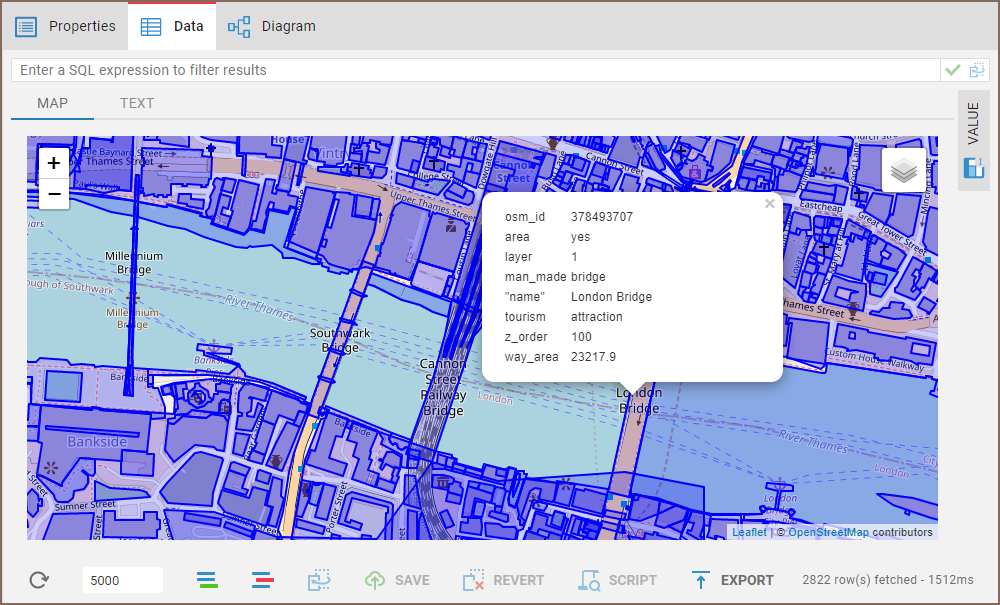
If you click on an object on the map, the following data (strings, numbers, dates etc.) from every other column in the corresponding row will be displayed.
- Getting started
- Create connection
- Connection network options
- Supported databases
-
Drivers management
- Database authentication methods
- Database navigator
- Properties editor
- Data editor
- SQL editor
-
Entity relation diagrams
- Cloud services
-
AI Smart assistance
- Data transfer
- General user guide
- Administration
- Server configuration
-
Server security and access configuration
- Authentication methods
- Access management
- Proxy configuration
-
Secret management
- Logs
-
Query manager
- Workspace location
- Command line parameters
-
Session manager
- Deployment options
- CloudBeaver Editions
- FAQ
- Development