Edit Profile Page
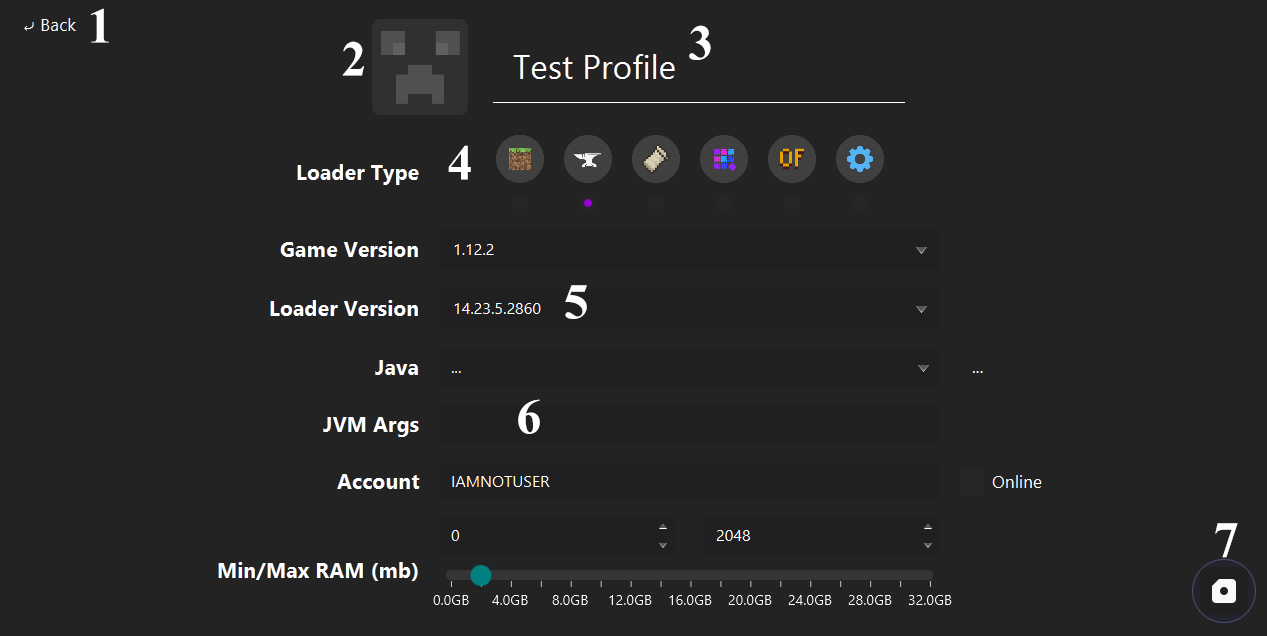
Navigate to the profile page.
Opens the image selector.
Name box. Special characters (/, |, etc.) are not allowed.
Loader type of the profile.
- Vanilla
- Forge
- Fabric
- Quilt
- OptiFine
- Custom
The loader version has to be selected if the loader type is not Vanilla or custom.
Java app arguments.
Example:
-Dfoo=bar -db -x -d abc
Saves the existing profile or creates a new profile with selected properties. Then navigate to the profile page.