Multiple Browser Page
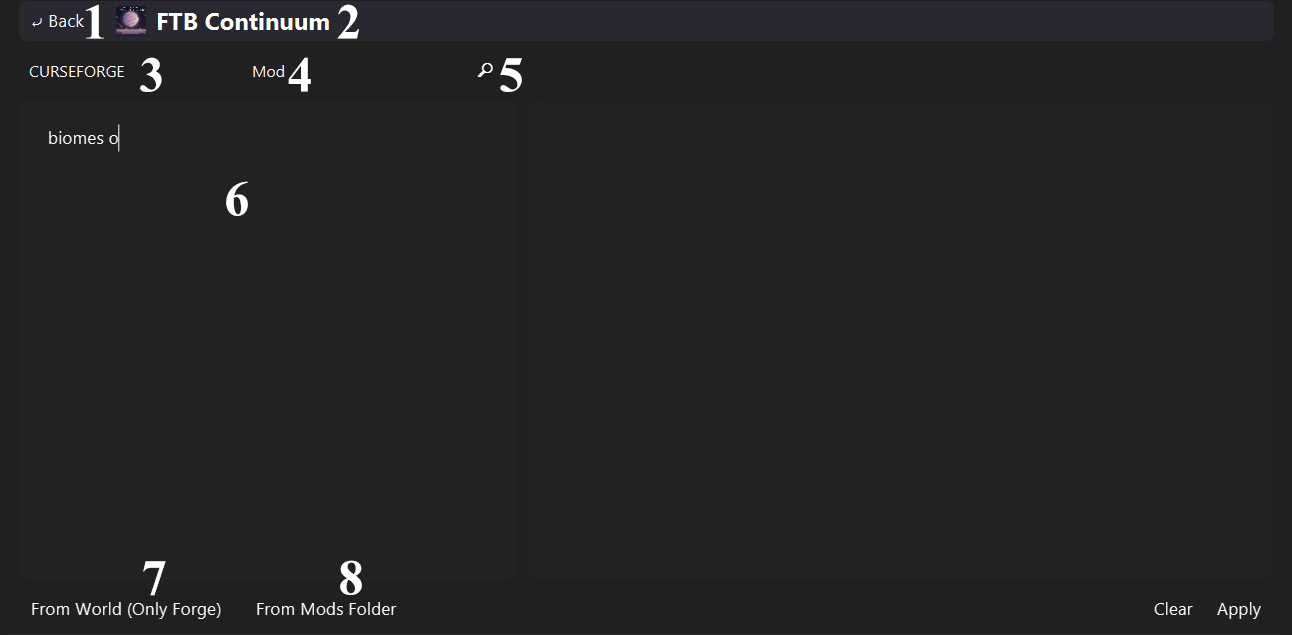
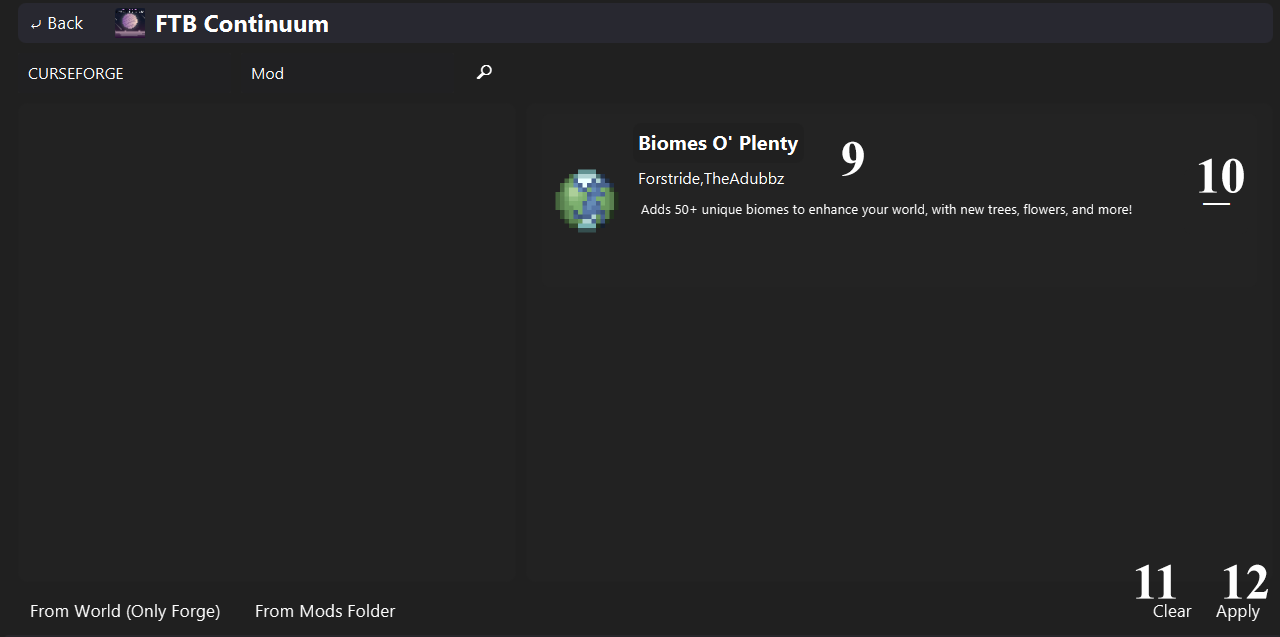
1 - 2 - 3 - 4 - 5 - 6 - 7 - 8 - 9 - 10 - 11 - 12
Navigate to the profile page.
- Profile icon.
- Profile name.
Available Loaders:
- Curse Forge
- Modrinth
Available Resource Types:
- Mod
- Resourcepack
- Shader
- World
Starts the search process from the query box. Includes the found resources into the right list, others stay in the box.
Query area to search easily.
Resource type is required.
All queries are read line-by-line, and each line represents one resource. Write like you are searching in the browser.
You have two options to mark the source. You can write the lowercase source name in the query as a word (like actually additions curseforge or actually curseforge additions), or select directly from the loader selector. If you don't both, the search marks the query as invalid.
Extract all mod names from the selected world, and write them into the query box. Works with only Forge.
Extract all mod names from the metadata of the selected mods, and write them into the query box.
If the extraction process fails, it writes the filename of the mod.
- Resource icon.
- Resource name.
- Authors.
- Description.
Removes the resource from the list.
Clears the list.
Adds all resources to the profile, then navigates to the profile page.