Settings Page
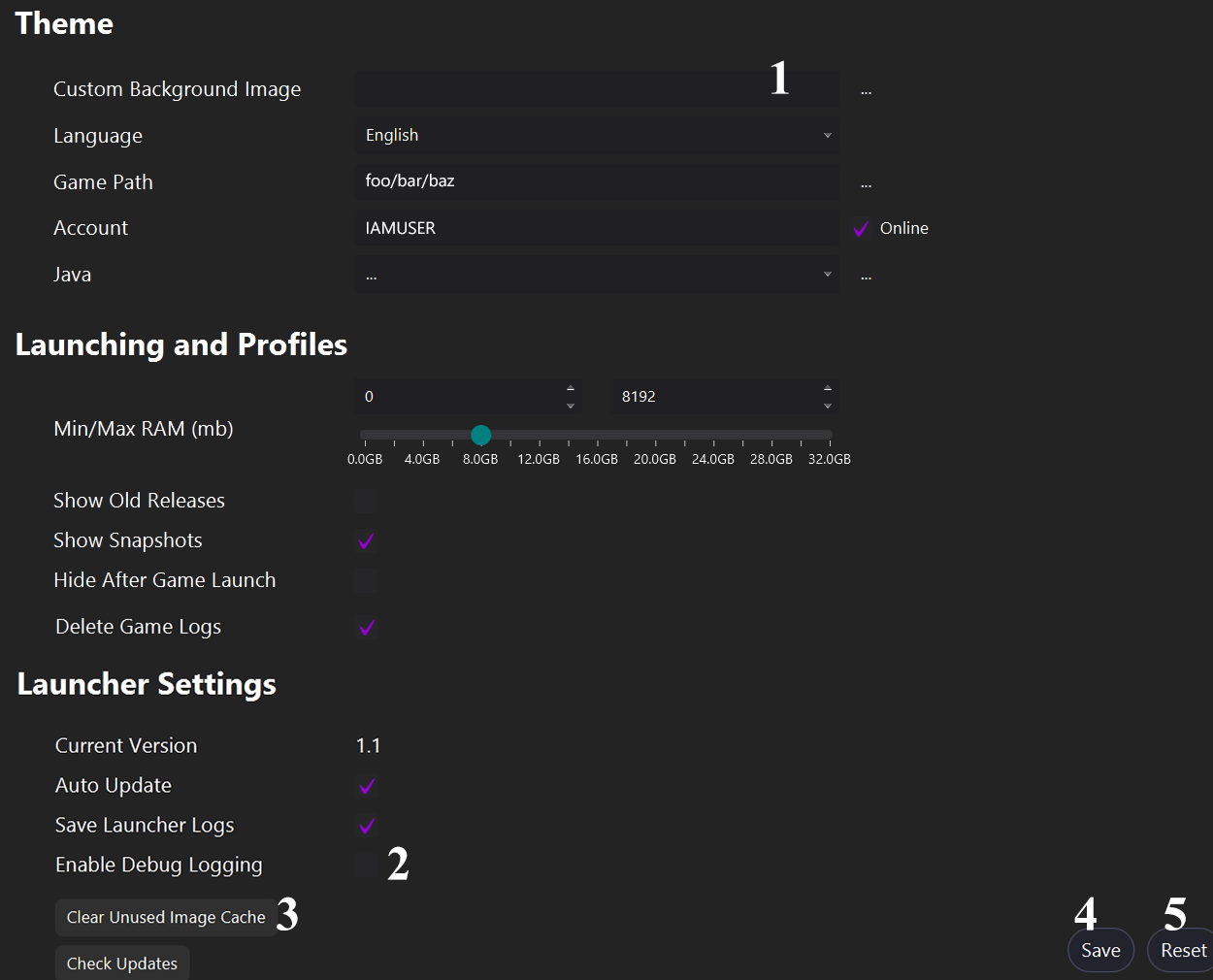
You can select a custom image by clicking the ... button, and remove it by right-clicking on the image path.
When an image is selected, the background of the launcher will be changed to the selected image.
You can go to the selected game path by clicking on it.
If this option is enabled, the launcher will write all debug data in the log file. Recommended for the developers.
The launcher stores all profile images in one folder. In time, these images may be unused. To delete unused images, you can click this button.
Except for the RAM and account settings, all settings are saved simultaneously.
You can save the RAM and account settings by clicking this button.
Resets the configuration file to the default. The game path will not change.