Profile Menu
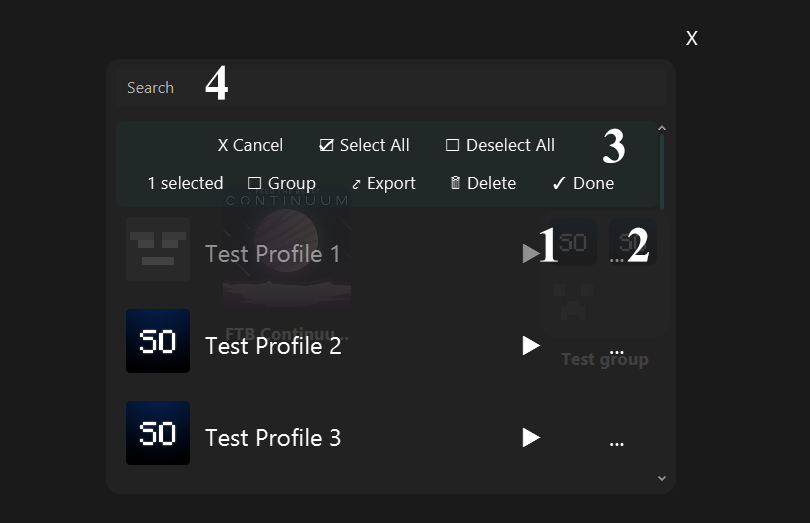
CTRL + A selectes all profiles. (Only work on multiple select or dock mode.)
Delete deletes selected profiles.
Select the profile and close the profile menu.
If you click on the profile directly, it does the same thing with the play button plus, it places the profile on the dock.
Opens the profile dock menu.
To select the profile, a Select option is added to the end of the menu.
Notice: You can also select the profiles while holding CTRL.
Cancel: Closes the menu.
Group: Opens the group list to move the selected profiles in it. Then close the menu.
Export: Exports the selected profiles as separate files.
Done: Adds the selected profiles to the dock. Then close the menu.
Searches in the profiles.