Making The Launcher Portable
The launcher is portable itself because it is only one JAR (Java Archive) file. But a JAR file needs Java to be run, right? So we need to make Java portable.
First, let's look at the list :)
To-do list:
- Move the data.
- Move the launcher.
Your all game data is stored in one folder, we can call it the game folder. You can see your folder's path from the settings page. After you find your folder, can just move it to another place.
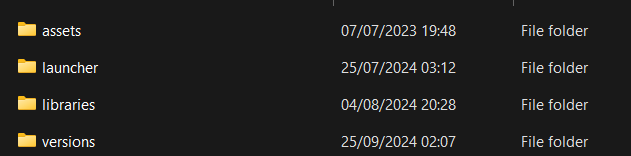
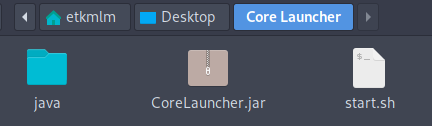
After you locate the folder of the launcher, if there is a java folder in it, you can just pick up the folder to another place and run it without any problem. But if there is not, you have to follow the next steps.
This option is available for Windows only for now. If you have not required Java on your computer, you can just use the installer to download the portable Java. Then back to the move the launcher step.
If you have, the installer is not going to install the Java again. So you need to follow this step and download the portable Java. After this, move java to the launcher folder. Then you are ready for move the launcher!
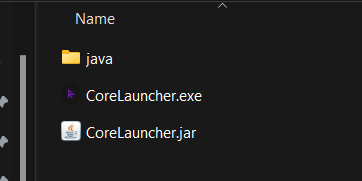
First, follow this step and download the portable Java. After that, move java to the launcher folder. Now, you need to create a launch script to use this portable Java. If you do not, and try to run the launcher by clicking on it, it will use Java from the path variable and it can cause problems.
java\bin\java.exe -jar CoreLauncher.jar
#!/bin/sh
cd "$(dirname "$(readlink -fn "$0")")"
java/bin/java -jar CoreLauncher.jar
#!/bin/bash
cd "$(dirname "$0")"
java/bin/java -jar CoreLauncher.jar
Create a file in the launcher folder (Unix .sh, MacOS .command, Windows .bat) and paste the code into it. You are ready, you can run the launcher with this script. Go to the move the launcher step.
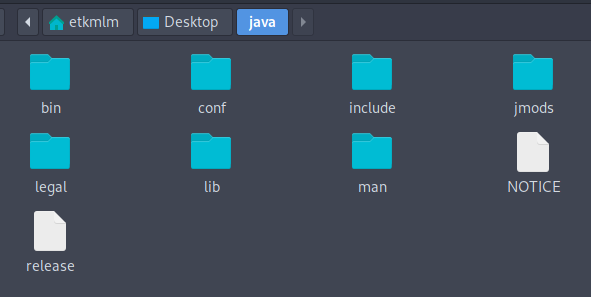
You can download the portable Java 17 from here. After you download it, extract the folder and rename it to java.