ChatGPT Upgrades GPTs Customized Versions of ChatGPT Natural Language OpenAI DevDay Part 4
Full tutorial link > https://www.youtube.com/watch?v=fk4v8yMJz8g











This video is Part 4 of #OpenAI #DevDay #GPT
Full Event : https://www.youtube.com/watch?v=U9mJuUkhUzk
Credits : https://www.youtube.com/watch?v=U9mJuUkhUzk
00:00:00 🔄 ChatGPT now uses GPT-4 Turbo with the latest improvements, including web browsing, coding, data analysis, image generation, and more.
00:00:30 🚫 The model picker is removed, and ChatGPT will seamlessly use the appropriate features without manual selection.
00:01:04 🤖 OpenAI aims to provide smarter, more customizable AI agents that can perform tasks on your behalf, referred to as GPTs.
00:02:10 💬 GPTs are tailored versions of ChatGPT that can be customized with instructions, expanded knowledge, and actions, making them more versatile and controllable.
00:03:18 🎓 Examples of GPTs include Code.org's Lesson Planner GPT for education and Canva's design GPT for creative tasks.
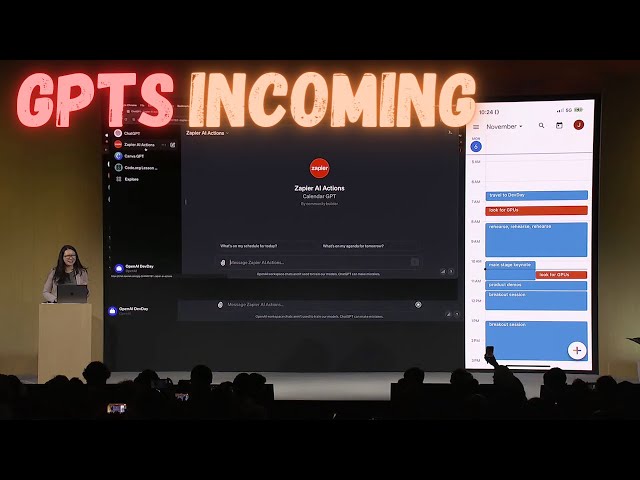
00:04:22 📅 Zapier's GPT allows users to create custom actions across various applications, offering integration possibilities.
00:05:53 🛡️ GPTs prioritize security and ask for permission before performing actions, making them safe and user-friendly.
-
00:00:00 Even though this is a developer conference, we can't resist making some improvements
-
00:00:03 to ChatGPT. So a small one, ChatGPT now uses GPT-4 Turbo with all the latest improvements,
-
00:00:11 including the latest knowledge cutoff, which we'll continue to update. That's all live today. It can
-
00:00:16 now browse the web when it needs to, write and run code, analyze data, take and generate images,
-
00:00:22 and much more. And we heard your feedback, that model picker, extremely annoying,
-
00:00:26 that is gone starting today. You will not have to click around the drop down menu. All of this will
-
00:00:30 just work together. ChatGPT, yeah. ChatGPT will just know what to use and when you need it. But
-
00:00:43 that's not the main thing. And neither was price, actually, the main developer request. There was
-
00:00:49 one that was even bigger than that. And I want to talk about where we're headed. And the main
-
00:00:54 thing we're here to talk about today. We believe that if you give people better tools, they will
-
00:01:00 do amazing things. We know that people want AI that is smarter, more personal, more customizable,
-
00:01:05 can do more on your behalf. Eventually, you'll just ask a computer for what you need,
-
00:01:11 and it will do all of these tasks for you. These capabilities are often talked in the AI field
-
00:01:17 about as agents. The upsides of this are going to be tremendous. At OpenAI, we really believe that
-
00:01:25 gradual iterative deployment is the best way to address the safety issues, the safety challenges
-
00:01:30 with AI. We think it's especially important to move carefully towards this future of agents.
-
00:01:35 It's going to require a lot of technical work and a lot of thoughtful consideration by society. So,
-
00:01:42 today, we're taking our first small step that moves us towards this future. We're thrilled
-
00:01:47 to introduce GPTs. GPTs are tailored versions of ChatGPT. You can build a GPT, a customized
-
00:02:00 version of ChatGPT, for almost anything with instructions, expanded knowledge, and actions,
-
00:02:07 and then you can publish it for others to use. And because they combine instructions, expanded
-
00:02:13 knowledge, and actions, they can be more helpful to you. They can work better in many contexts,
-
00:02:18 and they can give you better control. They'll make it easier for you to accomplish all sorts of tasks
-
00:02:23 or just have more fun. And you'll be able to use them right within ChatGPT. You can, in effect,
-
00:02:30 program a GPT with language just by talking to it. It's easy to customize the behavior so that it
-
00:02:35 fits what you want. This makes building them very accessible, and it gives agency to everyone. So,
-
00:02:42 we're going to show you what GPTs are, how to use them, how to build them, and then we're
-
00:02:47 going to talk about how they'll be distributed and discovered. And then after that, for developers,
-
00:02:52 we're going to show you how to build these agent-like experiences into your own apps. So
-
00:02:57 first, let's look at a few examples. Our partners at Code.org are working hard to expand computer
-
00:03:04 science in schools. They've got a curriculum that is used by tens of millions of students
-
00:03:09 worldwide. Code.org crafted Lesson Planner GPT to help teachers provide a more engaging
-
00:03:15 experience for middle schoolers. If a teacher asks it to explain for loops in a creative way,
-
00:03:21 it does just that. In this case, it will do it in terms of a video game character. Super easy
-
00:03:28 to understand for an eighth grader. As you can see, this GPT brings together Code.org's extensive
-
00:03:34 curriculum and expertise and lets teachers adapt it to their needs quickly and easily. Next,
-
00:03:42 Canva has built a GPT that lets you start designing by describing what you want in
-
00:03:46 natural language. If you say make a poster for a Dev Day reception this afternoon, this evening,
-
00:03:52 and you give it some details. It will generate a few options to start with by hitting Canva's
-
00:03:57 APIs. Now, this concept may be familiar to some of you. We've evolved our plug-ins to be custom
-
00:04:03 actions for GPTs. You can keep chatting with this to see different iterations, and when
-
00:04:09 you see one you like, you can click through to Canva for the full design experience. So,
-
00:04:15 now, we'd like to show you a GPT live. Zapier has built a GPT that lets you perform actions
-
00:04:22 that you want to do daily life. You can use it in your to create custom actions across 6 ,000
-
00:04:23 applications to unlock all kinds of integration possibilities. I'd like to introduce Jessica,
-
00:04:28 one of our solutions architects, who is going to drive this demo. Welcome, Jessica. Thank you,
-
00:04:34 Sam. Thank you, all. Thank you all for being here. My name is Jessica Shea. I work with partners and
-
00:04:44 customers to bring their product to life. And today, I can't wait to show you how hard we've
-
00:04:49 been working on this. So, let's get started. So, let's get started. So, let's get started. So, to
-
00:04:52 start, where your GPT will live is on this upper left corner. I'm going to start with clicking on
-
00:04:58 the Zapier AI actions. And on the right-hand side, you can see that's my calendar for today. So,
-
00:05:05 it's quite a day. I've already used this before, so it's actually already connected to my calendar.
-
00:05:10 To start, I can ask what's on my schedule for today. We build GPTs with security in mind. So,
-
00:05:18 before it performs any action or share data, it will ask for your permission. So, right here,
-
00:05:24 I'm going to say allowed. So, GPT is designed to take in your instructions, make the decision on
-
00:05:32 which capability to call to perform that action, and then execute that for you. So, you can see
-
00:05:37 right here, it's already connected to my calendar. It pulls into my information. And then, I've also
-
00:05:44 prompted it to identify conflicts on my calendar. So, you can see right here, it actually was
-
00:05:49 able to identify that. So, it looks like I have something coming up. So, what if I want to let Sam
-
00:05:56 know that I have to leave early? So, right here, I say, let Sam know I got to go. Chasing GPUs. So,
-
00:06:06 with that, I'm going to swap to my conversation with Sam. And then, I'm going to say, yes, please
-
00:06:13 run that. Sam, did you get that? I did. Awesome. So, this is only a glimpse of what is possible,
-
00:06:30 and I cannot wait to see what you all will build. Thank you, and back to you, Sam. Thank you,
-
00:06:42 Jessica. So, those are three great examples. In addition to these, there are many more kinds of
-
00:06:48 GPTs that people are creating and many, many more that will be created soon. Thank you.