Training Midjourney Level Style And Yourself Into The SD 15 Model via DreamBooth Stable Diffusion
Full tutorial link > https://www.youtube.com/watch?v=m-UVVY_syP0
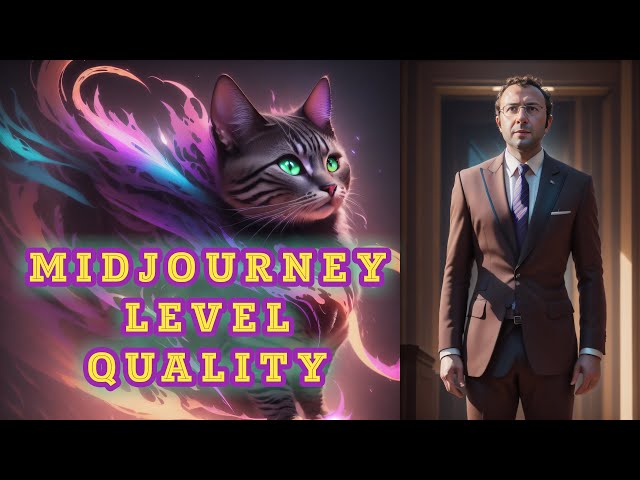











RunPod: https://bit.ly/RunPodIO. Discord : https://bit.ly/SECoursesDiscord. Get your own #Midjourney level model for free via Style Teaching. If I have been of assistance to you and you would like to show your support for my work, please consider becoming a patron on 🥰 https://www.patreon.com/SECourses
Playlist of #StableDiffusion Tutorials, Automatic1111 and Google Colab Guides, #DreamBooth, Textual Inversion / Embedding, LoRA, AI Upscaling, Pix2Pix, Img2Img:
https://www.youtube.com/playlist?list=PL_pbwdIyffsmclLl0O144nQRnezKlNdx3
Used training dataset in the video:
https://www.patreon.com/posts/style-teaching-80233878
Style Trained model .safetensors (not includes myself - based on SD 1.5 pruned ckpt):
https://www.patreon.com/posts/midjourney-level-80356527
2400 Photo Of Man classification images:
https://drive.google.com/file/d/1qBf8VyUbmPNalKqm076yOsQjE8BrcG7R/view
00:00:00 Midjourney level style for free
00:00:35 Most important part of teaching a style into Stable Diffusion
00:01:23 I trained myself into the model and got amazing styled myself
00:01:30 First part of animation generation just like Corridor Crew did in their anime video
00:01:37 Used DreamBooth extension of Web UI on RunPod for training
00:01:57 Why training dataset is 1024x1024 pixels
00:02:25 Which rare token and class token are chosen why
00:02:54 Which dataset I have used to train myself
00:03:05 What kind of training dataset you need to generate consistent animation like Corridor Crew
00:03:27 A better way to connect your RunPod web UI instance
00:03:43 Which DreamBooth settings I have used to train myself into the base model
00:04:10 A good explanation of max resolution settings
00:04:31 Advanced tab settings of DreamBooth extension
00:05:15 Concepts tab of DreamBooth training
00:05:35 FileWords - image captions explanation
00:07:31 Where to see source checkpoint used for training
00:07:49 Why do seperate training instead of multiple concepts training
00:08:08 Style training used settings
00:09:20 Analysis of after style training upon myself trained model
00:10:25 x/y/z plot testing for Brad Pitt face to see overtraining effect
00:11:03 Castle in a forest test to verify not overtrained 1 more time
00:11:32 I had to do another training of my face
00:12:03 Final x/y/z plot comparison to decide best checkpoint
00:13:05 Analysis of final x/y/z plot
00:14:48 What you can do by using this methodology I explained
00:15:05 How to generate good quality, good face distant shots
00:15:10 very important parts of selecting good face training dataset
00:15:25 Why Stable Diffusion can't produce good face distant shots
00:15:33 How to do inpainting to fix your face in distant shots
00:15:48 What settings to use for inpainting to fix faces
00:16:17 How to upscale your image
00:16:30 GFPGAN to further improve face
The Midjourney level style provides an excellent starting point for creators looking to develop unique AI-generated animations. The most crucial aspect of teaching a style into Stable Diffusion is ensuring a comprehensive training dataset. To achieve this, the creator utilized a dataset of 1024x1024 pixels, which offers sufficient resolution for high-quality animation generation.
The choice of dataset is critical for generating consistent animations like Corridor Crew. To ensure success, the creator selected a rare token and class token that best suited their needs. The training dataset should be carefully curated to include a diverse range of images and styles to generate the desired outcome.
DreamBooth Extension Settings and Features
The DreamBooth extension offers a variety of settings to optimize the training process. The creator used specific settings in the max resolution and advanced tab settings to fine-tune the training process. Furthermore, they used the concepts tab and FileWords feature to add image captions and enhance the quality of the output.
Training and Analysis
Separate training for different concepts is recommended to achieve the best results. After style training, the creator analyzed the model and performed x/y/z plot testing for Brad Pitt's face to detect any overtraining effects. They also conducted a castle in a forest test to further verify that the model was not overtrained.
Improving Quality and Fixing Issues
One challenge faced in AI-generated animation is producing high-quality, distant face shots. Stable Diffusion may struggle with these shots, but inpainting can be employed to fix faces in distant shots. The creator used specific settings for inpainting and utilized GFPGAN to upscale and further improve facial images.
Conclusion
The methodology outlined in this article offers a comprehensive approach to mastering Midjourney level style and Stable Diffusion for AI-generated animation. By carefully selecting the training dataset, optimizing settings in DreamBooth, and employing advanced techniques such as inpainting and GFPGAN, creators can generate high-quality animations and images that captivate audiences.
-
00:00:00 Teaching a style is the best way to ensure consistency in your workflow when generating
-
00:00:04 art using AI, such as StableDiffusion.
-
00:00:06 Moreover, teaching your style to the base vanilla model StableDiffusion 1.5 version
-
00:00:10 will allow you to have much more flexible model than the overtrained and cooked custom
-
00:00:14 models publicly shared, such as on CivitAI or Hugging Face.
-
00:00:18 Furthermore, the majority of custom models display extreme bias.
-
00:00:21 However, with your own trained model, you won't encounter such a high degree of bias.
-
00:00:25 The images currently displayed on the screen were generated from the style and my self-trained
-
00:00:29 model.
-
00:00:30 As you can see, the model is still very flexible, able to follow the style and generate my own
-
00:00:34 self-images.
-
00:00:35 The most important part of teaching a style is the preparation of the training dataset.
-
00:00:39 I used a public model called RevAnimated and generated over 5000 images for a 1024x1024
-
00:00:46 pixel dimension.
-
00:00:47 The model had extreme bias.
-
00:00:48 I meticulously analyzed the generated images and deleted the biased ones.
-
00:00:52 I used over 2500 different words to ensure a wide variety of images.
-
00:00:57 When training a style, the most important aspects are the consistency of the style and
-
00:01:01 the variation of the images.
-
00:01:02 You should not have the same subject in the training dataset to prevent the model from
-
00:01:06 learning the subject instead of the style.
-
00:01:07 In the training dataset, you will also see some unusual images.
-
00:01:11 This is mostly because I generated them with a 1024 resolution instead of the native 512
-
00:01:15 resolution.
-
00:01:16 We want the model to learn drawing style and the aesthetics rather than the objects.
-
00:01:21 Therefore, they are not a significant problem.
-
00:01:23 Additionally, I trained myself into the model along with this new style and now, I can generate
-
00:01:28 my images in this new style consistently.
-
00:01:31 This is the first part of generating an animation just like Corridor Crew did in their famous
-
00:01:35 AI anime video.
-
00:01:37 For teaching the style, I used DreamBooth extension of Automatic1111 web UI on a RunPod.
-
00:01:42 I chose RAM pod because my graphic card is an RTX 3060 and I am unable to perform DreamBooth
-
00:01:48 training with the best settings which require around 18GB VRAM for 512 and 512 resolution.
-
00:01:54 I will also show the best settings for cards with 12GB VRAM.
-
00:01:57 Initially, I planned to conduct training in 1024x1024 for this tutorial video, which is
-
00:02:03 why the prepared training dataset is 1024 pixels.
-
00:02:07 Although I performed numerous trainings, none resulted in good quality for 1024x1024.
-
00:02:12 Consequently, all images were downscaled to 512x512 for the new trainings.
-
00:02:18 For DreamBooth training, you use a rare token and a class token.
-
00:02:21 To learn more about DreamBooth training, you can watch my excellent educational guide video
-
00:02:25 which is this one.
-
00:02:27 I chose aesthetic as the class token and generated 5790 generic images from the StableDiffusion
-
00:02:32 v1-5 pruned.ckpt version.
-
00:02:34 Both classification images and the style teaching images are posted on our Patreon page along
-
00:02:39 with the prompting words used.
-
00:02:41 I set up my DreamBooth on my RunPod using the experience I gained from this video.
-
00:02:45 Additionally, I have an excellent tutorial for learning how to use RunPod for Automatic1111
-
00:02:50 and Stable Diffusion efficiently.
-
00:02:51 This is the video.
-
00:02:52 Before training my custom style, I first trained myself with this dataset on the base 1.5 version
-
00:02:58 model.
-
00:02:59 As you can see, I have repeating clothing and backgrounds in the training dataset.
-
00:03:02 Therefore, the trained model memorized the clothing and background slightly, but it can
-
00:03:06 still generate stylized images.
-
00:03:08 If you want to create an animation with consistency like Corridor Crew did, all of your training
-
00:03:13 images should have the same clothing in the training dataset with a green background similar
-
00:03:17 to the base real video you will convert into an animation.
-
00:03:20 This way, when you use img2img to convert your real video into an animation, you will
-
00:03:24 achieve a green background and consistent clothing.
-
00:03:27 To connect to my Automatic1111 web UI instance on my RunPod, this time, I didn't use --share
-
00:03:33 option, I used connect via HTTP port 3000.
-
00:03:37 This is an alternative way to connect your instance.
-
00:03:39 This may be a little bit faster, so you can do this from now on.
-
00:03:43 I trained myself for 200 epochs using these DreamBooth settings.
-
00:03:46 Base model as 1.5 pruned ckpt, unfreeze model.
-
00:03:50 Training steps per image 200 epochs.
-
00:03:52 I didn't generate any previews because they are slowing me down.
-
00:03:55 Save model frequency 20 epochs.
-
00:03:57 Batch size 1.
-
00:03:58 Gradient accumulation steps 1.
-
00:03:59 Class batch size 1.
-
00:04:00 Set gradients to none when zeroing.
-
00:04:02 Gradient checkpointing unchecked.
-
00:04:04 Learning rate is 1e-7.
-
00:04:05 This is equal to this number.
-
00:04:07 Constant with warmup.
-
00:04:08 Learning rate warmup steps 0.
-
00:04:10 Max resolution 512.
-
00:04:11 This is important.
-
00:04:12 If you want to make your training 1024, then you need to set this as 1024.
-
00:04:18 Let's say your training data set is 1024, but you are using max resolution as 512, then
-
00:04:23 they will be downscaled to 512.
-
00:04:25 Do not apply horizontal flip.
-
00:04:27 I didn't use any sample prompt because I am not generating any samples.
-
00:04:31 In the advanced tab, we are using EMA.
-
00:04:33 This increases VRAM usage a lot.
-
00:04:34 So if you don't have high VRAM having graphic card, then you need to uncheck this.
-
00:04:38 I am using Lion optimizer.
-
00:04:40 Mixed precision BF-16.
-
00:04:41 I didn't use Xformers.
-
00:04:43 However, if you don't have a high VRAM graphic card, then you need to also use Xformers.
-
00:04:47 This is really important.
-
00:04:48 Otherwise, you will get out of memory errors.
-
00:04:50 Cache latents.
-
00:04:51 Train UNET.
-
00:04:52 Step ratio of text encoder training 0.75.
-
00:04:55 This is for teaching person faces.
-
00:04:57 Weight decay.
-
00:04:58 This is also important.
-
00:04:59 When you use Lion optimizer, the weight decay has to be 10 times than the normal.
-
00:05:04 Also, the learning rate has to be 1 over 10 of the normal learning rate.
-
00:05:08 That is why my learning rate is 1e-7 and my weight decay is 0.1.
-
00:05:14 And these are the rest of the parameters.
-
00:05:16 In the concepts tab, I gave the path for my training images, these ones.
-
00:05:20 Then as for class images, I used the data set that I did share in this video.
-
00:05:24 This is the link for classification images data set.
-
00:05:26 I will also share link of this data set in the description of this video as well.
-
00:05:30 The shared photo of my data set is like this.
-
00:05:33 When you download it, you will see it.
-
00:05:34 I don't set any file words here.
-
00:05:36 If I'm going to use file words, I set them inside here.
-
00:05:38 Actually, I did test file words with file captions.
-
00:05:41 So when you type like this, it will read the caption of the file and it will append it
-
00:05:46 to the OHWX word.
-
00:05:47 I tested this, but the results were not better than without using it unfortunately.
-
00:05:52 It did improve the flexibility of the model, but the results were definitely worse.
-
00:05:56 So when you use file words, what happens is actually, let's say it is going to train this
-
00:06:01 particular image that it is reading the caption of that file, which is a man wearing a black
-
00:06:06 shirt is standing in front of a white wall.
-
00:06:08 So when you set your instance prompt like this, it is actually becoming like this OHWX
-
00:06:13 a man wearing a black shirt is standing in front of a white wall.
-
00:06:17 What happens is your image is blending into all of these tokens.
-
00:06:21 So it improves your flexibility.
-
00:06:23 However, then it is harder to get your subject when generating images.
-
00:06:27 So I have just used OHWX man.
-
00:06:29 OHWX is our rare token and man is our class token.
-
00:06:33 As a class prompt, I am using photo of man.
-
00:06:35 This is the prompt also used to generate classification images.
-
00:06:38 I am using 50 images per class images instance.
-
00:06:41 I don't prefer training to generate my classification images.
-
00:06:45 I generated my classification images by using text to image tab.
-
00:06:48 By watching these two awesome videos, you may get much more information regarding how
-
00:06:53 to choose these settings or number of classification images.
-
00:06:56 I set number of samples to generate as zero because I didn't want any samples to be generated.
-
00:07:01 Also, when generating samples, it was using much more VRAM and my 12 GB VRAM card on RunPod
-
00:07:07 were throwing error.
-
00:07:08 So a saving generated ckpt file when saving during training.
-
00:07:12 After 200 epochs training finished, then I performed an x/y/z plot comparison and choose
-
00:07:18 epoch 200 as my desired checkpoint.
-
00:07:20 You can learn much more about how to do x/y/z checkpointing to get the best image from these
-
00:07:25 two videos.
-
00:07:26 I have chosen 200 epoch because the model was still not over training and the generated
-
00:07:31 images were still not deformed.
-
00:07:32 You can see the source checkpoint here.
-
00:07:34 It is showing the 200 epoch because I had 17 images with classification images.
-
00:07:39 One epoch is 34 steps and 200 epochs makes 6800.
-
00:07:44 My style training was done on the model I had trained myself on.
-
00:07:48 Since I had many style training images and there was a significant imbalance between
-
00:07:52 the two training data sets, I had to do separate trainings instead of a single training with
-
00:07:56 multiple concepts.
-
00:07:57 You know that you can set multiple concepts in here.
-
00:07:59 However, if there is a significant imbalance between your training data sets, then you
-
00:08:04 should do separate trainings.
-
00:08:06 For style training, I used these settings.
-
00:08:08 This time I have trained it up to 12 epochs and saved model every one epoch because I
-
00:08:13 had over 2800 images.
-
00:08:16 Therefore, I couldn't be sure that how many epoch will over train the data set and each
-
00:08:21 epoch was already taking like 45 minutes.
-
00:08:24 What is different than the face training is this time I have used step ratio of text encoder
-
00:08:29 as 0.5.
-
00:08:30 This is a different thing.
-
00:08:31 Actually, it is said that use 0.25 for style teaching.
-
00:08:35 However, I didn't test which one is working best either 25% 50% 75% this is a worth to
-
00:08:41 do experimentation for style training.
-
00:08:44 In the concept tabs I have used the style training images as the training data set directory
-
00:08:49 and the aesthetic directory as classification data set directory.
-
00:08:52 The instance prompt I used is bbuk aesthetic.
-
00:08:54 Why?
-
00:08:55 bbuk is another rare token that I have discovered like OHWX and aesthetic is our class token.
-
00:09:01 In the class prompt, you are seeing aesthetic class images per instance image I used only
-
00:09:05 two because I didn't have more than this.
-
00:09:07 Also, this worked pretty well, but you can also generate more aesthetic images like 20,000
-
00:09:13 50,000 and increase this but you don't need more than the number of epochs that you are
-
00:09:17 going to train in this part of the settings.
-
00:09:20 Then for saving generate a ckpt when saving during training.
-
00:09:23 After style training has been done.
-
00:09:25 I analyzed the results via XYZ plot.
-
00:09:27 I used close portrait photo of OHWX man by bbuk aesthetic, intricate, cinematic, HD,
-
00:09:33 HDR, 8K, 4K, sharp focus, Canon, photoshoot.
-
00:09:36 As a negative prompts I used low, bad, blurry, grainy, worst, deformed, mutilated, fat, ugly,
-
00:09:41 amateur.
-
00:09:42 Sampling steps 20, batch count 1, batch size 4, CFG 7.5, target resolution is 512 512 and
-
00:09:48 I have chosen a certain seed.
-
00:09:50 You see with this seed I got this.
-
00:09:52 In the XYZ plot checkpoint namings.
-
00:09:54 I started from the first epoch up to the 12 epoch.
-
00:09:57 I tested all of the epochs.
-
00:09:59 Then here the results I got.
-
00:10:01 In the first epoch these are the results the style is not very well there as you can see,
-
00:10:05 this is the second epoch I can see the style, this is the third epoch, fourth epoch as you
-
00:10:09 can see my face is starting to degrade, fifth epoch, 6th epoch and I can't see my face anymore,
-
00:10:15 seventh epoch, eight epoch, nine epoch and then it lost my face completely.
-
00:10:20 However to be sure that the style training was over trained or not I used another prompt
-
00:10:25 this time I generated images for Brad Pitt with the same settings.
-
00:10:29 When generating Brad Pitt images the model was much more able to keep the subject.
-
00:10:33 The first epoch, second epoch, third epoch, fourth epoch, fifth epoch, sixth epoch, seventh
-
00:10:39 epoch, eighth epoch, ninth epoch, tenth epoch, eleventh epoch, twelfth epoch, thirteenth
-
00:10:44 epoch, fourteen epoch.
-
00:10:46 You see with even the fourteenth epoch it is still able to keep style and it is still
-
00:10:51 able to generate image of Brad Pitt therefore I had to done another test to ensure that
-
00:10:56 the style training was not over trained.
-
00:10:59 This time I didn't include my style in the prompt and I tested a castle in a forest to
-
00:11:04 see that whether my model was cooked or not.
-
00:11:07 These are the results of this test you see this is not the style that I teach it however
-
00:11:12 it is a little bit changing because our UNET is also becoming like the style that we are
-
00:11:17 teaching but still I can say that it is able to keep another style a different style and
-
00:11:22 it is not becoming entirely the new style that I am teaching therefore I concluded that
-
00:11:28 the 14th epoch of the style trained model was still not over trained.
-
00:11:33 It was still flexible.
-
00:11:35 However the problem was it was not able to generate my images therefore I made a new
-
00:11:39 training model and chosen the base model as my 14th epoch style trained model as you can
-
00:11:45 see here then I did another training with up to 200 epochs and saved the checkpoint
-
00:11:50 every 20 epoch but this time even with the 20 epoch the model was over trained I wasn't
-
00:11:55 getting good images therefore I did another training and this time I trained my face on
-
00:12:01 the style trained model up to 15 epoch and saved checkpoint every 5 epoch then I did
-
00:12:07 a final comparison.
-
00:12:08 In this final comparison I used this prompt this negative prompt batch size 8 chosen this
-
00:12:13 as a base seed then I compared these checkpoints.
-
00:12:19 The 5760 safetensor file is first 200 epoch face training then based on this model doing
-
00:12:25 one epoch style training.
-
00:12:27 The second one is doing two epoch style training.
-
00:12:29 The third one is doing three epoch style training.
-
00:12:32 In the version 2 680 safetensor first 200 epoch face training then based on this model
-
00:12:39 doing 14 epoch style training then 20 epoch face training.
-
00:12:43 However with this version even with 20 epoch it was over trained then therefore I made
-
00:12:48 another training.
-
00:12:49 In the version 3 180 steps safetensor first 200 epoch face training then based on that
-
00:12:55 model doing 14 epoch style training then doing additional 5 epoch face training the 340 is
-
00:13:02 10 epoch face training and the 510 is doing 15 epoch face training.
-
00:13:06 When we analyze the results you see in the first one the face is there but not very good
-
00:13:12 the style is there but not very good because this is 200 epoch face training plus one epoch
-
00:13:18 style training.
-
00:13:19 In the second one I can see the face is there not very good the style is there.
-
00:13:23 This is 200 face training then plus two epoch style training.
-
00:13:27 In the third one this is 200 face training and three epoch style training.
-
00:13:32 The fourth one is this is 200 epoch face training then four epoch style training.
-
00:13:37 The fifth one is this is 200 face training plus 14 epoch style training plus 20 more
-
00:13:44 epoch face training as you can see the face is deformed the style is lost therefore this
-
00:13:51 20 epoch was over training.
-
00:13:53 This is 200 epoch face training plus 14 epoch style training plus 40 epoch face training.
-
00:13:59 It is much more over trained as you can see.
-
00:14:02 It is totally memorized the training images.
-
00:14:05 This is the third one it is same and this is the fourth one.
-
00:14:09 Then what I did is I made another training and in this training you see it is very very
-
00:14:14 good this is actually the final model that I decided to use.
-
00:14:18 This best model is first 200 epoch face training then based on the 200 epoch model doing 14
-
00:14:25 epoch style training then doing five more epoch face training.
-
00:14:29 All of these are separate trainings and this way I have obtained the best target model
-
00:14:33 that I wanted.
-
00:14:34 After five epoch it started to become over training again so this is 10 epoch and this
-
00:14:39 is 15 epoch so the sweet spot was this one.
-
00:14:43 Now with this model I can generate awesome generic images and I can generate images of
-
00:14:47 myself with excellent quality and precision.
-
00:14:50 Using this methodology you can have a very flexible data set with your desired style
-
00:14:54 without the bias of custom models.
-
00:14:56 By following this methodology you can now experiment with different styles and techniques
-
00:15:00 to create unique art using AI however as you can see it is still not able to generate distant
-
00:15:06 faces therefore we need to use inpainting to fix our faces.
-
00:15:10 The very important part of selecting training images that the model will be able to generate
-
00:15:15 these poses.
-
00:15:17 So therefore when you include a distance pose like this the model will be able to generate
-
00:15:21 that exact pose however the face will be still not very good because I believe 512 resolution
-
00:15:27 is not enough to keep the face details in distance shots so what we are doing is load
-
00:15:33 the generated image into the inpaint, paint the parts that you want to fix in this case
-
00:15:37 I want to fix my face therefore just paint it like this.
-
00:15:41 You don't have to be very precise actually.
-
00:15:43 Use the same prompt or a similar prompt that you used to generate the base image then in
-
00:15:48 the settings tab this is really important inpaint masked, masked content original, inpaint
-
00:15:54 area only masked this is very crucial.
-
00:15:56 Sampling steps I prefer to use 50 then generate as many as images until you get your desired
-
00:16:02 target image.
-
00:16:04 Also for denoising strength you can play with this if your base image face is very bad you
-
00:16:08 can increase this if it is relatively good then you can decrease this.
-
00:16:12 This is up to your base image and then you can get very good images like this then you
-
00:16:17 can send this into the extras.
-
00:16:19 In the extras tab select your upscaler method I prefer 4x ultra sharp then upscale it.
-
00:16:25 After the upscale you will get a very good image if you are still not satisfied with
-
00:16:30 the face you can also enable GFPGAN visibility this will improve the face quality let's try
-
00:16:36 it and this is the face fixed image.
-
00:16:38 It improves its quality so if you like it you can use it or you can generate more images.
-
00:16:43 So once you have mastered process of creating custom trained model you can explore various
-
00:16:49 artistic directions and even collaborate with other artists to develop exciting new projects.
-
00:16:54 One potential application of this process is to create animated movies or shorts in
-
00:16:58 a distinctive style by combining your trained model.
-
00:17:01 With your unique artistic vision you can bring a fresh perspective to the world of animation.
-
00:17:06 You can also use your custom trained model to create marketing materials such as posters
-
00:17:11 banners and social media content that incorporate your unique style.
-
00:17:15 This will help you establish a strong brand identity and make your content more memorable.
-
00:17:21 Moreover you can experiment with other AI tools and techniques to further enhance your
-
00:17:24 artistic capabilities.
-
00:17:25 If you have enjoyed this video please like, subscribe, leave a comment and share the video.
-
00:17:31 Also in the description of the video you will find our discord link and our Patreon page
-
00:17:36 it will be also posted in the comment section discord page and Patreon page.
-
00:17:40 If you support us on our Patreon I would appreciate that very much you can also join our Youtube
-
00:17:46 channel and support us in here as well.
-
00:17:49 So when you click our discord link you will be directed this page you can join it ask
-
00:17:53 me any questions discuss AI related things with other people.
-
00:17:56 When you click our Patreon link this page will be opened.
-
00:18:00 If you support us on Patreon I would appreciate it very very much this is really important
-
00:18:04 for me.
-
00:18:05 Moreover we have an excellent stable diffusion playlist just click this link and you will
-
00:18:11 get to our amazing Stable Diffusion playlist.
-
00:18:14 You can learn much more about Stable Diffusion in this playlist.
-
00:18:17 I am trying to answer every one of the comments so if your comment didn't get reply that means
-
00:18:23 that youtube didn't show me or hidden it.
-
00:18:26 Then you can join our discord and you can mention me there.
-
00:18:29 I will reply you back as soon as possible.
-
00:18:32 Hopefully see you in another awesome video.