Stable Diffusion 2 NEW Image Post Processing Scripts And Best Class Regularization Images Datasets
Stable Diffusion 2 NEW Image Post Processing Scripts And Best Class / Regularization Images Datasets
Full tutorial link > https://www.youtube.com/watch?v=olX1mySE8HA
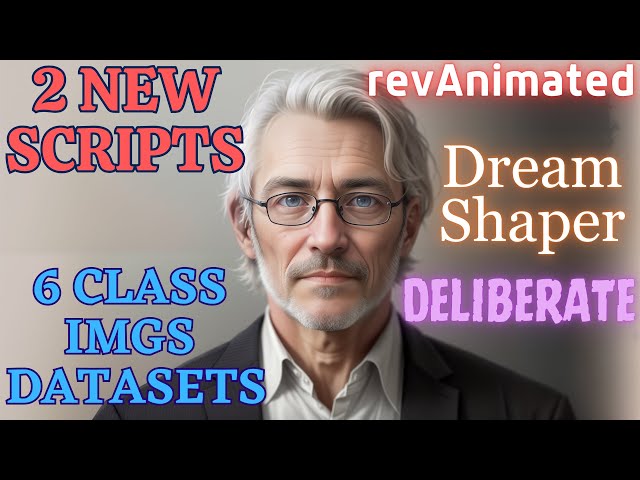











In this video I share 2 new scripts that you can utilize to post process Stable Diffusion generated classification / regularization images in higher resolution. With these 2 custom scripts made by me, you can automatically detect multiple or 0 face having pictures or low coloring quality having pictures. Moreover, you can remove NSFW images from your datasets and distill your dataset to improve your training quality. Furthermore, I share 6 amazing post processed photo of man classification images datasets for Deliberate, DreamShaper and revAnimated custom Stable Diffusion models.
Link To The Scripts And Datasets
https://www.patreon.com/posts/84292083
Patreon posts index
https://github.com/FurkanGozukara/Stable-Diffusion/blob/main/Patreon-Posts-Index.md
How to install and setup Python
Visual Studio Community Edition for NSFW images remover
https://visualstudio.microsoft.com/vs/
Our Discord server
https://bit.ly/SECoursesDiscord
If I have been of assistance to you and you would like to show your support for my work, please consider becoming a patron on 🥰
https://www.patreon.com/SECourses
Technology & Science: News, Tips, Tutorials, Tricks, Best Applications, Guides, Reviews
https://www.youtube.com/playlist?list=PL_pbwdIyffsnkay6X91BWb9rrfLATUMr3
Playlist of StableDiffusion Tutorials, Automatic1111 and Google Colab Guides, DreamBooth, Textual Inversion / Embedding, LoRA, AI Upscaling, Pix2Pix, Img2Img
https://www.youtube.com/playlist?list=PL_pbwdIyffsmclLl0O144nQRnezKlNdx3
00:00:00 Introduction to new class / reg images datasets and the new scripts
00:00:11 Post processing script that cleans Stable Diffusion generated images
00:03:10 How to install and use post processing cleaning script
00:05:16 NSFW images auto remover script
00:07:14 How to use NSFW images remover script
00:09:10 Which classification / regularization images datasets I am sharing with the community
Unleashing the Power of Scripts and Datasets for Image Processing and Classification
In a recent YouTube video, an innovative content creator shared valuable insights and resources with their community. The video highlighted the release of two new scripts, namely the Post Process Script and the Not Safe for Work (NSFW) Images Remover Script. These scripts aim to enhance the quality and classification of images generated by various models. Additionally, the video introduced six new classification image datasets, which can be accessed through the creator's Patreon page. This article will provide an overview of the scripts, their functionalities, and the datasets, along with additional information about the creator's endeavors.
Script 1: Post Process Script
The Post Process Script offers an effective solution for refining images generated at higher resolutions. When utilizing a deliberate model, images often contain anomalies such as multiple faces, black and white visuals, or NSFW content. The raw output of 768 pixels by 1024 pixels can benefit from the Post Process Script, which automatically identifies and removes such anomalies.
The script consists of three parts: installation, processing, and script execution. To begin, users need to execute the "install.bat" file, which sets up a virtual environment and installs the necessary dependencies for the script. After installation, users can modify the folder addresses in the script, specifying the locations for saving post-processed images, multiple-face images, zero-face images, and low-color images. It is crucial to customize these addresses to suit individual requirements.
Moreover, the script offers flexibility in GPU usage. Users with multiple GPUs can configure the script to utilize their preferred GPU(s). The script's requirements are minimal, as it only necessitates TensorFlow and Retina Face libraries. It is important to note that the script operates optimally on Windows systems running Python 3.10.x.
Script 2: NSFW Images Remover Script
The NSFW Images Remover Script serves as a powerful tool for filtering and improving the quality of image datasets by eliminating NSFW content. This script, written in C#, effectively identifies and removes not safe for work images from a given dataset. While the script is primarily written for users of Visual Studio Community Edition, an executable file is also available for those without Visual Studio.
To use the script, users must download and extract the files. For developers, installing the "NsfwSpy" library via NuGet packages is necessary. Configuring the source folder path, NSFW folder path, and the new folder path is crucial before running the script. Once set up, users can execute the application to initiate the processing of images. Currently, the NSFW Images Remover Script performs better on CPU, and while GPU testing has been conducted, it yields suboptimal results.
-
00:00:00 Greetings everyone. Today I am sharing two new scripts and six
-
00:00:04 amazing massive classification images dataset with my community.
-
00:00:10 The first script is post process. What this script will do is it will do these things.
-
00:00:17 When you generate higher resolution images, you see it has so many anomalies such as double faces
-
00:00:26 or black and white images or in some cases not safe for work images.
-
00:00:33 This is raw output of 768 pixels by 1024 pixels generated from deliberate model.
-
00:00:42 So with this script you will be able to remove all of the multiple face having images or zero face having
-
00:00:50 images. Moreover, black and white or low color level images fully automatically.
-
00:00:57 Let me show you the entire script. This is the first part. Just pause the video and type it
-
00:01:02 if you wish. This is the second part of the script. This is the third part of the script.
-
00:01:08 And this is the final part of the script. These scripts are shared in this Patreon post.
-
00:01:14 Moreover, with the six new classification images data sets that I will show you in a moment.
-
00:01:20 So if you support me on Patreon, you can just directly download them from here.
-
00:01:25 Alternatively, you can write the script. This script is composed of three parts.
-
00:01:30 First, installation. Second, processing. And third, just run this script.
-
00:01:35 So this is install.bat file. You can also code this and when you double click it,
-
00:01:40 it will compose a new virtual environment in your folder and then it will install all of
-
00:01:46 the dependencies for this script to work. Then this is the run.bat file. With this file,
-
00:01:51 you can activate the script immediately. What is important with this script is that you need
-
00:01:57 to modify the folder addresses. Don't forget to change them. Original images folder where you
-
00:02:04 want post-processed images to be saved. Where you want multiple faces having images to be saved.
-
00:02:10 Where you want zero faces having images to be saved. And where you want low colors images to
-
00:02:16 be saved. This script will not delete any of the images. It will just move them into the different
-
00:02:22 folders. Moreover, you can set your GPU. If you have two GPUs, you can set this one and it will
-
00:02:28 use your second GPU. And you can also run multiple GPUs with this script. So you modify this to zero,
-
00:02:36 run it, then you modify it to one and run it. So it will use both of your GPUs if you have
-
00:02:40 multiple GPUs. And finally, there is a requirements.txt. It only requires TensorFlow
-
00:02:47 and retina face. This is important. This versioning, otherwise it won't work on Windows.
-
00:02:52 Also, make sure that you have Python 3.10.x version installed. For example, you see I have
-
00:02:58 Python 3.10.9 at the moment. If you don't know how to install Python and use it, I have this
-
00:03:04 excellent tutorial video. The link will be in the description of this video. Now I will show you
-
00:03:08 how to use these scripts after you have typed it or downloaded from my Patreon post. First,
-
00:03:15 let's click install.bat file. It will compose a new virtual environment and install all of the
-
00:03:21 dependencies. All dependencies are quickly installed. Press a key to continue. I made a
-
00:03:28 test images folder like this. Copy its address. Open the post process.py file.
-
00:03:35 Let's change the folder paths. So this is the original images folder.
-
00:03:40 Then I will change the other folders like this. I am setting all of them like this as you are
-
00:03:46 seeing right now. And all set. After setting, all I need to do is run this run.bat file.
-
00:03:53 Okay, you see it is processing really fast. All of the images one by one and it is completed.
-
00:04:00 Now let's look at them. So there aren't any images that had no faces. There were seven
-
00:04:06 images that had low number of colors. You see. There were six images that had multiple
-
00:04:14 faces as you are seeing right now. And these are our post-processed images. So with this script,
-
00:04:20 I will be able to process all of these images and save huge type of mine to use them as a
-
00:04:28 classification images. This usually happens when you generate images on higher resolution.
-
00:04:35 And why do we need higher resolution? To obtain a better quality training. Hopefully I will make
-
00:04:40 soon an amazing tutorial for how to obtain very realistic images with higher resolution.
-
00:04:48 And I am also generating classification images for revAnimated version 122,
-
00:04:55 DreamShaper version 6 NoVAE safetensors, Deliberate version 2 safetensors. Why?
-
00:05:03 Because these models are extremely good for styled images. Therefore, I am preparing
-
00:05:09 higher resolution classification images datasets to make a new workflow for teaching your faces
-
00:05:16 and having amazing high quality styled images. The second script is not safe for work images
-
00:05:23 remover. This secret is written in Csharp unlike others. So let me open the project.
-
00:05:29 After you download the script, just extract it and just double click the .sln file. For this
-
00:05:36 script to work, you need Visual Studio Community Edition. Just type Google Microsoft Visual
-
00:05:41 Community Edition and you will get to this page. Download Community Edition and install it with Csharp
-
00:05:47 and .net core. This script is also extremely easy. Let me show you the entire script if you
-
00:05:53 are not my Patreon supporter, you can also code it. All you need to do is right click here,
-
00:06:00 manage NuGet packages. This is not necessary for my Patreon subscribers if you have downloaded
-
00:06:05 from there, this is for whoever is coding themselves. You need to install this library
-
00:06:13 NsfwSpy. Other than that, this is the entire code. You decide your folder paths.
-
00:06:19 You set your main function like this. You see, I also published exe file of this script
-
00:06:26 in the Patreon. So even if you don't have Visual Studio, you can just set up the config.txt file
-
00:06:34 like here and it will be able to process your images. So change your config file
-
00:06:39 and double click and run the exe if you have downloaded exe from my Patreon post.
-
00:06:45 Then the rest of the script is going like this. Just pause the video and type it.
-
00:06:49 The other part of the script, the other part, the other part, and finally like this. So you see,
-
00:06:55 this is another very long script. What does this script do is it will remove not safe for work
-
00:07:01 images and it will improve your training quality. This is extremely useful for some of the models
-
00:07:08 because they tend to generate a lot of not safe for work images, which spoils your training.
-
00:07:14 Now I will show you how to use not safe for work images remover. After you have coded the
-
00:07:20 application or you have downloaded from Patreon post, just open the solution file.
-
00:07:25 It will install the necessary dependencies then don't forget to change the source folder path,
-
00:07:31 not safe for work folder path and new folder path. So let me show you. So I will use the
-
00:07:37 post-processed folder from other script as a source folder path. Then I will change the not
-
00:07:44 safe for work folder address like this and the clean address like this. So the clean will be our
-
00:07:51 final folder, save config, open program.cs and click this play icon. It will recompile
-
00:07:58 and start the application. Currently this works on CPU. On GPU I tested it and it wasn't very
-
00:08:05 successful. You see it had found one not safe for work and processed 19 and it is completed.
-
00:08:12 And when we open our folder, we see the new folders generated. It classified this as not
-
00:08:17 safe for work. This may not be very much not safe for work. However, consider that you have
-
00:08:24 much worse images and it will process all of them. And in the clean images, we have our final images
-
00:08:31 as you are seeing. Of course, there are some still weird images, for example, missing limbs.
-
00:08:37 I am working a way to also eliminate this kind of weird images from our classification images
-
00:08:44 data set. However, these are not very, very important because this is what the model already
-
00:08:50 knows. And by using these classification images, we will prevent over-training of the model and
-
00:08:57 we will make it more generalized. But I am working on finding a way to remove these weird or let's
-
00:09:06 say not very good images as well. So this was the second script. Now let me show you which data sets
-
00:09:13 that I am sharing on my Patreon post, which post on this post. I will also put the link of this
-
00:09:20 page into the description of the video. You can also access this post from my Stable Diffusion
-
00:09:27 GitHub repository. In here you will see Patreon posts index. I have made an index of all of my
-
00:09:34 Patreon posts here. You don't have to support me on Patreon, but if you support me on Patreon,
-
00:09:39 I would appreciate that very much. It is helping me tremendously. My YouTube revenue is very low.
-
00:09:44 So your Patreon support is amazingly important for me. So the data sets that I am going to share
-
00:09:51 is 6055 post-processed rev animated version 122. You see the quality of the images. Each one is 512
-
00:10:01 by 768. Also, I am going to process these raw images 768 by 1024. They will be also put in
-
00:10:13 the post of Patreon, not yet, but hopefully in one or two days. So the second model is DreamShaper 512
-
00:10:20 by 768. For generating these images, I used this VAE file, which is the best VAE. I didn't use
-
00:10:27 baked ones because I believe this VAE is working better. So for 512 and 768, we have over 4,000
-
00:10:35 images. I also have prepared over 5,000 images for 768 by 1024, not processed yet. Hopefully,
-
00:10:45 they will be also processed and put into the Patreon post. And the third model is Deliberate.
-
00:10:51 This is the worst model when it comes to generating higher resolution images.
-
00:10:56 Original of this model is not trained with higher resolution. So it has a lot of repeating.
-
00:11:02 So I have prepared over 10,000 images for 768 and 1024. I will post process them not done yet,
-
00:11:10 but I have post processed and cleaned over 4,000 images for 512 and 768 pixels. This is
-
00:11:20 already shared on Patreon post. So I am working my hardest to bring you the most amazing tutorials,
-
00:11:27 newest stuff. I hope you have enjoyed. Please like, subscribe, join, support me on Patreon.
-
00:11:33 We have so far 180 patrons and I appreciate them very much. Without their support, I wouldn't
-
00:11:39 be able to continue working on this. Hopefully, an amazing tutorial is coming for super high
-
00:11:46 quality realism. Maybe you saw my this post on Reddit. This was my real image and these two
-
00:11:54 images were AI made and these are raw images, not upscaled, not inpainted. Hopefully, workflow for
-
00:12:02 these quality images will come soon. I still couldn't find time because I am extremely
-
00:12:07 busy with private consulting, also working with real life things and answering questions in our
-
00:12:14 Discord channel. So sorry about the delay, but it is coming hopefully.
-
00:12:18 So check the video description for the links. Hopefully see you later.